WhatsApp automation means letting software send the messages you’d otherwise type by hand: the instant reply to a new enquiry, the reminder when a customer goes quiet, the order confirmation, the answer to what time do you close? at 11pm. Done well, customers get faster answers and your team spends its time on the chats that need a person.
Below: what you can automate, the free WhatsApp Business app versus the API, every automation we’ve written a guide for, the three to set up first, and the rules that keep your number safe.
What you can automate on WhatsApp
- Replies. An instant answer to a new message, a menu of buttons, or a reply to a keyword such as price.
- AI answers. An AI agent that answers from your own information and leaves the rest to your team.
- Follow-ups. One reminder when a customer stops replying, and an alert when their message sits unanswered.
- Reminders. Appointment, payment and event reminders, sent as approved templates when you choose.
- Order updates. A confirmation when an order is placed and the tracking link when it ships.
- Lead qualification. A short form or a few buttons that sort ready-to-buy leads from browsers.
- Campaigns. Offers and news to customers who agreed to hear from you, sent now or scheduled.
What not to automate: complaints, refunds and anything where the customer is upset. Automation should get those to a person fast.
App automation vs API automation
The free WhatsApp Business app
Meta’s app features page lists a greeting message for new customers, away messages for outside business hours, quick replies (shortcuts for messages you send often) and labels to sort chats. Meta also offers Meta Business Agent, an AI agent for eligible businesses in select markets. With Meta Verified, Meta lists linking up to 10 devices and agents, and you can assign chats to agents.
The WhatsApp Business API
The API connects your number to software through a provider, so automation reacts to events: a keyword, a silence, a new order, a button tap, a lead form.
| WhatsApp Business app | WhatsApp Business API | |
|---|---|---|
| Instant replies | One greeting and one away message | Different replies per keyword, button or menu choice |
| Follow-ups | By hand | Automatic after a silence you set |
| AI answers | Meta Business Agent, for eligible businesses | Your provider’s AI agent, answering from your information |
| Team routing | Manual assignment with paid multi-agent | Rules: a specific teammate, round-robin or least busy |
| Campaigns | Broadcast lists (256, saved numbers only; details); paid business broadcasts in some countries | Templates to opted-in customers, now or scheduled |
| Store and other software | Can’t connect | Order events, a REST API and webhooks |
| Cost | Free; paid Meta subscriptions add more | Provider plan plus Meta’s per-message charges |
More detail: WhatsApp Business app vs API. With coexistence, a number that starts on the app can use both.
Every WhatsApp automation, with a step-by-step guide
Each guide covers one automation: what it does, the steps and messages to copy. They’re built in Wabot; the ideas work on any API platform.
Replies and answers
| Automation | What it does | Step-by-step guide |
|---|---|---|
| Auto-reply messages | 25 greeting, after-hours and holiday replies to copy, and the app setup | WhatsApp auto reply for business |
| Welcome menu | Buttons or a list; each tap sends details, assigns a teammate or calls the AI bot | Menu buttons |
| FAQ bot | Answers from your website and documents; customers reply 0 to reach a person | WhatsApp FAQ bot |
| AI agent | Answers from your information day and night; assign the chat to take over | WhatsApp AI agent and 15 tips |
| Chatbot without code | A menu, AI answers and a human handover, built in a visual editor | No-code chatbot |
| Keyword auto-reply | Replies to destination names with a package list and follows up after a day | Travel enquiry auto reply |
| Two languages | Asks English or Malayalam once, then replies in that language every time | Multilingual chatbot |
Leads and sales
| Automation | What it does | Step-by-step guide |
|---|---|---|
| Qualify leads | An in-chat form; hot leads are tagged, assigned round-robin and get a call task | Lead qualification bot |
| Facebook lead ads | Every new lead from a form gets your approved template in seconds | Lead ads to WhatsApp |
| Lead-ad follow-up | Three buttons (Call me today, Send details, Not now), each routed differently | Qualify Facebook leads |
| Instagram comments | Replies to keyword comments, then answers the DM with your prices | Instagram comment auto reply |
| Sales pipeline | A new card gets a thank-you and a quote task; Book it marks the deal won | Sales pipeline automation |
| Forms in the chat | WhatsApp Flows collect bookings, survey answers and lead details without a link | WhatsApp Flows guide |
Follow-ups
| Automation | What it does | Step-by-step guide |
|---|---|---|
| Customer went quiet | One template per silence after the wait you choose, plus a call task | Follow-up automation |
| Read, no reply | One nudge, only to people who read a campaign and didn’t answer | Read receipt follow-up |
| Unanswered chats | After 30 minutes the least busy teammate gets it; a manager if it slips | Support SLA escalation |
| Drip sequence | A keyword starts five messages over 12 days, each with its own wait | Drip campaign automation |
Reminders, bookings and campaigns
| Automation | What it does | Step-by-step guide |
|---|---|---|
| Appointment booking | A request form, an instant confirmation and a task for reception | Appointment booking |
| Event registration | Form, confirmation and tag; reminders go out as scheduled campaigns | Event registration |
| Payment reminders | Utility templates for before, on and after the due date, scheduled as campaigns | Payment reminder messages |
| Scheduled messages | Why phone scheduler apps are risky, and scheduling campaigns on the API | Schedule WhatsApp messages |
| Win-back | Three scheduled campaigns to a tagged list of lapsed customers, with stop rules | Win back customers |
Orders, payments and after-sale
| Automation | What it does | Step-by-step guide |
|---|---|---|
| Shopify order updates | A confirmation when the order is created, tracking when it’s fulfilled | Shopify order notification |
| Catalog order to payment | A payment request for catalog orders through Razorpay (India), then a thank-you | Catalog order payment |
| Review requests | Loved it gets your Google review link; Not happy goes to a manager | Google review request |
| Feedback survey | A star-rating form; low scores reach a manager with a call task | Feedback survey |
| AI tools | Claude, Cursor and other AI agents send templates and build simple automations | WhatsApp MCP server |
Where to start: 3 automations to set up first
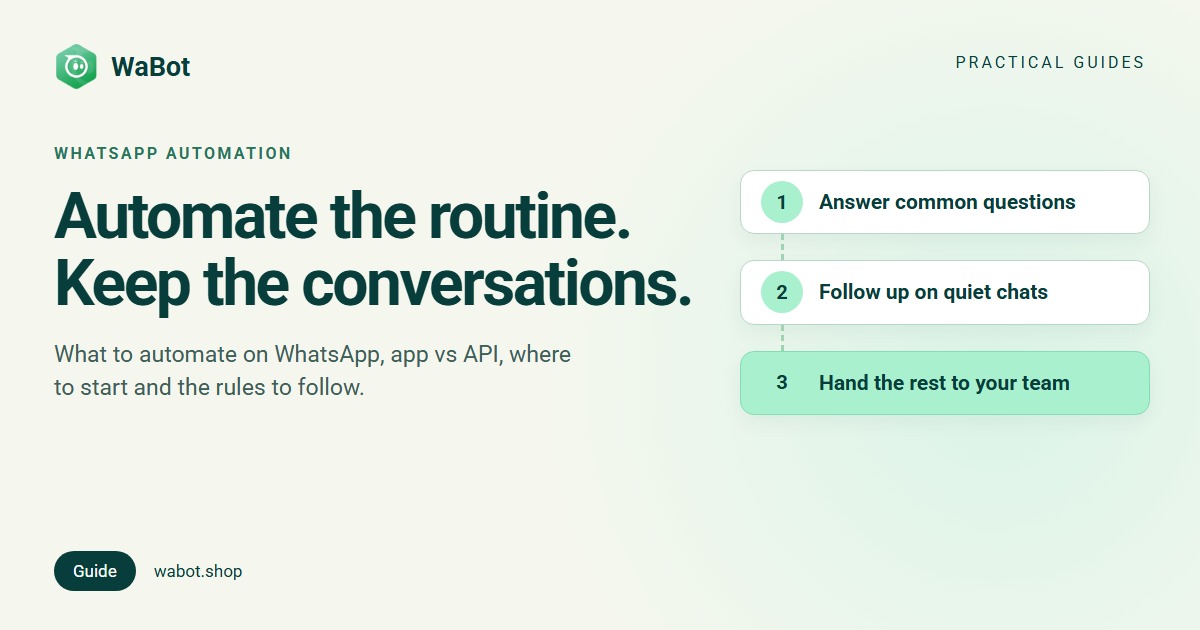
- Answer the questions you get every day. List your five most common questions. Answer them with keyword replies, or teach an AI agent your answers. This alone takes most of the repetitive typing off your team.
- Make sure no chat waits too long. Put a timer on unanswered customer messages, for example 30 minutes, that assigns the chat to a teammate (how). It sends nothing to the customer, so there’s no template to approve.
- Follow up once when a customer goes quiet. After a quote or a price, send one polite template if they haven’t replied in two days, and give your team a call task (how).
Run an online store? Swap the third for order confirmations and shipping updates. Then add one automation at a time and check what it did for a week before adding the next. For the full walkthrough, from the app’s greeting message to these three workflows, see how to automate WhatsApp Business messages.
The guardrails
- Opt-in before marketing. Meta’s Business Messaging Policy says you may only contact people who gave you opt-in permission, and you must respect every request to opt out. Campaigns and marketing messages need that agreement first (how to collect opt-in).
- A clear way to reach a person. The same policy says automated experiences “must also have available prompt, clear, and direct escalation paths”, such as reply 0 to reach your team.
- The 24-hour window. When a customer messages you, a 24-hour customer service window opens, and normal replies can only go out while it’s open (Meta's pricing page). Any follow-up or reminder sent later must be an approved template.
- Don’t over-message. Blocks and reports pull down your quality rating. One reminder per silence is plenty.
- Know what costs money. Meta charges per delivered message. Replies inside the window are service messages: the first 1,000 per business number each month are free, and since 1 October 2026 each one after that is charged. Templates are charged at rates that vary by country (worldwide rates; India rates).
How Wabot handles this
- Workflows under Automation → Workflows: start from Reply to a keyword, Reply to every message or blank. The time triggers No reply for a while and Follow-up is due wait 5 minutes to 30 days. Actions send messages and templates, add tags, assign chats and create follow-ups.
- AI agents under Automation → AI Agents: teach your bot in Agent Knowledge, then test it before going live. Answers are paid from your Wabot wallet, or use your own OpenAI, Anthropic or Azure key under AI Providers.
- Campaigns with three Launch Options: Send Now, Schedule for Later or Using API.
- A shared inbox for handed-over chats: All, Unread, My chats, Unassigned and Mentions filters, Assign to, internal notes with @mentions, and saved replies when you type “/”.
- Shopify: add your custom-app credentials under Settings → Integrations to send messages when an order is created or fulfilled (guide).
- For developers: a REST API, outgoing webhooks and an MCP server for AI tools.
Plans start at $9/month (₹840/month + GST in India) with the shared inbox and campaigns. In India, workflows are on the Base Plan (₹9,240/year + GST); the pricing page shows the options for your country. Meta bills you directly for messages, with no markup from us.
Set up your first WhatsApp automation today
Create your free Wabot account and connect your WhatsApp number. No card needed.
Frequently asked questions
What is WhatsApp automation?
Software sending the WhatsApp messages you’d otherwise type by hand: instant replies, answers to common questions, follow-ups, reminders, order updates and scheduled campaigns, either with the WhatsApp Business app’s tools or on the WhatsApp Business API.
Can I automate WhatsApp for free?
Partly. The WhatsApp Business app’s greeting messages, away messages, quick replies and labels are free. API automation needs a provider plan, and Meta charges per delivered message, with the first 1,000 service replies per number each month free.
Is WhatsApp automation allowed?
Yes, through the official app and API. Meta’s policy requires opt-in and a clear way to reach a person. WhatsApp’s Terms of Service list auto-messaging on the regular apps as impermissible, so avoid unofficial auto-sender tools.
Will automation replace my team?
It shouldn’t. Good automation answers routine questions, follows up on time and routes everything else to a person. Complaints and refunds belong with your team.
Which Wabot plan do I need for automation?
Plans start at $9/month (₹840/month + GST in India) with the shared inbox and campaigns. In India, workflows are on the Base Plan (₹9,240/year + GST); the pricing page shows your country’s options. Meta bills message charges to your own Meta account.
The short version
WhatsApp automation works best when it handles the routine and gets everything else to a person quickly. The free app covers a greeting, an away message and quick replies; the API adds follow-ups, AI answers, order updates, routing and scheduled campaigns.
Start with three: answers to your top questions, a timer on unanswered chats, and one follow-up for quiet customers. Respect opt-in and the 24-hour window, and add the rest one guide at a time.