You need four answers from a customer: name, service, date and time. Typed on WhatsApp, that’s a string of messages each way and a customer who stops replying halfway. A link to a web form is one more page many people never open.
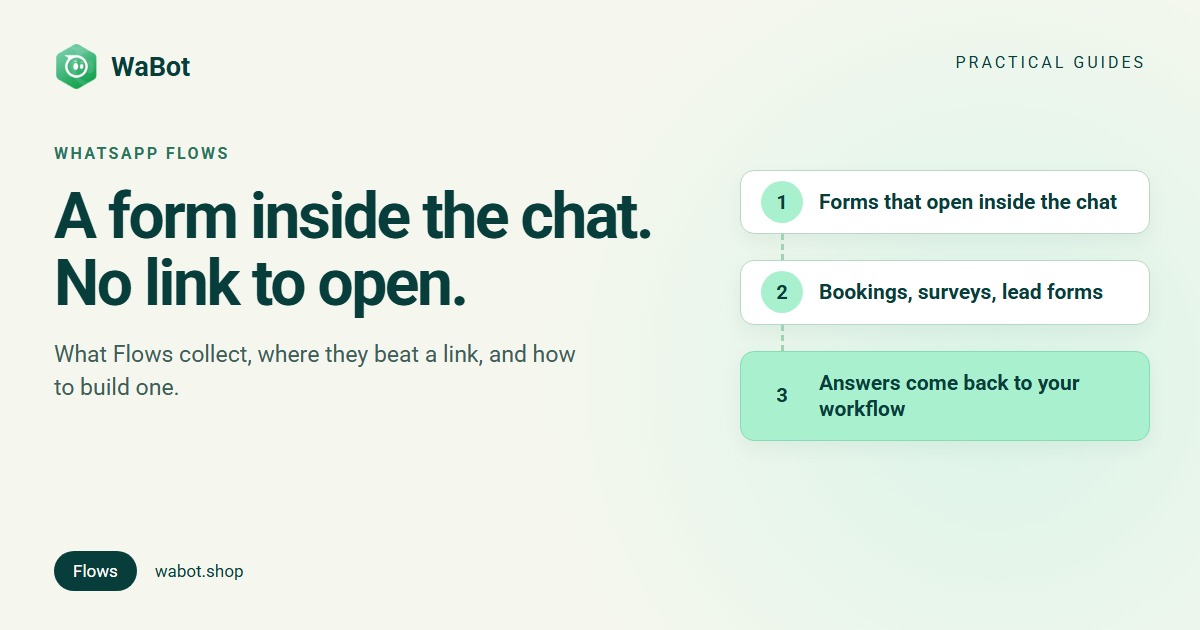
WhatsApp Flows are forms that open inside a WhatsApp chat. The customer taps a button in your message, fills one or more screens of fields (text, dropdowns, radio buttons, checkboxes, dates, even photo and document uploads) and taps submit. The answers come back into the same chat as a message your system can read. Meta’s own definition is “a way to build structured interactions for business messaging”. Flows run on the WhatsApp Business API, not the free Business app, and Meta says your business must be verified to send them to customers.
What a WhatsApp Flow is, in practice
The customer sees a normal message with a button such as Book a session. One tap opens a full-screen form over the chat. Each screen has one footer button (Next, Submit); the last one closes the form and, in the words of Meta’s Flows documentation, “sends the response message to the chat thread”, while the business receives the answers on its webhook.
A simple Flow carries fixed fields and options. An endpoint-powered Flow calls your own HTTPS server between screens: Meta’s endpoint guide says endpoints “provide dynamic data for the screens and control routing”, so a form can show live options. That needs a developer; most small-business forms don’t.
Meta’s Flows API labels every Flow with at least one purpose: sign up, sign in, appointment booking, lead generation, contact us, customer support, survey or other.
What a Flow can collect
From Meta’s components reference; which ones you can use depends on the tool you build with.
| Component | What the customer does | Good for |
|---|---|---|
| Text input | Types one line: text, number, email, phone or password | Name, order number, pincode |
| Text area | Types a longer answer (up to 600 characters by default) | “What could we do better?” |
| Dropdown | Picks one option from a list of up to 200 | Service, branch, product |
| Radio buttons | Picks one of up to 20 options | Ratings, time of day, yes or no |
| Checkboxes or chips | Picks several options | Interests, add-ons |
| Date or calendar picker | Chooses a date (or, in newer versions, a date range) | Appointment or travel dates |
| Opt-in | Ticks a consent box, with an optional Read more link | Marketing consent, terms |
| Photo and document upload | Adds photos or files such as PDFs, up to 25 MB each | Prescriptions, ID copies, damage photos |
| Text, images and links | Reads headings, instructions and up to 3 images per screen | Product pictures, policies |
Screens can show or hide fields based on earlier answers, and a Flow can branch between screens. Uploaded files come back with the response: at most 10 files and 100 MB combined, per Meta’s media upload guide.
Where Flows beat a link, and where a link still wins
| Typed questions in chat | Link to a web form | WhatsApp Flow | |
|---|---|---|---|
| Customer effort | Several messages each way | Leaves WhatsApp and loads a page | One screen of taps, inside the chat |
| Answers | Free text, spelt any way | Structured, but they arrive outside WhatsApp | Structured, and back in the same chat |
| Taking payment | A separate request | Yes, on your own checkout | Not inside the Flow (see limits) |
| Long applications, logins | Painful | Best fit | Keep it short |
A form beats a conversation for anything with fixed questions. “Which service, which day, morning or evening?” is three messages each way when typed, and one screen when tapped. And because the options are fixed, each answer is a value a workflow can act on, not a sentence somebody has to read and sort.
Real examples you can copy
Appointment request
From our WhatsApp appointment booking automation: a Booking request form with Your name, a Service dropdown, a Preferred date picker and Preferred time radio buttons (Morning, Afternoon, Evening). Whoever writes book gets the form; when it comes back, the answers are echoed at once and reception gets a one-hour task to confirm the slot.
Of course! Fill this 30-second form and we'll hold a slot for you 👇
[Book a session]
Thanks {{name}}! 🙏 We've received your request:
Service: {{service}}
Date: {{preferred_date}} · {{preferred_time}}
Our reception will confirm your slot within the hour. Reply here if anything changes.
Feedback survey
From our WhatsApp customer feedback survey automation: a star rating (radio buttons) and a What could we do better? box. Each rating option carries a value with the outcome in it, good_5 down to bad_1, so one rule (“starts with bad”) sends low ratings to a manager with a two-hour call task, while happy customers get a thank-you.
Two quick questions, it takes 20 seconds.
[Rate your stay]
More ideas
- Lead qualification: course, budget range, start date and preferred call time, so hot leads reach sales first. See qualifying leads with a WhatsApp form.
- Event registration: name and number of seats, no Google Form. See WhatsApp event registration.
- Quotes and offers: Meta’s own example Flows cover pre-approved loans, insurance quotes, purchase interest and personalised offers.
How a Flow reaches the customer, and what it costs
- Inside the 24-hour window: send the Flow as a normal interactive message with a button (Meta’s sending guide).
- Outside the window: it has to ride on a Meta-approved template, either with Meta’s dedicated Flow button or, as in our survey example, a quick-reply button whose tap re-opens the window so the form can follow as a normal message.
- Cost: Meta’s pricing has no separate charge for Flows; you pay for the message that carries the form. In India from 1 October 2026, a reply inside the window is a service message (first 1,000 a month free, then ₹0.115), and a template costs its category’s rate (₹0.8631 marketing, ₹0.115 utility), plus 18% GST, billed by Meta. Details: WhatsApp Business API pricing in India.
Marketing templates, including ones that carry a form, only go to customers who agreed to hear from you. See WhatsApp opt-in.
Limits to know before you build
- API only, verified business. The free WhatsApp Business app can’t send Flows. Meta’s getting-started page says that to send Flows to customers you need to verify your business and maintain high message quality.
- No payment step inside the Flow. Meta’s Flows documentation has no payment component. In India, payment on WhatsApp is a separate order details message that the customer reviews and pays through BillDesk, Razorpay, PayU or Zaakpay, per Meta’s India payments documentation, which doesn’t mention Flows. Collect the details in the Flow, then send the payment request; WaBot’s Razorpay version is in WhatsApp catalog order and payment automation.
- Draft vs published. Meta’s lifecycle guide says a draft can only be sent for testing; real customers get published Flows. Changes never reach Flow messages you’ve already sent.
- Endpoint health. An endpoint-powered Flow whose server is slow or failing is throttled to 10 messages an hour, and can be blocked.
- Screen limits. Up to 50 components, one footer button, up to 5 opt-in boxes, 3 images and a single upload field per screen.
- Dates arrive as year-month-day, for example
2026-10-28. If you’d rather print “28 Oct”, make the date a text field.
How WaBot handles this
In WaBot, Flows live under Automation → WhatsApp flows (WhatsApp Flows guide):
- Click Add Whatsapp Flow. Enter a Flow Name, pick a Category such as APPOINTMENT_BOOKING or SURVEY, and choose your number under Select Channel.
- Click Manage fields. Start from a template such as Feedback Survey, or add fields such as Text Input, Text Area, Dropdown, Date Picker and Radio Buttons.
- Check each Field Name: WaBot makes one from the label (Preferred date becomes
preferred_date), and it becomes a workflow variable. For Dropdown and Radio Buttons options, set each Option value; workflows compare the value, not the label. - Click Upload to WhatsApp, then Publish Flow. Only published flows can be picked in a workflow, and a published flow can’t be edited, so test it from your own phone first.
- Send it from a workflow with Send a message → Message type Flow: a Body, the form under Select Flow and the button text under Flow CTA. Catch the answers with the trigger Customer sends a message → WhatsApp → Flow → Select a flow; the form’s fields appear as variables.
Form answers work in Send a message text on the step that receives the form, not in template variables, follow-up text or pipeline deal titles. Conditions compare text (is, is not, contains, starts with), with no “greater than”, which is why the survey puts the outcome in the option value.
Prefer to describe the form in plain words? WaBot’s WhatsApp MCP server lets AI agents such as Claude Code, Codex or Cursor build Flows as drafts, publish them and retire them. Setup is in the MCP guide; everything else is in the WaBot docs.
Workflows and WhatsApp Flows are on the Base Plan (₹9,240/year + GST). Connecting your number starts a 15-day Base Plan trial, and Meta’s message charges are billed by Meta directly, with no WaBot markup.
Build your first WhatsApp form today
Create your free WaBot account, connect your number and build a booking or feedback form under Automation → WhatsApp flows. Connecting starts a 15-day Base Plan trial, no card needed.
Frequently asked questions
What are WhatsApp Flows?
Forms that open inside a WhatsApp chat. The customer fills fields such as text, dropdowns, dates and ratings, and the answers come back to the business as a message in the same chat. They run on the WhatsApp Business API.
Can I use WhatsApp Flows with the WhatsApp Business app?
No. Flows are part of the WhatsApp Business Platform (the API), so you send them through Meta’s tools or a provider. Meta also says your business must be verified to send Flows to customers.
Can customers pay inside a WhatsApp Flow?
Not according to Meta’s Flows documentation, which has no payment component. In India, payment on WhatsApp is a separate order details message paid through a gateway such as Razorpay or PayU. Collect the details in the Flow, then send the payment request.
Are WhatsApp Flows free?
Meta has no separate charge for Flows. You pay for the message that carries the form, at the usual rate for a service reply or a template, and the customer’s answers cost you nothing.
Can I edit a WhatsApp Flow after publishing it?
In WaBot a published flow can’t be edited, so test it from your own phone first. Meta adds that changes never reach Flow messages already sent.
The bottom line
A WhatsApp Flow turns “which service, which day, what time?” into one screen the customer fills in half a minute without leaving the chat. Use it wherever the questions are fixed: bookings, feedback, lead details, registrations. Keep it short, take payment in a separate message and test the published version on your own phone.