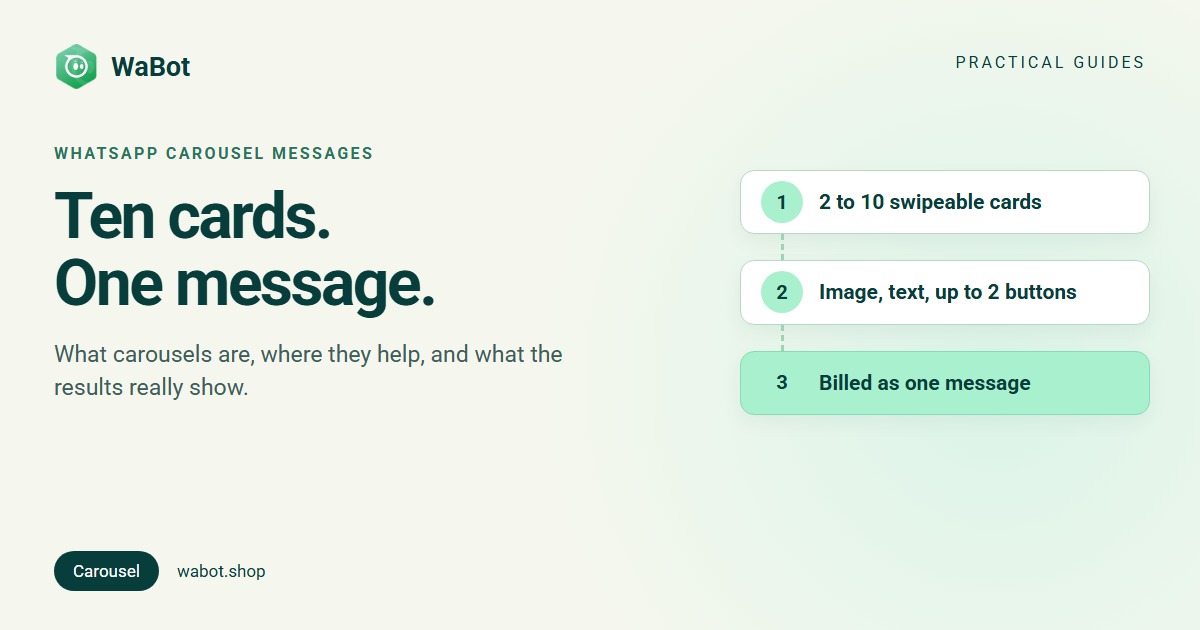
A WhatsApp carousel message is one message with 2 to 10 cards that your customer swipes sideways. Each card has a picture, a line or two of text and up to two buttons, so you can show several products, rooms or plans at once and the customer taps the one they want. Meta bills it as one message, not one per card.
Below: the four kinds, Meta’s rules and image size, uses by industry, and an honest look at results. We found no independent benchmark showing carousels beat other messages, so we’ll also show you how to test them yourself.
What a carousel message looks like
A message bubble sits on top, and the cards under it each show an image or short video, optional text and buttons. There are four kinds:
| Type | When you can send it | What each card holds |
|---|---|---|
| Media card carousel template | Any time, once Meta approves it | Image or video, optional text, up to 2 buttons: quick reply, website link or phone number |
| Product card carousel template | Any time, once Meta approves it | A product from your catalog with its image, name and price, plus a View button or a website button |
| Interactive media carousel | Only within 24 hours of the customer’s last message | Image or video, optional text, one website button or quick-reply buttons |
| Interactive product carousel | Only within 24 hours of the customer’s last message | Products from one catalog; the customer browses and adds to cart without leaving the chat |
Templates need Meta’s approval and are always marketing; interactive carousels need none but only work while the customer service window is open. Categories explained: marketing, utility and authentication templates.
Meta’s rules, including image size
| Rule | Limit |
|---|---|
| Cards | 2 to 10. A media card template always sends the number of cards it was approved with. |
| Message bubble | Up to 1,024 characters, with variables such as the customer’s name |
| Card text | Up to 160 characters. If one card has text, every card must. |
| Buttons per card | Up to 2 in templates: quick reply, website (URL) or phone number. Labels up to 25 characters. |
| Same layout | Every card must have the same parts, for example image + text + two buttons |
| Category | Marketing only |
| Images | JPEG or PNG, up to 5 MB |
| Video | MP4 or 3GPP (H.264 video, AAC audio), up to 16 MB |
Sources: Meta’s media card carousel and supported media pages. Image size: Meta’s best practices for marketing messages shows carousel images at 17:10; 1,360 × 800 pixels is one size with that ratio. WhatsApp crops card images to a wide ratio depending on the phone, so keep the product and any text away from the edges.
Two more limits: WhatsApp does not currently deliver marketing templates to US phone numbers, so carousel templates won’t reach customers there. And Meta’s general template rules say templates with 4 or more buttons, or a quick reply mixed with another button type, can’t be viewed on WhatsApp desktop; people are asked to open them on their phone. Meta doesn’t say how this applies to carousel cards, so do a test send if many customers use WhatsApp on a computer.
How carousels help, business by business
Carousels suit any business with more than one thing worth showing. The card ideas below are examples to adapt, not results:
| Business | What goes on the cards | Buttons |
|---|---|---|
| Online stores and fashion | New arrivals, one product per card, or one item in several colours | “Shop now” link; “Ask about size” quick reply |
| Grocery and quick commerce | This week’s deals, or the items for a recipe | “Order now” link |
| Travel and hotels | Packages, room types or destinations with a starting price | “See itinerary” link; “Call us” |
| Real estate | Listings with a photo, area, bedrooms and price | “Book a visit” quick reply; “Call agent” |
| Car dealers and rentals | Models, or rental cars with daily rates | “Book a test drive” quick reply; “View details” link |
| Education and coaching | Courses or batches with start dates and fees | “Get syllabus” quick reply; “Enrol” link |
| Restaurants and cloud kitchens | Combos, specials or new dishes | “Order” link; “Reserve a table” quick reply |
| Salons, gyms and clinics | Services or packages with prices | “Book a slot” quick reply; “Call” |
From Meta’s success stories: Mexican retailer Chedraui sent its marketing messages as carousels. Brazilian car rental firm Movida used carousels to show vehicles with daily rates side by side. Indonesian telecom Indosat Ooredoo Hutchison says features such as list buttons and carousel photos made it easier for customers to respond to personalised offers. More ideas: template message examples.
How people react: what the numbers actually show
The appeal is clear: customers compare options without leaving the chat and tap the one they want. In Meta-commissioned Kantar research, 73.3% of online adults surveyed across 22 markets said they prefer messaging when contacting a business, but we found no survey about carousels specifically.
So what is the win rate against a single image or a plain text message? We found no independent, industry-wide benchmark, and Meta hasn’t published one. Its best-practices guide tells businesses to “test different media types to understand optimal formats per audience and message”. What has been published is a handful of single-business reports:
| Business | What they reported | Caveat |
|---|---|---|
| Chedraui | 30% lower advertising spend, credited to carousel templates reducing the number of messages sent | Self-reported to Meta; a cost saving, not engagement |
| Zepto (India) | In an A/B test, a carousel did “32% better” than its usual static image | From a growth manager, via an April 2024 newsletter; “engagement” not defined, no sample size, and the source says curiosity about a new format helped |
| Nissan Saudi Arabia | 26% of first interactions became full leads in a seven-week carousel campaign | Vendor case study (Infobip); nothing to compare against |
| Cars.co.za (South Africa) | 31.3% of people who engaged with the carousel submitted their details as potential buyers (leads for dealers) | Company figures reported by ITWeb; no comparison |
| Trendyol (Saudi Arabia market) | 13% of AI agent conversations led to product recommendations shown as shoppable carousels | Self-reported; shows usage, not uplift |
On the other side, a Malaysian WhatsApp CRM company writes that retail clients who tried a 6-card carousel on a 400-contact list got worse results than their old single-image broadcast; in its experience, carousels pay off with bigger lists and a real choice of products. Vendor pages also claim 3x higher CTR or 10x more clicks; we couldn’t trace those figures to a named business or a study, so they’re not here.
Our reading: carousels help most when customers compare options (sizes, models, rooms, plans). For one clear offer, a single image may do as well. Trust the win rate you measure yourself.
How to test a carousel against a single image
- Make two versions of one offer: a carousel with a few cards, and a single-image template with the same button.
- Split one opted-in segment into two similar groups (same tags, similar buying history) and send both versions at the same time of day.
- Compare reads, replies, button taps and sales per delivered message. Add UTM tags to each card’s link so your web analytics show which card brought each visit.
- Repeat with a second offer before deciding; one test can be noise, and novelty wears off.
Meta’s own template analytics count website and quick-reply button clicks for marketing and utility templates. Reads and clicks are counted only for 7 days after each send, and these analytics aren’t available for accounts or numbers in the EU or Japan.
Tips for carousels that get taps
- Put the strongest card first. Every other card needs a swipe.
- Keep card text short. 160 characters is the limit, not the target.
- Use 17:10 images with the subject in the middle, because WhatsApp crops them.
- Give each card’s quick reply its own label, such as “Book Villa A”, so a reply shows which card it came from.
- Send only to people who opted in. Marketing messages need the customer’s permission (WhatsApp opt-in and consent), and unwanted messages get blocked and reported. More: the WhatsApp marketing guide.
What a carousel costs
A carousel template is one marketing message, charged once when it’s delivered, however many cards it has (Meta pricing). Meta’s list rates for one marketing message from 1 October 2026, before tax:
| Customer’s country | Marketing message |
|---|---|
| United Kingdom | $0.0635 |
| India | $0.0118 (₹0.8631) |
| Brazil | $0.0625 |
| Germany | $0.1365 |
| United Arab Emirates | $0.0576 |
| Saudi Arabia | $0.0576 |
| Indonesia | $0.0411 |
| Mexico | $0.0397 |
Interactive carousels inside the 24-hour window are service messages; the first 1,000 per number each month are free. If someone messages you from a click-to-WhatsApp ad in the WhatsApp app and you reply within 24 hours, Meta opens a free entry point window of up to 7 days in which your messages, carousels included, are free. Every country, plus a calculator: WhatsApp API pricing. Campaign examples: what a WhatsApp marketing message costs.
How to send a carousel in Wabot
Carousel templates are built into Wabot:
- Go to Settings → Templates → Add template. Set Type to Carousel, the category to Marketing and the sub-category to Custom.
- Write the Message body, then click Add Carousel for each card: upload an image (Wabot cards use images), write the card text (use Add Variables for values that change) and add one or two buttons: Quick reply, Phone or Web URL.
- Click Add to submit the template to Meta. It shows as pending, then approved or rejected (how to fix a rejected template).
- Send it as a campaign (Launch Options: Send Now, Schedule for Later or Using API; open each card in Edit carousel card before launching), to one customer from the inbox with the Templates button, or automatically with the workflow action Send a template (workflows aren’t included in Starter or Silver).
In a campaign the message bubble can be personalised, but each card’s text is the same for every recipient. Developers can send carousel templates through Wabot’s REST API with different card variable values per customer (the carouselData field).
During an open chat you can also send a product carousel from your connected catalog: Attach → Catalog / product / product list → Product carousel, then pick 2 to 10 products. Catalog setup: how to set up a WhatsApp catalog.
To compare results, Settings → Templates shows Sent, Delivered, Read and Received (replies) for each template, and a campaign’s Analytics shows, per contact, who Replied. For card links, rely on UTM tags in your web analytics.
Plans: Starter $9, Silver $25 and Gold $59 a month. In India, Starter ₹840/month, Silver ₹2,160/month, Gold ₹5,749/month and the Base Plan ₹9,240/year (adds workflows), all + 18% GST. You can create a free account and connect your number before choosing a plan. Meta bills you directly, with no markup from us. See plans.
Start building carousels with Wabot
Create your free Wabot account and connect your WhatsApp number. No card needed, and Meta bills messages directly, with no markup from us.
Frequently asked questions
What is a WhatsApp carousel message?
One WhatsApp message with 2 to 10 cards that the customer swipes sideways. Each card has an image or a video, optional short text and buttons. Businesses use carousels to show several products, plans or options in one message.
What size should WhatsApp carousel images be?
Meta’s best-practices guide shows carousel images at a 17:10 ratio; 1,360 × 800 pixels is one size with that ratio. Use JPEG or PNG up to 5 MB, and keep the subject in the middle, because WhatsApp crops card images to a wide ratio that depends on the phone.
Do carousel messages get better results than other messages?
Sometimes. We found no independent benchmark comparing carousels with single-image or text messages, and Meta’s own advice is to test formats. Some businesses have reported good results; others found a single image did better. Send both versions to similar groups of your own customers and compare replies, button taps and sales.
Can customers in the United States receive carousel templates?
Not at the moment. WhatsApp doesn’t currently deliver marketing template messages to US phone numbers, and carousel templates are always marketing. Interactive carousels sent inside the 24-hour window are not marketing templates.
The short version
A WhatsApp carousel puts 2 to 10 swipeable cards in one message. Templates go out any time once approved (not to US numbers) and are always marketing; interactive carousels work only within 24 hours of the customer’s last message. Either way, Meta charges for one message.
Carousels shine when customers compare options. We found no independent win rate, so test a carousel against a single image on similar opted-in groups and keep whichever wins.