Customers message you at all hours with the same questions: Are you open today? How much is delivery? Do you have this in blue? Answering each one takes your team’s time, and a slow reply often means a lost customer.
A WhatsApp AI agent answers those messages for you. It reads what the customer wrote, finds the answer in the information you’ve given it, and replies in seconds, day and night. This guide explains how it works in plain words, the ways businesses use it, the benefits, and what it can’t do yet.
How a WhatsApp AI agent works, in plain words
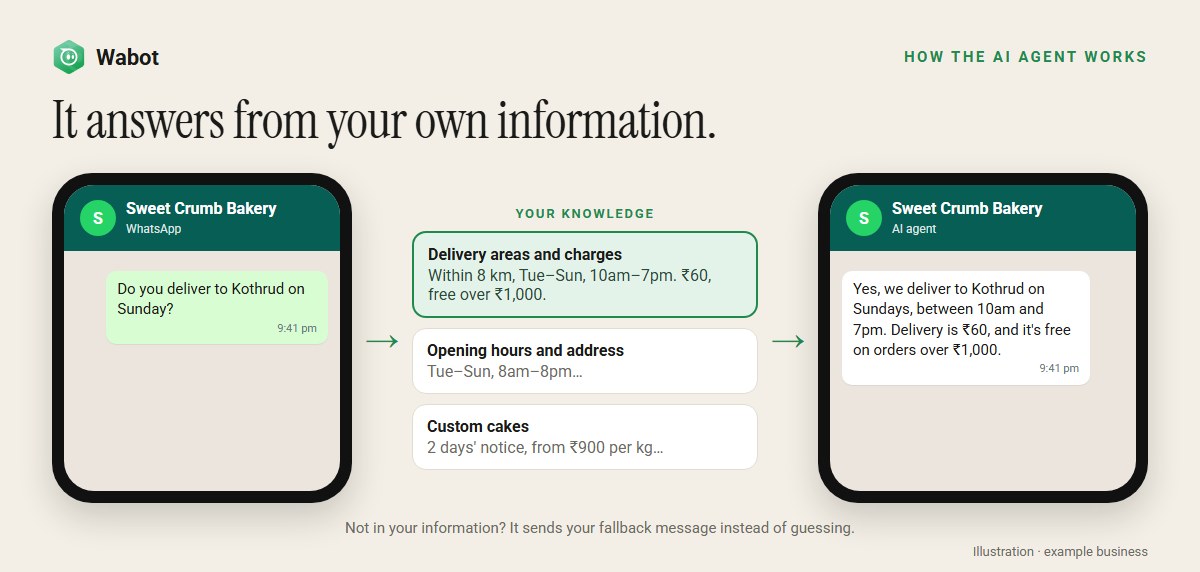
Think of it as a new staff member who has read your business notes and nothing else.
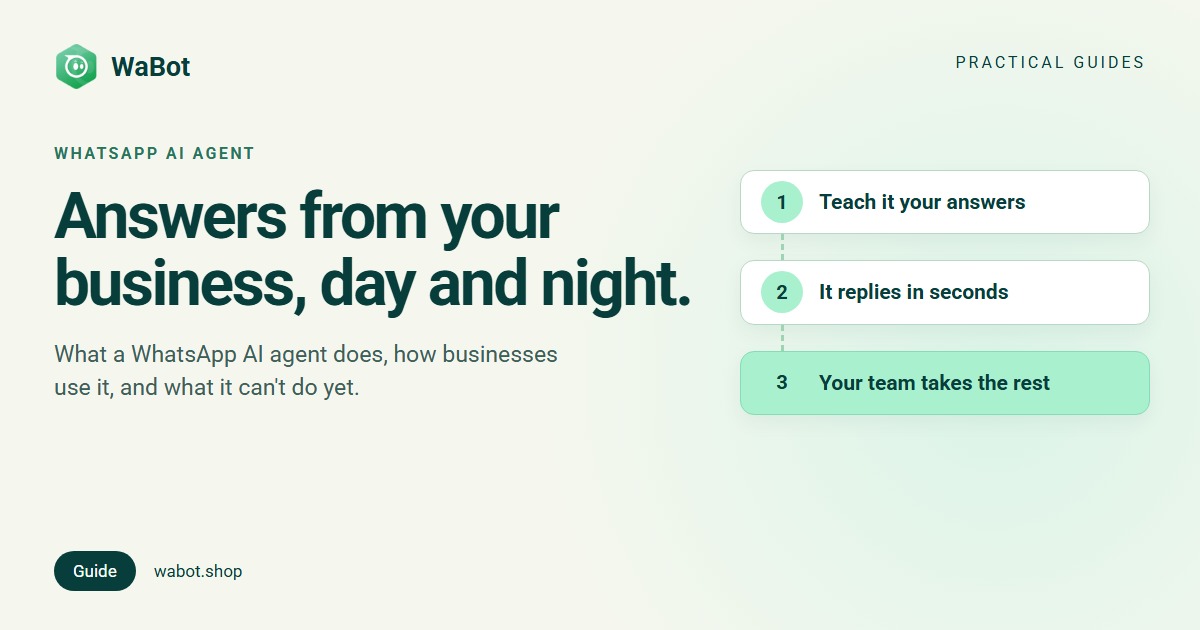
- You teach it. You write down what customers ask about: prices, opening hours, delivery, policies. You can also add pages from your website, or products from your Shopify or Wix store.
- A customer writes. The agent reads the message and the last few messages of the chat.
- It looks for the answer in your information and writes a short reply in the chat.
- If the answer isn’t there, it doesn’t guess. It sends a message you wrote, such as how to reach your team.
That last point matters. A general AI chat app answers from everything it has ever read. A business AI agent should answer only from your information, so customers get your prices, not a guess. Wabot’s agent is built that way. Want a menu with buttons as well? Our no-code chatbot guide shows how menus and AI answers work together.
8 ways businesses use a WhatsApp AI agent
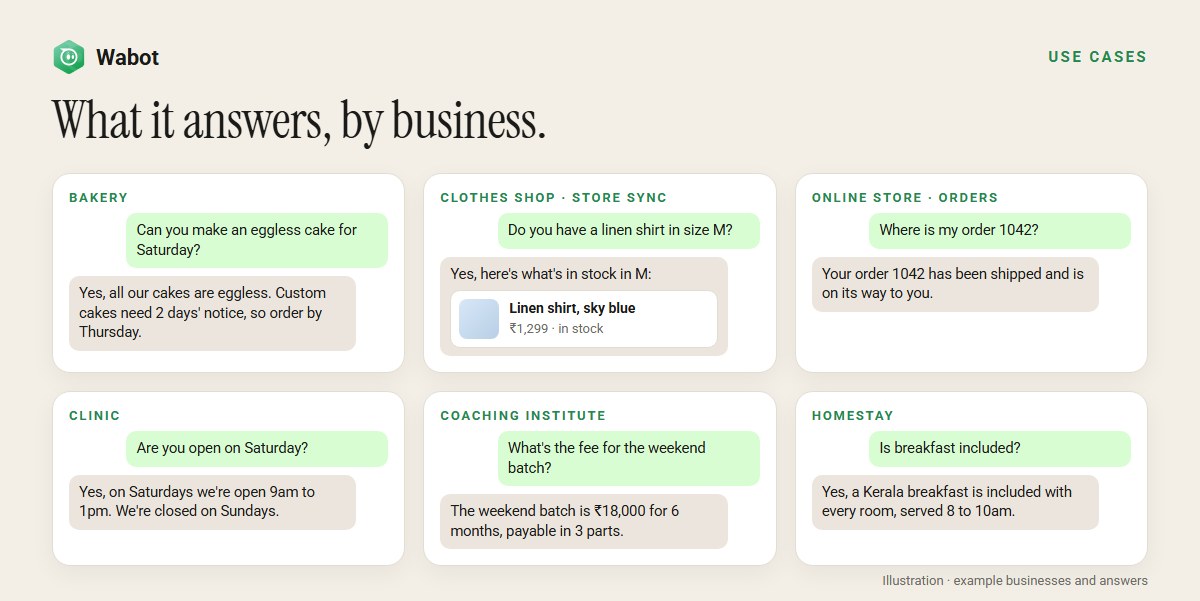
1. Answer the questions you get every day
Opening hours, prices, delivery areas, return policies, parking, payment options. These make up most of a typical business inbox, and they have fixed answers. Teach them once, and the agent answers them every time. Our FAQ bot guide walks through this in detail.
2. Reply after hours, on weekends and on holidays
People shop and plan in the evening, when your team has gone home. The agent replies at 11pm the same way it does at 11am, so the enquiry doesn’t go cold overnight.
3. Answer ad leads in seconds
If you run Click-to-WhatsApp ads, people message you the moment they see the ad. A fast, useful first reply is what turns that click into a conversation. The agent answers straight away, and your team picks up the serious leads.
4. Help shoppers find products
Connect your Shopify or Wix store and sync your products, and the agent can answer questions such as Do you have a linen shirt in size M? with products that are in stock. See WhatsApp for e-commerce for the full picture.
5. Tell customers where their order is
Where is my order? is the most common question for online stores. With your store connected, the agent looks the order up using the customer’s phone number or order number.
6. Send the right file or link with the answer
A restaurant can send its menu as a PDF when someone asks for it. A salon can add a button that opens its booking page. A shop can send reply buttons such as See new arrivals. You attach these to your information and say when to send them.
7. Run different assistants for different numbers or teams
A clinic with a dental number and a physiotherapy number can give each its own agent, each using only the information for that service. A menu workflow can also hand a chat to a specialist agent, for example when a customer taps Ask about courses.
8. Take the first questions so your team handles the rest
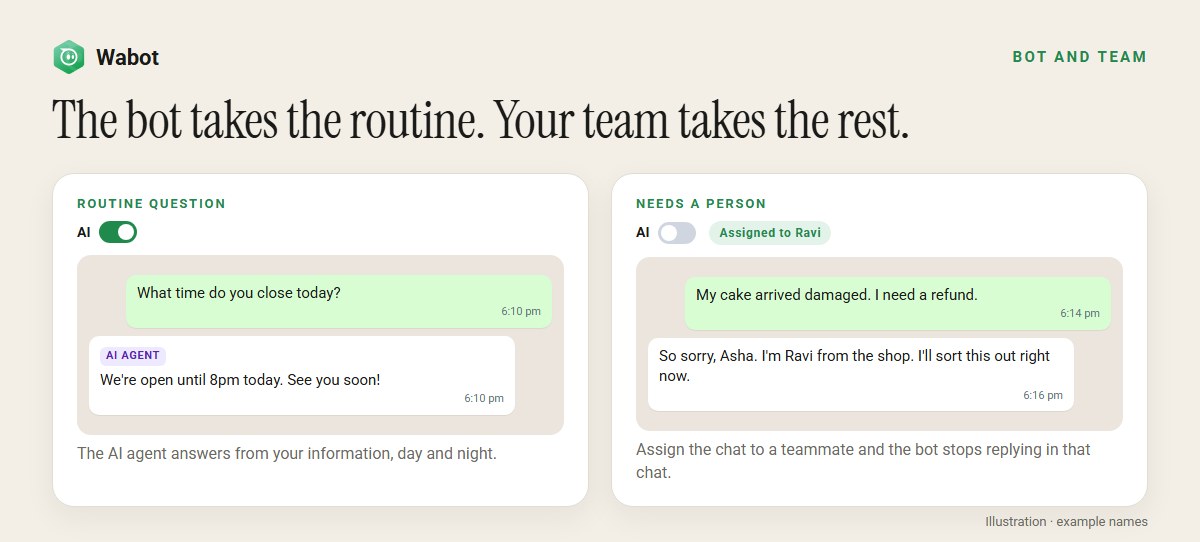
The agent handles the routine questions. When a chat needs a person, such as a complaint, a refund or a big order, assign it to a teammate in the shared team inbox. That switches the AI off for that chat, so customers never get two answers at once.
Examples by industry
| Business | What customers ask | What to teach the agent |
|---|---|---|
| Restaurant or bakery | Opening hours, menu, delivery, custom cakes, eggless options | Hours, delivery areas and charges, menu with prices, notice needed for orders |
| Clothes shop or online store | Sizes, stock, delivery time, returns, order status | Size guide, delivery and returns policy, plus your synced products |
| Clinic | Timings, fees, treatments offered, how to book | Timings, fee list, treatments in plain words, your booking link |
| Coaching institute | Batches, fees, timings, demo classes | Each course with fees, duration, batch times and how to enrol |
| Hotel or homestay | Room types, breakfast, check-in time, directions | Rooms and rates, what’s included, check-in rules, location and directions |
| Real estate | Project details, prices, site visits, location | Each project’s configuration, price range, amenities and how to book a visit |
The benefits
- Instant replies at any hour. Customers get an answer in seconds instead of waiting for your team.
- Fewer repeated questions for your team. Staff spend their time on sales, complaints and the chats that need a person.
- The same correct answer every time. Everyone gets the price and policy you wrote, whoever is on shift.
- No guessing. When the answer isn’t in your information, the agent says so and tells the customer how to reach you.
- It works inside your inbox. Every AI reply is in the same chat history your team sees, marked as an AI agent reply.
- It copes with busy days. After a campaign or during a sale, it answers everyone at once.
- You stay in control of cost. Pay per answer from your wallet, or use your own AI key.
Try a WhatsApp AI agent on your own number
Create your free Wabot account, connect your WhatsApp number and teach your bot your top questions. No card needed.
What it can’t do yet
An honest list, so you can plan around it:
- Language. Replies are in English by default. If most of your customers write in another language, ask Wabot’s support team to set your number’s reply language.
- Text only. It reads text and the captions of photos and files, but not the photos themselves. Voice notes are answered only on plans that include them, once Wabot switches them on for your number.
- No bookings or payments by itself. It can share your booking or payment link. For bookings, use a booking workflow alongside it.
- It doesn’t pass chats to a person by itself. Your team takes over by assigning the chat.
- Short memory. It remembers the last 10 messages from the last 24 hours. A customer who comes back days later starts fresh.
- Short answers. Replies are plain text, up to about 150 words. Long documents are better sent as an attached file.
What it costs
Each answer is paid from your Wabot wallet. The amount depends on how much text the AI reads and writes, and you can see every charge on the Wallet page. If the wallet runs out, the agent stops replying until you top it up.
On most paid plans you can use your own Anthropic Claude, OpenAI or Azure OpenAI key instead, under AI Providers. The provider then bills you directly. The AI providers guide explains the setup.
Set it up in Wabot
- Teach your bot. Go to Automation → AI Agents → Agent Knowledge. On Teach your bot, choose Write it yourself and add your most common questions, one topic at a time. You can also add pages From your website, or products From your store.
- Give it an identity. On the same page, set up Your bot’s identity: a bot name, your business name and a tone.
- Create the bot. In AI bots, click Create AI Bot, pick your number and write short instructions and a fallback message. Set Mode to Test with your own number, and turn on Default AI Bot.
- Turn on replies. In Settings → Meta Platforms, turn on Bot Response for the number.
- Test it. Use Try your bot, then message your business number from your own phone.
- Go live. Set Mode to Live when you’re happy with the answers.
To get better answers from day one, read our 15 tips for a better WhatsApp AI agent. Every screen is described in the AI agents help guide.
Frequently asked questions
Is an AI agent the same as a WhatsApp chatbot?
Not quite. A menu chatbot follows buttons and keywords you set up in advance. An AI agent reads what the customer actually typed and writes an answer from your information. Many businesses use both: menus for common paths, and the AI agent for everything people type.
Will the AI agent make things up?
It’s built to answer only from the information you give it, and to send your fallback message when the answer isn’t there. Most wrong answers come from missing or outdated information, so keep your knowledge complete and up to date.
Can it reply in Hindi, Malayalam or other languages?
Replies are in English by default. If most of your customers write in another language, ask Wabot’s support team to set your number’s reply language. Your fallback message is sent exactly as you write it, so you can write it in any language.
Can the AI agent book appointments or take payments?
Not by itself. It can share your booking link or payment details if they’re in your information. For bookings, a workflow that replies to words like book or appointment works well alongside the AI agent.
What happens when a customer needs a real person?
Assign the chat to a teammate in the inbox. That switches the AI off for that chat, so your teammate can take over. Turn the AI switch back on when you’re done.
How much does a WhatsApp AI agent cost in Wabot?
Each answer is paid from your Wabot wallet, and the amount depends on how much text the AI reads and writes. On most paid plans you can use your own Anthropic, OpenAI or Azure OpenAI key instead, and the provider bills you directly.
The short version
A WhatsApp AI agent answers your customers’ everyday questions in seconds, at any hour, from information you control. It doesn’t guess, and your team takes over whenever a chat needs a person.
Start small: teach it your ten most common questions, test it from your own phone, then let it handle the routine while your team focuses on the conversations that matter.
Set up your WhatsApp AI agent, free
Free account, no card needed. Connect your number, teach your bot, and test it from your own phone before customers see it.