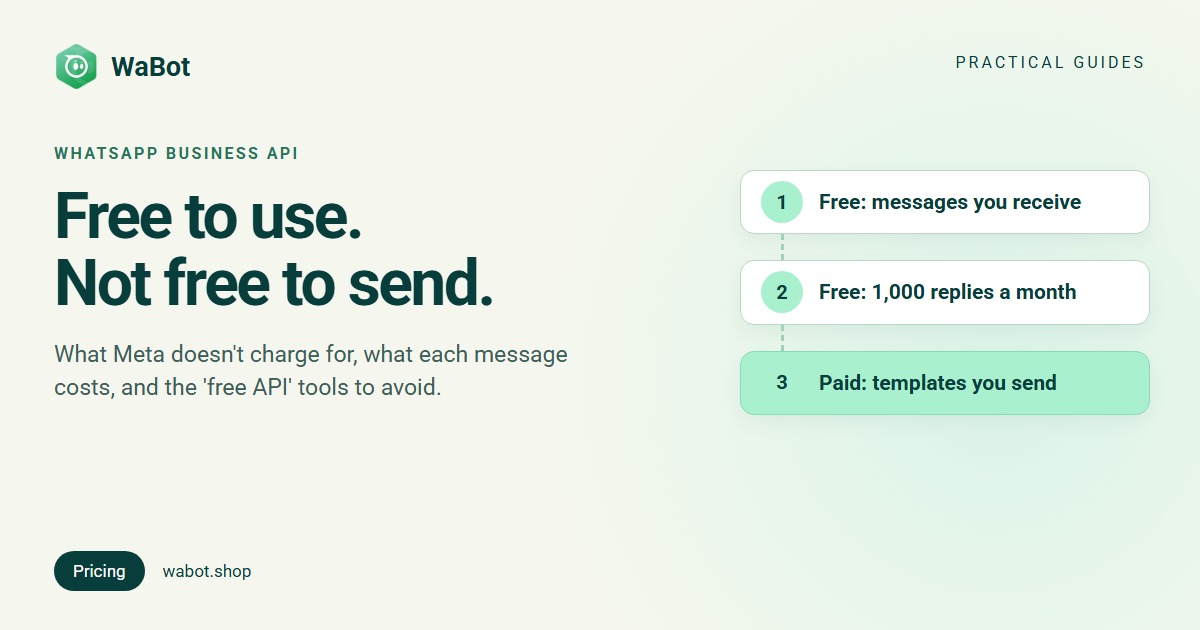
Short answer: partly. Using the WhatsApp Business API costs nothing in itself, every message customers send you is free, and each number gets 1,000 free replies a month. What you pay for is the template messages you send (marketing, utility and authentication), replies beyond the free 1,000, and usually a provider’s monthly fee.
Here’s exactly what’s free, what isn’t, what a typical month costs in a few countries, and why tools that promise a “free WhatsApp API” are a risk to your number.
What’s free on the WhatsApp Business API
- Access to the API. Meta hosts the WhatsApp Cloud API and charges no platform or access fee for it. You pay for the messages you send, not for being connected. More in WhatsApp Cloud API explained.
- Messages customers send you. Meta doesn’t charge for messages from customers to your business, however many there are.
- 1,000 service messages per number, per month. Service messages are your free-form replies inside the 24-hour customer service window, which opens each time a customer messages you. Meta charges from the 1,001st for each business phone number. The free messages don’t roll over; the count resets each month.
- Up to 7 days of free messaging after a Click-to-WhatsApp ad. When someone messages you from a Facebook or Instagram ad that opens WhatsApp (from the WhatsApp app on Android or iOS) and you reply within 24 hours, Meta opens a free entry point window from your reply that can stay open for up to 7 days: marketing, utility, authentication and service messages in it are free, templates included. How Click-to-WhatsApp ads work.
- Messages that aren’t delivered. Meta charges only when a message is delivered.
What you pay for
Everything else you send is charged per delivered message, at a rate set by the message category and the country of the person you message:
- Marketing templates: offers, new arrivals, win-back messages. The most expensive category.
- Utility templates: order updates, booking confirmations, reminders. Since 1 October 2026 these are charged even when the customer’s 24-hour window is open (they were free inside it from July 2025).
- Authentication templates: one-time passwords (OTPs).
- Service replies beyond the free 1,000 per number each month. Since 1 October 2026 they cost the same as a utility message in that country.
Some of Meta’s list rates per delivered message, from 1 October 2026 (before tax):
| Recipient’s country | Marketing | Utility, authentication, service* |
|---|---|---|
| United States | $0.025 | $0.0034 |
| United Kingdom | $0.0635 | $0.022 |
| India | $0.0118 | $0.0014 |
| Brazil | $0.0625 | $0.0068 |
| Germany | $0.1365 | $0.055 |
| United Arab Emirates | $0.0576 | $0.0157 |
*Service: after the free 1,000 per number each month. The United States is charged Meta’s North America rate. In rupees, India is ₹0.8631 for marketing and ₹0.115 for the rest (India pricing guide). Every country, with a calculator: WhatsApp API pricing by country. Source: Meta’s WhatsApp pricing page.
The second cost is the platform. The API is a connection for software, not a chat app your team can open, so most businesses use a provider, and most providers charge a monthly fee for the inbox, automation and campaigns. Some also add a markup on Meta’s message charges or make you prepay a message wallet. Building on the API yourself avoids the fee, but you build and host everything.
Free vs paid at a glance
| What | Free or paid? | Details |
|---|---|---|
| Using the Cloud API | Free | No platform or access fee from Meta |
| Messages customers send you | Free | Always |
| Your replies inside 24 hours | Free up to 1,000 | Per number, per month; then charged per message |
| Messages in a free entry point window | Free | Up to 7 days, after replying to a Click-to-WhatsApp ad chat |
| Undelivered messages | Free | Meta charges only delivered messages |
| Marketing templates | Paid | Per message, by country |
| Utility templates | Paid | Per message, also inside an open window since 1 Oct 2026 |
| Authentication templates (OTPs) | Paid | Per message, by country |
| Provider’s platform | Usually paid | Monthly plan; some add a markup on messages |
| WhatsApp Business app | Free | A separate app on your phone, not the API |
What a “mostly free” month looks like
An illustration with made-up volumes: a small business with one number replies to 900 customer messages and sends 300 appointment reminders (utility) in a month. The replies sit inside the free 1,000, so only the reminders are charged. The last column adds one 1,000-message marketing campaign.
| Customers in | 900 replies + 300 reminders | Plus 1,000 marketing messages |
|---|---|---|
| United States | $1.02 | $26.02 |
| United Kingdom | $6.60 | $70.10 |
| India | $0.42 (₹34.50) | $12.22 (₹897.60) |
| Brazil | $2.04 | $64.54 |
A business that mostly answers questions pays Meta very little: $0.42 to $6.60 a month in these examples. Marketing campaigns are where the bill grows, and they should only go to customers who agreed to hear from you.
Why “free WhatsApp API” tools are risky
Some tools sell a “free” or “unofficial” WhatsApp API. They usually drive a normal WhatsApp or WhatsApp Business app account through browser extensions, “bulk sender” software or modified apps. That breaks WhatsApp’s terms, and WhatsApp detects automated sending from normal accounts quickly. Even if a tool works for a few days, the ban usually comes, and you can lose a number your customers have known for years.
How to tell the official route: your number is connected through Meta itself (with a provider, usually Meta’s Embedded Signup window), messages that start a conversation use templates Meta has approved, and Meta’s per-message charges apply. A tool that skips all three isn’t using Meta’s API.
Our guide to sending bulk WhatsApp messages without getting banned covers the safe way to message thousands of customers.
The free WhatsApp Business app, and its limits
If you want WhatsApp for business at zero cost, the WhatsApp Business app is genuinely free. It has a business profile, labels, quick replies, and greeting and away messages. The limits show as you grow: one main phone plus up to four linked devices, broadcast lists of up to 256 contacts that only reach people who saved your number, and no API, so your website or store can’t send messages through it.
You don’t always have to choose. With coexistence, the same number can stay on the app and also run on the API. Compare both in WhatsApp Business app vs API.
How to keep your API bill close to zero
- Reply within 24 hours. Replies are free up to 1,000 per number a month. Once the window closes, you’d need a paid template.
- Use the right category. An order update is utility, not marketing. Don’t hide offers in utility templates: Meta re-categorises them (template categories explained).
- Send marketing only to opted-in customers, and segment them. Marketing needs opt-in, and a smaller, interested list costs less. See how to collect WhatsApp opt-in.
- Use Click-to-WhatsApp ads for new leads. Reply within 24 hours and the free entry point window covers up to 7 days of messages.
- Check how your provider bills messages. Paying Meta’s rates directly, with no markup, keeps the per-message cost at Meta’s price.
How Wabot handles this
- Free account. Sign up and connect your number free: in Settings → Meta Platforms, choose Connect your WhatsApp Business app (keeps the app) or Use a new number. Both use Meta’s Embedded Signup. Chatting and campaigns need a paid plan.
- No markup on messages. Meta bills you directly, with no markup from us: messages are charged to your own Meta account at Meta’s rates.
- Plans: Starter $9, Silver $25 and Gold $59 per month internationally. In India, Starter ₹840/month, Silver ₹2,160/month, Gold ₹5,749/month and the Base Plan ₹9,240/year (adds workflows), all + 18% GST.
- AI is separate and optional. The Wabot wallet pays only for AI usage, or you can use your own OpenAI, Anthropic or Azure key under AI Providers.
Estimate Indian message costs with our cost calculator, or see all plans.
Start on the official WhatsApp API, free
Create your free Wabot account and connect your WhatsApp number. Meta bills messages directly, with no markup. No card needed.
Frequently asked questions
Is the WhatsApp Cloud API free?
Meta charges no platform or access fee for the Cloud API itself. It charges per delivered message you send: templates always, and service replies after the first 1,000 per number each month.
Are replies to customers free on the WhatsApp Business API?
The first 1,000 service messages per business phone number each month are free, as long as you reply inside the 24-hour window. After that, each reply costs the same as a utility message in that country, for example $0.0034 to the US or ₹0.115 in India.
Is the WhatsApp Business app free?
Yes. Meta’s per-message charges apply only to the WhatsApp Business API (WhatsApp Business Platform). The app on your phone is free, with its own limits on devices, broadcasts and automation.
Can I use the WhatsApp API without a provider?
Yes, if you have developers. You can connect to Meta’s Cloud API directly and pay only Meta’s message charges, but you build and host the inbox, templates screen and automation yourself. Most businesses use a provider for that.
Do I need a payment method if I only send free messages?
Meta delivers service messages within the free monthly tier without one, but stops delivering them once the free tier is used up. Add a payment method in your Meta account before you rely on the API.
The honest answer
The WhatsApp Business API is free to access, free to receive on, and free for your first 1,000 replies per number each month. You pay Meta for the templates you send, and most businesses also pay a provider for the inbox and tools.
For a business that mostly answers customers, the Meta bill is small. Plan your spending around marketing, keep it to opted-in customers, and stay on the official API so your number is never at risk.