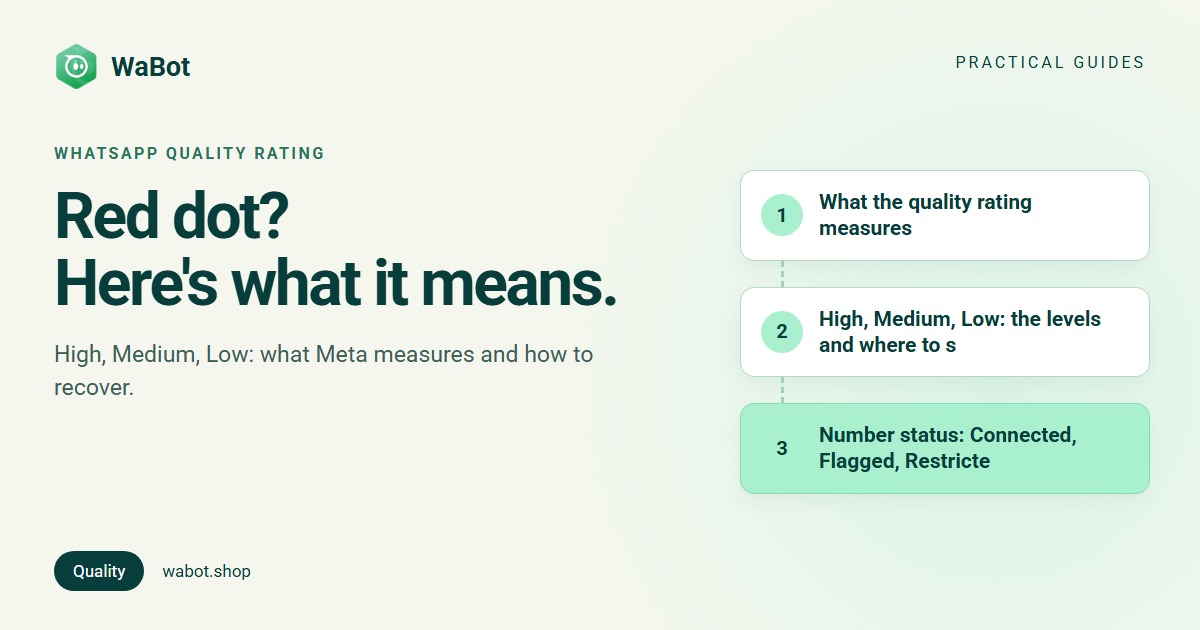
You open WhatsApp Manager, or your provider’s dashboard, and the dot next to your business number has turned yellow or red. The label says Medium or Low quality. Is your number about to be banned?
The direct answer: the WhatsApp quality rating is Meta’s score for how people reacted to your messages over the last seven days, based mainly on blocks, reports, mutes and archives. A Low rating is a warning, not a ban. Since October 2025 it no longer lowers your messaging limit, but it stops your limit from growing, and templates rated Low get paused. Fix it by sending fewer, more wanted messages to people who opted in, and it recovers on its own.
What the quality rating measures
From Meta's message quality documentation:
- The window is the past seven days, weighted by recency: what you sent yesterday counts more than last week.
- The signals are user feedback: blocks, reports, mutes, archives, and the reasons people choose when they block you.
- It moves fast on busy numbers. Meta notes that high-traffic numbers often see quality change within short intervals, even minutes.
What it doesn’t measure: how many messages you send. A business sending 50,000 wanted order updates can be High; a business sending 300 unwanted offers can be Low.
High, Medium, Low: the levels and where to see them
| Rating | Colour | What it means |
|---|---|---|
| High | Green | Little or no negative feedback |
| Medium | Yellow | Some people are blocking, reporting or ignoring your messages |
| Low | Red | A lot of negative feedback; act now |
Your number’s rating is in WhatsApp Manager → Account tools → Phone numbers, alongside its status and messaging limit. Developers get it as quality_rating from the phone numbers API.
Templates have their own rating, using the same colours. Meta's template quality page lists Active – High quality (green), Active – Medium quality (yellow), Active – Low quality (red) and Active – Quality pending for new templates. Yellow and red templates can still be sent, but Meta warns they may be paused or disabled soon.
Number status: Connected, Flagged, Restricted
Older guides describe a ladder of statuses. Here’s what’s current, as of October 2026:
- Connected is the normal state. Meta says a number must be Connected to send and receive messages; check the Status column in the phone numbers panel (source).
- Flagged no longer exists. Before 7 October 2025, a number with Low quality could be flagged and, after seven days, dropped a messaging tier. Meta's messaging limits changes page says the Flagged state is no longer possible and a quality drop no longer downgrades the limit.
- Restricted: older guides used this for a number that had hit its messaging limit. Meta’s current developer pages don’t define a Restricted phone status. The restriction to worry about today is a policy enforcement restriction, shown as a banner in WhatsApp Manager and in Business Support Home, which blocks templates or all messages for 1 to 30 days. That is a different thing from a quality rating; see banned or restricted accounts.
What a Low rating does in 2026
| Area | Effect of low quality | Source |
|---|---|---|
| Messaging limit | Not lowered since 7 October 2025 | Limits changes |
| Moving up a tier | Blocked. Automatic scaling needs high-quality messages across all your numbers and templates | Messaging limits |
| 250 → 2,000 via the 2,000-message path | Needs templates with a high quality rating | Messaging limits |
| Low-rated template | Paused 3 hours, then 6 hours; the third time it’s disabled | Template pausing |
| Throughput (1,000 messages per second) | Needs Medium or higher | Limits changes |
| Sustained low quality | WhatsApp may rate-limit the business; excessive negative feedback can lead to restriction or offboarding | Opt-in guide, Enforcement |
The pause is the effect you’ll feel first. Meta's pausing page says a paused template can’t be sent; attempts are rejected, not billed and don’t count towards your limit; you get a WhatsApp Manager notification and an email; and once the pause ends the template becomes Active again with its rating reset from the latest feedback. A pause doesn’t hit your number at first, but repeated low-quality templates eventually can.
Related failure: error 131048, which Meta's error reference describes as a restriction on how many messages can be sent from this phone number, with the advice to check your quality status in WhatsApp Manager.
How to recover from a Low quality rating
- Stop the send that caused it. Find the campaign or template that went out just before the drop and pause it. Meta recommends halting automated campaigns that use a paused template until it’s Active again.
- Check who you’re sending to. Remove anyone who didn’t clearly opt in: imported lists, old enquiries, group members. See WhatsApp opt-in explained.
- Read the template like a stranger would. Is it obviously from you? Is it useful today? A clear business name, a reason (“your order”, “your appointment”), and one action do better than a wall of offers.
- Use the right category. Offers as Marketing, order and appointment updates as Utility. See template categories explained.
- Add an easy way out. “Reply STOP” or a “Stop offers” button. Someone who opts out doesn’t count against you the way a block does.
- Send less, to fewer, for a week. Meta’s quality guidelines suggest limiting daily volume and personalising content. Start with your most engaged customers: recent buyers, people who wrote to you this month.
- Edit or replace a red template. Editing sends it back to review, so it can’t be sent until it’s approved again. Sometimes a new template with better wording is quicker.
- Watch the next seven days. The score looks back seven days, so once the bad send ages out and new sends get a good reaction, the rating climbs back.
What NOT to do
- Don’t switch to a new number. Quality follows your behaviour; a new number with the same list goes red too, and Meta’s limit is shared across the business portfolio anyway.
- Don’t manually unpause a red template and send it to the same list. It will be paused again for longer, then disabled.
- Don’t retry failed marketing messages in a loop. Error 131049 means Meta is protecting the customer from too many marketing messages; retrying immediately won’t help.
- Don’t ignore Medium. Yellow is the time to fix things, before templates pause.
Related limits and errors
| Topic | Short version | Read more |
|---|---|---|
| Messaging limit | Unique people you can reach with templates per 24 hours: 250, 2,000, 10,000, 100,000, unlimited | Messaging limits |
| 131049 | Meta held back a marketing template for engagement reasons; wait at least 24 hours | Error 131049 |
| 131048 | Sending from this number is restricted; check quality status | Error codes guide |
| Policy restriction | 1 to 30 day block or account lock for policy violations; appeal in Business Support Home | Banned or restricted |
How WaBot handles this
- Quality where you work. The top of the inbox chat list shows your number’s tier (for example “Tier 2K”) and a coloured quality dot: High, Medium or Low. It’s the latest value WaBot received from Meta; WhatsApp Manager is the final word.
- Alerts in Updates. The bell in the header opens Updates. A number whose quality is yellow or red, and templates that are rejected, paused or disabled, show under Needs attention.
- Template quality in the list. Settings → Templates shows Meta’s quality rating on each template once it’s rated.
- Automatic retry for 131049. When Meta holds a template back with 131049, WaBot can retry it later, and skips the retry if the customer has replied or been blocked.
- Campaigns to the right people. Send to chosen groups or tags, with blocked contacts left out, and split a big list across days with Schedule for Later.
WaBot can’t change your rating; only your customers’ reactions do. Campaigns are on Starter (₹840/month + GST) and above. Meta bills its message charges directly, with no WaBot markup.
See your WhatsApp quality rating before it turns red
Create your free WaBot account and connect your number. The inbox shows your tier and quality, Updates flags yellow and red numbers and paused templates, and failed messages are explained in plain words. 15 days of the Base Plan, no card needed.
Frequently asked questions
What is a WhatsApp quality rating?
It’s Meta’s score for how recipients reacted to your business’s messages over the past seven days, based on blocks, reports, mutes, archives and block reasons. It shows as High (green), Medium (yellow) or Low (red) in WhatsApp Manager.
Does a Low quality rating reduce my messaging limit?
Not since 7 October 2025. Meta no longer lowers the limit when quality drops. But low quality stops automatic increases, and templates rated Low get paused.
How long does it take to improve WhatsApp quality rating?
Meta calculates it over a rolling seven days, weighted towards recent days, so it can improve within days once you stop the messages people complained about. Meta doesn’t publish a fixed recovery time.
What happens when a WhatsApp template is paused?
It can’t be sent. Meta pauses a Low-rated template for 3 hours the first time and 6 hours the second; the third time it’s disabled. Attempts during a pause are rejected and not charged.
Is a Low quality rating the same as a ban?
No. Your number keeps working. A ban or restriction is a separate policy enforcement action, shown in Business Support Home, though persistent negative feedback can lead to one.
Final thoughts
A yellow or red dot is Meta telling you people don’t want some of what you’re sending. It no longer cuts your limit, but it freezes your growth and pauses templates. Find the send that caused it, clean the list, fix the wording, add an opt-out, and send less for a week.
Related: messaging limits, bulk messages without getting banned and banned or restricted accounts.