You want tomorrow’s offer to go out at 10 am sharp, not whenever you remember. The honest answer first: as of early November 2026, you can’t schedule a normal chat message in the stable WhatsApp or WhatsApp Business apps; WhatsApp’s own scheduler is still in beta testing. The one exception is the Business app’s paid business broadcasts, which can be scheduled for later where WhatsApp offers them.
Beyond that, the real options are the Business app’s timed auto-replies (which answer incoming messages but can’t start a conversation), third-party scheduler apps (which operate your phone for you, with real downsides), and the WhatsApp Business API, where scheduling a campaign or a whole sequence for a date and time is a normal, supported feature. Here’s how each works and when to use it; the wider playbook is in the WhatsApp marketing guide.
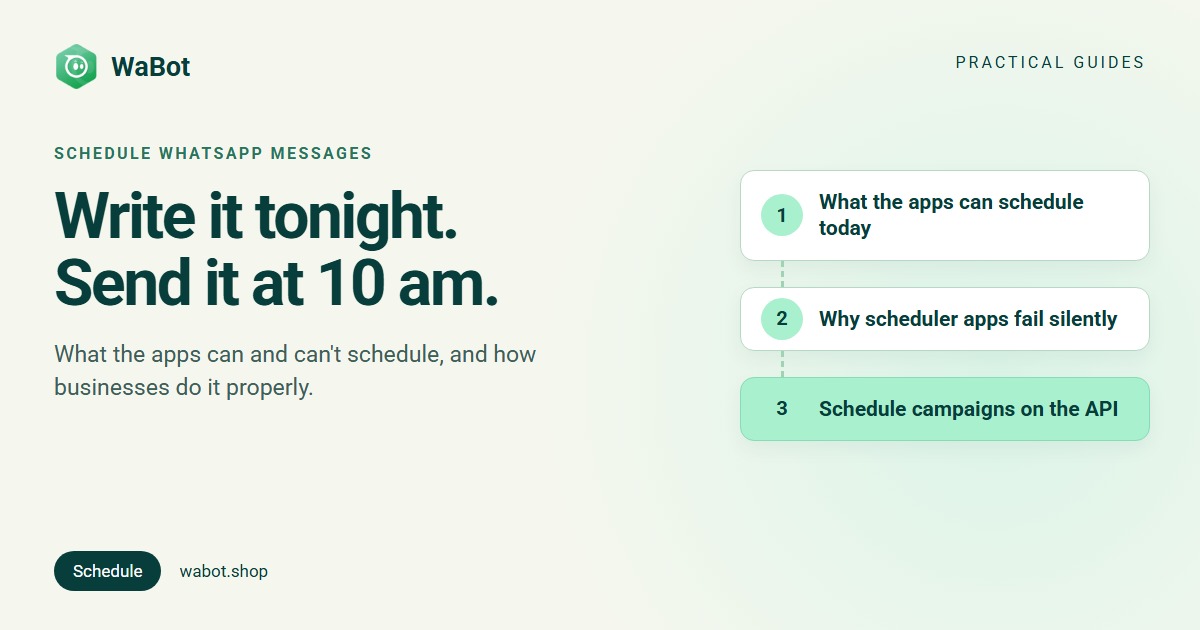
What can schedule a WhatsApp message today
| Where | Can it schedule? | What it actually does |
|---|---|---|
| Chats in the WhatsApp and Business apps (stable) | Not yet | A scheduler for individual and group chats is in beta testing |
| Business app: business broadcasts | Yes, where available | Paid, for eligible users in select countries: send now or schedule for later |
| Business app: away and greeting messages | Replies only | Answer people who message you; can’t start a conversation |
| Third-party scheduler apps | Sort of | On Android an accessibility service opens the chat and taps send for you; on iPhone, Shortcuts automations are hit and miss |
| WhatsApp Business API | Yes | Campaigns and automated sequences go out from the server at the date and time you set |
About the beta: WABetaInfo reported on 12 October 2026 that scheduled messages were rolling out to some Android beta testers, for individual and group chats, with text, links, a photo or a video, from 10 minutes up to two weeks ahead, delivered even if the phone is offline. WhatsApp hadn’t announced a stable release date. Even when it reaches everyone, it schedules one chat at a time from your phone: handy for a birthday wish or a note to a supplier, not for an offer to 800 customers, and it doesn’t change WhatsApp’s rules on who a business may message.
The Business app: business broadcasts and timed replies
If WhatsApp offers business broadcasts on your account (paid, for eligible users in select countries), they’re the one way to schedule from the app: open Tools, select business broadcasts, and choose to schedule for later instead of sending immediately. They reach customers even if they haven’t saved your number and show read and reply rates; limits and pricing vary by country (all three broadcast routes compared).
Everything else the app automates answers a customer who has messaged you:
- Away message (under Business tools, in Settings or the Tools tab depending on your app version). Sent automatically to people who message you during hours you choose. The schedule options are Always send, a Custom schedule, or Outside of business hours (that last one needs business hours set in your profile).
- Greeting message. Sent automatically to someone messaging you for the first time, or after a long quiet spell in the chat.
- Meta’s AI agent, for eligible businesses (Business AI for Indian small businesses from May 2026, then Meta Business Agent from June), answers customer questions on your behalf, around the clock. Meta describes it as replying to customers, not as a way to send scheduled messages.
Useful (25 auto reply messages you can copy), but none of these sends your Diwali offer, your Monday price list or a payment reminder at a time you choose.
Scheduler apps and extensions: what they really do
Search “schedule WhatsApp” in an app store and you’ll find apps that promise exactly this. Know how they work before you hand one your chats:
- On Android, they ask for the accessibility permission, which lets the app read your screen and tap buttons for you. At the set time, the app opens WhatsApp, finds the chat and taps send. If the phone is off, the screen lock gets in the way, or the permission has been switched off (battery and security settings can do that), the message quietly doesn’t go. One popular scheduler’s own help pages name the accessibility setting as a common reason scheduled messages stop working.
- On iPhone, the usual route is a Shortcuts automation at a set time. Depending on your iOS version and settings it may ask you to confirm before sending, and guides note it can fail if the phone is locked or has restarted. Treat it as a reminder that does the typing, not a scheduler you can rely on while you’re away.
- The risks are yours. An accessibility-level app can see far more than your WhatsApp messages. And WhatsApp’s Terms of Service list auto-messaging alongside bulk messaging as impermissible, the same territory as the bulk-sender tools that get numbers banned. For a one-off birthday wish from your personal number, that’s your call. For messaging customers, it’s the wrong tool.
A low-tech alternative that always works: write the message in a chat with yourself, set a phone reminder for the send time, then copy and send it. Clunky, but nothing can silently fail except you.
The reliable way for a business: schedule on the API
On the WhatsApp Business API, scheduling isn’t a workaround, it’s a feature. Your number is connected to Meta’s servers through a provider, so a scheduled message is simply a campaign the server sends at the time you set, phone off or on. In WaBot it looks like this (full walkthrough: schedule a WhatsApp campaign in WaBot):
- Write the template. Under Meta’s Business Messaging Policy, a message outside the 24-hour customer service window must be an approved template, and a scheduled send usually is one. Meta says review can take up to 24 hours, so get it approved before the day you need it. Offers are Marketing category, reminders are Utility (category rules; 30+ examples to copy).
- Create the campaign and pick the audience: individual contacts, whole groups or tags, with blocked contacts excluded automatically.
- Choose the time. Launch Options offers Send Now or Schedule for Later with a date and time, and Maximum messages per second controls the sending speed. (Campaigns guide)
- Check the report after it runs: sent, delivered, read and failed per contact, with the reason in plain words.
For a sequence of scheduled messages per customer, use a workflow instead: a drip series queues every message the moment a customer joins, each with its own wait, and the queue lives on the server, so messages go out on time even if nobody is logged in. The build is in WhatsApp drip campaign automation, and follow-up automation covers the nudge for customers who go quiet.
Two scheduled templates you can adapt, with the placeholders filled per contact:
Hi {{1}}, a reminder that your appointment with Dr. Nair is tomorrow at {{2}}. Reply 1 to confirm or 2 to reschedule.
Good morning {{1}}! Our Diwali sale starts today at 10 am, up to 30% off till Sunday. Show this message in store or order here: {{2}}. Reply STOP to opt out of offers.
Time your sends like a human
- Send when people can act. A shop offer suits mid-morning or early evening; a payment reminder suits a weekday. A message at 1 am invites a block, and blocks lower the quality rating your sending limit depends on.
- Mind time zones if your customers span countries: schedule per region rather than one global blast.
- Festivals: schedule for the morning itself, not three days early with everyone else. Ready-made wording: Diwali WhatsApp messages for business.
- Spread big lists. Meta’s messaging limit caps the unique customers you can message per rolling 24 hours, so schedule a large audience across days, by tag (how the limit works).
- Don’t over-schedule. A calendar makes it easy to queue five offers a week. Your customers will fix that for you, with the block button.
How WaBot handles this
- Campaigns: Send Now or Schedule for Later with a date and time, the audience by contacts, groups or tags, and per-contact results when it’s done.
- Sequences: workflows with per-message waits. One trigger queues the series on the server; each message has its own wait, counted from the trigger, and goes out on time even if nobody is logged in to WaBot.
- Failures explained. Campaign results show sent, delivered, read and failed per contact, with the reason in plain words.
Campaigns are on the Starter plan (₹840/month + GST); workflows are on the Base Plan (₹9,240/year + GST). The Free plan lets you sign up and connect your number, and connecting starts a 15-day Base Plan trial. Meta’s per-message charges are billed by Meta directly, with no WaBot markup; rates are in WhatsApp Business API pricing in India.
Schedule your first WhatsApp campaign today
Create your free WaBot account, connect your WhatsApp number, pick Schedule for Later and choose the date and time. The campaign goes out from the server, with per-contact delivery reports. Connecting a number starts a 15-day Base Plan trial, no card needed.
Frequently asked questions
Can I schedule a message in WhatsApp itself?
Not a normal chat message yet. As of early November 2026, WhatsApp’s scheduled-messages feature is in beta: WABetaInfo reported it reaching some Android beta testers in October 2026, for individual and group chats, up to two weeks ahead. The exception is the Business app’s paid business broadcasts, which can be scheduled where WhatsApp offers them.
How do I schedule messages on the WhatsApp Business app?
If your account has business broadcasts (paid, for eligible users in select countries), open Tools, select business broadcasts and schedule the broadcast for later. Otherwise the app’s timed features are replies: an away message on a schedule (always, custom hours, or outside business hours) and a greeting for new chats, which only fire when a customer messages you first.
Are WhatsApp scheduler apps safe?
Treat them with care. On Android they need the accessibility permission, which lets the app read your screen and tap buttons for you, and sends fail silently when the phone is off or the permission resets. WhatsApp’s Terms of Service also list auto-messaging as impermissible, the same territory as bulk-sender tools that get numbers banned.
How do businesses schedule WhatsApp messages?
Through the WhatsApp Business API. A provider dashboard like WaBot sends a campaign at the date and time you set, from the server, to contacts, groups or tags, and workflows send multi-day sequences with a wait per message. Afterwards you see sent, delivered, read and failed per contact.
Do scheduled WhatsApp messages need an approved template?
On the API, usually yes. A scheduled send normally starts the conversation, and any message outside the 24-hour window after a customer’s last message must be a Meta-approved template. In India a marketing template costs ₹0.8631 and a utility template ₹0.115 per delivered message, plus GST, billed by Meta.
The bottom line
WhatsApp’s own scheduler isn’t in the stable apps yet, business broadcasts are paid and only in some countries, and scheduler apps gamble your reliability and your number. If a message must reach your customers at 10 am, put it on the API: an approved template, a chosen audience, Schedule for Later, and a report that proves it went.