
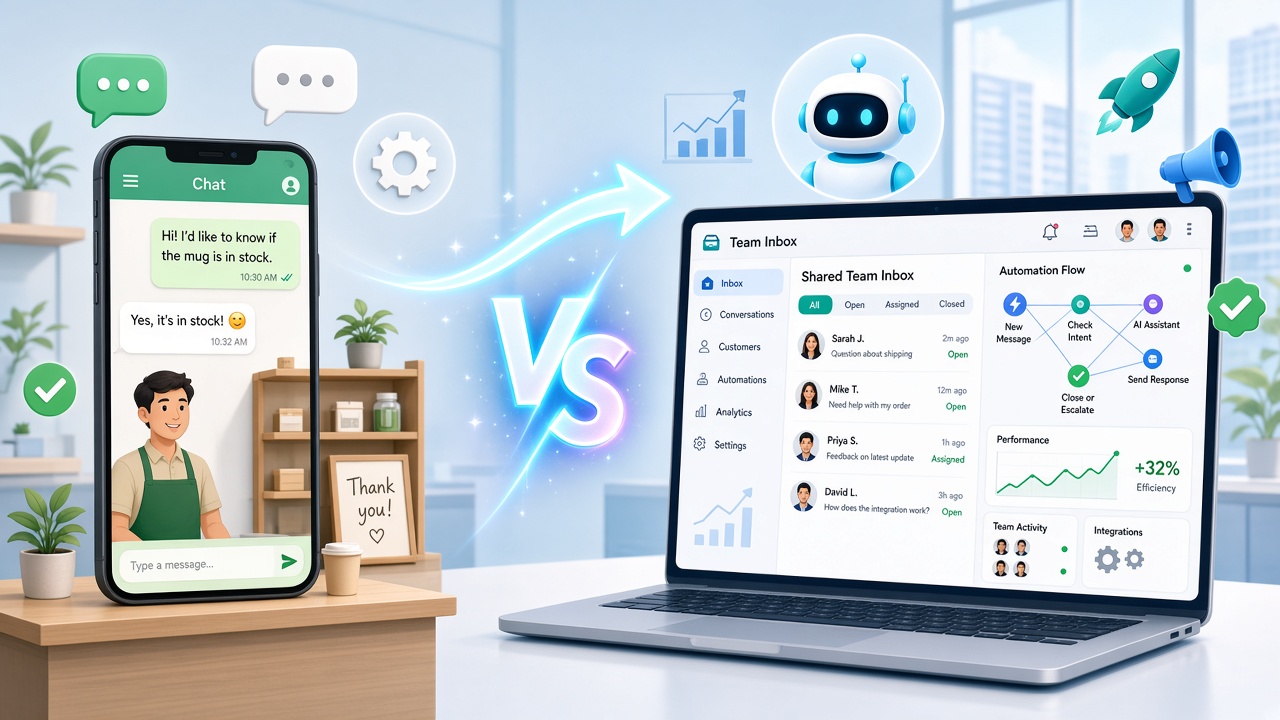
Almost every small business in India starts with the free WhatsApp Business app. It works well until it doesn’t: the team grows, messages pile up, and one phone becomes the bottleneck for the whole business.
That’s when people start hearing about the WhatsApp Business API, also called the WhatsApp Business Platform.
This guide explains the difference in plain English, what each one costs, and how to tell when it’s time to switch.
What is the WhatsApp Business app?
The WhatsApp Business app is a free app from Meta for small businesses. It looks like normal WhatsApp, with a few extras:
- A business profile with address, hours and website
- A product catalog
- Labels to organise chats
- Quick replies, plus greeting and away messages
- Broadcast lists of up to 256 contacts
It’s perfect for a one- or two-person business with a manageable number of chats.
What is the WhatsApp Business API?
The WhatsApp Business API is Meta’s platform for businesses that need WhatsApp to work at scale. It has no app of its own. You use it through a provider like WaBot, which gives you the inbox, automation and campaign tools on top.
With the API you can:
- Let your whole team reply from one number, at the same time
- Send automatic replies, chatbot menus and AI answers
- Run campaigns to all your opted-in customers, not just those who saved your number
- Send order updates, reminders and confirmations automatically
- Connect WhatsApp to your website, Shopify, WooCommerce or CRM
- Track who read, clicked and replied
WhatsApp Business app vs API: side-by-side
| WhatsApp Business app | WhatsApp Business API | |
|---|---|---|
| Cost | Free | Platform fee plus Meta’s per-message charges |
| Team access | One phone and a few linked devices | Unlimited team members, with chats assigned to each person |
| Automation | Greeting and away messages only | Chatbots, workflows, AI agents, triggered messages |
| Broadcasts | Up to 256 contacts per list, only reaching those who saved your number | Campaigns to all opted-in contacts, with limits that grow over time |
| Messaging first | Anytime, but bulk use gets numbers banned | Through Meta-approved templates |
| Integrations | None | Website, e-commerce, CRM, payments, ads |
| Reports | Basic | Delivery, read, click and reply analytics |
| Best for | Solo owners, low chat volume | Teams, growing businesses, anyone running campaigns |
Outgrown the WhatsApp Business app? Try the API with WaBot.
7 signs you’ve outgrown the WhatsApp Business app
- You miss or forget chats because there are too many to keep track of.
- More than one person needs to reply, and you’re passing one phone around.
- Customers message after hours and wait until morning for a reply.
- You answer the same five questions all day.
- You want to send offers to more than 256 customers, or to people who haven’t saved your number.
- You need automatic order, booking or payment messages.
- You’re running Click-to-WhatsApp ads and the leads are piling up.
If three or more of these sound familiar, the API will likely pay for itself in time saved and sales recovered.
How much does the WhatsApp Business API cost?
There are two parts to the cost:
- Platform fee: what your provider charges for the inbox, automation and campaigns. With WaBot you can create your account free, and paid plans start at ₹840/month + GST. See plans.
- Meta’s message charges: Meta charges per template message delivered, at different rates for marketing, utility and authentication messages. Replies within 24 hours of a customer’s message are free.
Because you only pay Meta for the template messages you send, a business that mostly replies to incoming enquiries pays very little in message charges.
What do you need to get the WhatsApp Business API?
- A Facebook (Meta) Business account. Verification helps you unlock higher limits.
- A phone number that can receive an SMS or call for verification
- A business website or a basic online presence
- A provider like WaBot to connect you through Meta’s official signup
Step-by-step details: requirements to apply for the WhatsApp Business API and how to verify your Facebook business.
Can I keep using the WhatsApp Business app after moving to the API?
It depends on your number. Meta now lets some numbers use the WhatsApp Business app and the API together. Otherwise, the number moves fully to the API and you reply from your provider’s inbox on web or mobile instead.
During setup, WaBot checks which option fits your number and walks you through it.
Switch to the WhatsApp Business API in an afternoon.
Frequently asked questions
Is the WhatsApp Business API free?
Access through a provider usually has a platform fee, and Meta charges per template message delivered. Replies within 24 hours of a customer’s message are free. WaBot has a free plan to get started.
Do I need to be a big company to use the WhatsApp Business API?
No. Small businesses, clinics, travel agencies and shops use it. You need a Meta Business account, a phone number and a provider.
Will I get the green tick with the API?
Not automatically. The verified badge depends on Meta’s eligibility rules. The API does give you a business profile and higher, trusted sending limits.
Can I send bulk messages with the WhatsApp Business app?
Only through broadcast lists of up to 256 contacts, and only people who saved your number receive them. For larger campaigns, use the API with approved templates.
Final thoughts
The WhatsApp Business app is a great way to start. The API is how you grow.
If WhatsApp is where your customers talk to you, and for most Indian businesses it is, moving to the API means faster replies, a team that works together and campaigns that actually reach people.


