Half your customers write in Malayalam, the other half in English, and plenty switch between both. Your auto-replies are in English, so the customer who asked “സമയം?” gets a message she has to work through, and the welcome text already looks like it wasn’t written for her.
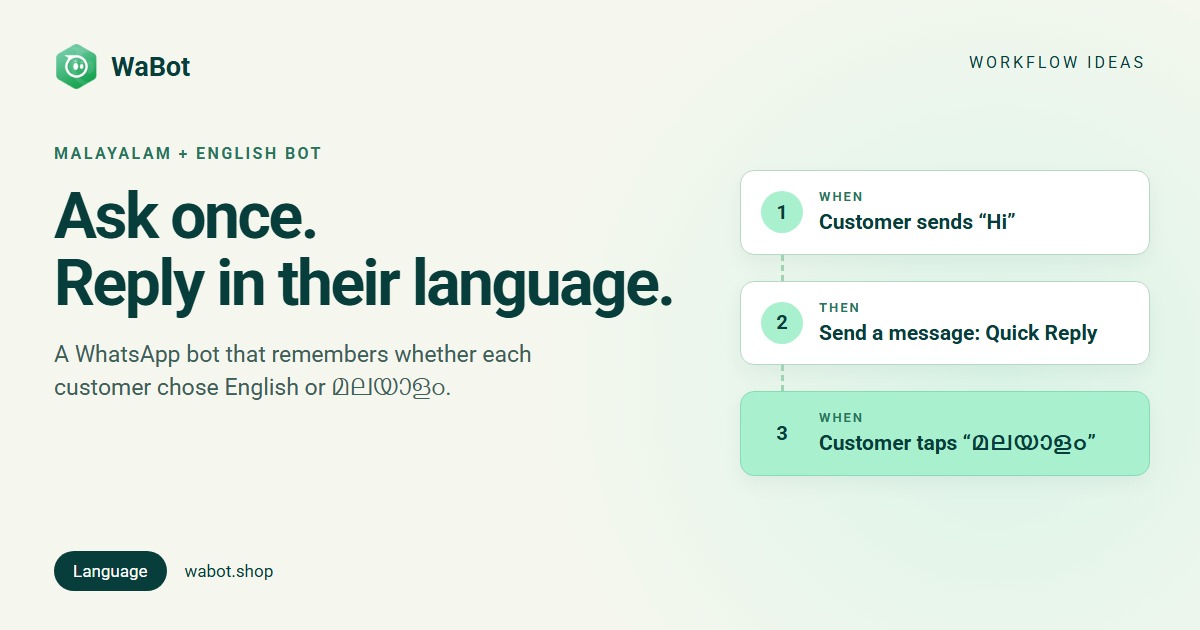
A multilingual WhatsApp chatbot in WaBot asks each customer once, English or മലയാളം, and remembers the answer against their number. Every automated reply after that, today or next month, uses the language they chose. This post builds it for a dental clinic in Thrissur; a shop, a travel agency or a tuition centre uses the same steps with its own messages.
Hi → choose a language → remembered for every later reply
What this workflow does
- Replies to the first “Hi” with a short bilingual message and two buttons: English and മലയാളം.
- Saves the tap in a state variable called
langon that contact. It has no expiry; it changes only when the customer taps a different button. - Every later step (timings, price list, directions, booking) checks
{{lang}}and sends the Malayalam or the English version. - Customers can switch any time by sending Hi again and tapping the other button.
- Also adds the contact to a Malayalam customers or English customers group, so later campaigns go out in the right language too.
Why it works
Asking beats guessing. WaBot doesn’t detect the language of a message, and it couldn’t do it well anyway: many Kerala customers type Malayalam words in English letters (“timing ethra?”), and many English speakers open with a Malayalam greeting. A button is unambiguous, and tapping it is faster than switching keyboards.
Remembering makes it feel personal. The choice is stored per contact, so a customer who chose Malayalam in January gets Malayalam in June, whoever is handling the chat. And because every reply here answers the customer’s own message, inside WhatsApp’s 24-hour window, they’re normal messages rather than templates.
Build this Malayalam + English bot in Wabot, free
Create your free account here. Connect your WhatsApp number and you get 15 days of the Base Plan, workflows included, no card needed.
Before you start
- Permission. The person building this needs the States permission in WaBot (an admin can grant it).
- Two versions of every message. The Malayalam examples below are short and plain; have a native speaker check them before going live, and match your clinic’s or shop’s tone.
- Templates, if you’ll message later. Anything sent outside the 24-hour window, such as an offer campaign, needs a Meta-approved template per language.
- Plan. Workflows are on the Base Plan (₹9,240/year + GST). Starter (₹840/month + GST) has the shared inbox and campaigns but not workflows. Connecting your number on the Free plan starts a 15-day Base Plan trial.
Choose once, then every keyword step branches on {{lang}}
Build it in WaBot, step by step
Step 1: create the state variable
- Open Automation → Workflows in the left menu, click Add workflow, name it Language memory, choose Automatic and Blank, and Save it once so it appears in the list.
- On the Workflows list, open the menu on the workflow’s card and choose States, then the Add state tab.
- State:
lang. Value:English(the default for anyone who hasn’t chosen yet). Type: Contact state. Data type: String. Click Add state.
Step 2: ask the language
- Open the workflow. Click Choose a trigger → Customer sends a message: When a customer sends a WhatsApp Text message that contains Hi. Matching is case-sensitive, so use the word your QR code or website link pre-fills.
- Click Choose an action → Send a message, Message type Quick Reply. Type the bilingual question, then + Add Button twice: English and മലയാളം.
Step 3: save the choice (Malayalam)
- Click Add step. Trigger: Customer sends a message, WhatsApp Interactive quick reply buttons where the title is exactly മലയാളം. Paste exactly the text you used on the button.
- Action: Update a state value. Select a state variable:
lang. Value: pickbutton_reply_identifierfrom the list, the tapped button’s id, which equals its title. The value must come from this list; you can’t type “മലയാളം” here. - Actions: Add to groups or tags → group Malayalam customers, then Send a message, Text only: the Malayalam welcome.
Step 4: save the choice (English)
Add step with the same trigger and the title English, the same Update a state value action (lang = button_reply_identifier), the group English customers and the English welcome.
Step 5: use the memory
- Add step. Trigger: Customer sends a message, WhatsApp Text that contains timing (or whatever people ask most).
- Open Advanced → Conditions, click Add a condition group. Under Choose what to check pick Variable, under Choose a variable pick
lang(it’s already in the list), condition is, value മലയാളം. - Action: Send a message, Text only: the Malayalam timings.
- Add step with the same trigger, the condition
langis not മലയാളം, and the English timings. Repeat for each question you answer automatically: two steps per question, one per language.
Step 6: test and switch on
- Click Save, clear the Set up panel, turn on Step on for every step and the switch on the workflow card.
- From your own phone: send Hi, tap മലയാളം, send “timing”. Then send Hi again, tap English, send “timing”. Each step’s Runs list shows which branch ran (workflows guide).
Keep the state update on button steps only. If the step runs for a message that isn’t a button tap, button_reply_identifier is empty and the run is logged as failed.
The choice has no expiry. It changes only when the customer taps a different button, so mention “Send Hi to change language” in your welcome.
Returning customers are asked again each time they say Hi. If you’d rather not, set the state’s default Value to none, add the condition lang is none to the asking step, and add two more Hi steps (one per saved language) that go straight to the welcome.
Messages you can copy
These are examples. Have a native Malayalam speaker read them before you go live and adjust them to your business.
Language question (Quick Reply, buttons “English” and “മലയാളം”):
Hi! Which language do you prefer?
ഏത് ഭാഷയാണ് വേണ്ടത്?
Malayalam welcome (step 3):
നന്ദി! ഇനി മലയാളത്തിൽ സംസാരിക്കാം. 🙂 ഞങ്ങൾ എങ്ങനെ സഹായിക്കാം?
English welcome (step 4):
Thanks! We'll reply in English. How can we help you today?
Timings (step 5, Malayalam and English):
ക്ലിനിക് രാവിലെ 9 മുതൽ വൈകിട്ട് 7 വരെ പ്രവർത്തിക്കും. ഞായറാഴ്ച അവധിയാണ്.
We're open 9 AM to 7 PM, Monday to Saturday. Sunday is a holiday.
Offer template for a later campaign to the Malayalam customers group (Meta-approved template; only to people who agreed to hear from you):
ഹായ് {{1}}, ഈ മാസം ഡെന്റൽ ചെക്കപ്പിന് 20% കിഴിവ്. ബുക്ക് ചെയ്യാൻ ഇവിടെ മറുപടി നൽകൂ.
Replies to a customer’s own message are normal messages inside WhatsApp’s 24-hour window. Anything sent later, such as the offer above, must be a Meta-approved template, one per language. Meta’s message charges are billed by Meta directly, with no WaBot markup.
Variations and tips
Hindi, Tamil, Kannada. A Quick Reply message holds up to three buttons, so three languages fit on one question. Add one button step per language and one more branch per keyword.
Shops and agencies. Swap “timing” for “price”, “location” or “packages”. Or send a button menu in the chosen language after the welcome; the button titles differ per language, so each tap is already language-specific.
Questions you didn’t plan for. In the Malayalam branch use Hand off to an AI bot with a bot instructed to answer in Malayalam, and an English-instructed bot in the other. See the WhatsApp FAQ bot post.
Campaigns. The two groups let you send the Malayalam template to Malayalam customers and the English one to the rest, instead of one bilingual message twice as long.
Related reading: WhatsApp for clinics and hospitals and WhatsApp for travel agencies in Kerala.
Give every customer replies in their own language
Create your free account here. Connect your WhatsApp number and you get 15 days of the Base Plan, workflows included, no card needed.
Frequently asked questions
Can WaBot detect whether a customer is writing in Malayalam?
No. The bot asks once with two buttons and saves the answer as a state variable on the contact. Later steps check that variable instead of guessing from the text.
How long does WaBot remember the choice?
Until the customer taps a different button. The value is stored per contact with no expiry, and anyone who hasn’t chosen yet gets the default you set when creating the state.
Can I offer more than two languages?
Yes. A Quick Reply message can have up to three buttons, so three languages fit on one question. Each language needs its own button step and its own branch on every keyword.
Which plan includes this?
Workflows and state variables are on the WaBot Base Plan (₹9,240/year + GST). Connecting your number starts a 15-day Base Plan trial. Meta’s message charges are billed by Meta directly.
Final thoughts
Customers notice when you speak their language, and they notice more when you remember it. One question with two buttons, saved on the contact, is all it takes.
Start with the language question and your single most-asked question in both languages. Add the other keywords once you see which ones people actually type.