WhatsApp marketing software sends your offers and news to customers as campaigns: approved template messages to an opted-in list, with replies landing in a shared inbox and a report on who received and read each one. It runs on Meta’s WhatsApp Business API. The free WhatsApp Business app’s broadcast lists hold up to 256 contacts and reach only people who saved your number (paid business broadcasts go further in some countries).
Below: what the software does, a 10-feature checklist, how pricing works (there are always two bills), what seven platforms list on their own sites, and five buying mistakes.
What WhatsApp marketing software does
| Job | What it means | Why it matters |
|---|---|---|
| Campaigns | One approved template to a chosen audience | Reaches customers who haven’t messaged you lately |
| Templates | Write, categorise and submit templates to Meta | Messages that open a chat must be approved; the category sets the price |
| Segments and tags | Group contacts by interest, purchase or source | Smaller, relevant sends cost less and get fewer blocks |
| Scheduling | Send now or at a set date and time | Messages arrive at a sensible hour |
| Click-to-WhatsApp ads | Facebook and Instagram ads that open a chat | Leads arrive talking; Meta’s free entry point window can apply (guide) |
| Inbox | Replies land in one place your team shares | Someone, or a bot, has to answer them |
| Reports | Sent, delivered, read and failed per contact | Shows what worked and who to leave out |
| Automation | Keyword replies, follow-ups, drip series, AI answers | Replies go out inside the 24-hour window, when they’re cheapest |
Strategy, from opt-in to campaign types, is in our WhatsApp marketing guide; the steps of one send are in how to send a WhatsApp broadcast message.
Before any software: marketing messages go only to people who opted in. Meta’s Business Messaging Policy lets you contact people who gave you their number and opt-in permission, and you must respect every request to opt out (how to collect opt-in).
10 features to check before you buy
- Official connection, your own number. Connected through Meta’s signup, number in your name. Can you keep the WhatsApp Business app on it (coexistence)?
- Template management. Create templates, choose Marketing, Utility or Authentication, track approval and see re-categorisations.
- Contact import and tags. Import from a spreadsheet, then tag and group contacts so each campaign reaches the right people.
- Opt-outs handled. Blocked and opted-out contacts left out of sends automatically.
- Scheduling and send speed. Send now or later, at a pace your team can answer.
- Personalisation. Template variables, such as a name or order number, filled per contact (examples).
- Per-contact reports. Sent, delivered, read and failed for each contact, with the failure reason.
- A shared inbox. Teammates answering replies from one number, with assignment and notes (team inbox).
- Automation after the send. Keyword replies, a follow-up for quiet customers, drip series and AI answers (automation tools compared).
- Predictable costs. A clear plan price, Meta’s charges billed transparently, no surprise caps.
How WhatsApp marketing software is priced
Every platform comes with two bills: its software fee, and Meta’s charge per delivered message, set by category and recipient country.
How the platform fee is set
As listed on each vendor’s pricing page on 13 November 2026:
- Plan and billing period. Quoted per month, often billed quarterly or yearly: WATI Growth ₹2,699/month billed quarterly; Gallabox Basic $150/month billed quarterly or $112 billed annually.
- Users. WATI’s Growth plan has “3 Users Included” and “No additional users”; its higher plans charge per extra user.
- Contacts. respond.io’s plans include Monthly Active Contacts, with more at “$12 per 100 MACs on Growth”.
- Broadcast volume. WATI lists “15k Broadcasts/month” on Growth; Gallabox’s Basic plan lists broadcasts to 10K contacts a month.
- Add-ons such as extra numbers (WATI: ₹2,499/month per number), chatbots or AI.
How Meta’s charges reach you
| Model | How it works | What to ask |
|---|---|---|
| Billed to your own Meta account | You add a payment method in Meta and Meta charges you; the platform bills only its fee | Confirm nothing is added: you pay Meta’s list rate |
| On the platform’s invoice | The platform pays Meta and bills you, sometimes with a markup | Is there a markup, and what will I pay per message in my main country? |
| Prepaid credits | You top up a balance on the platform and messages draw from it | What rate is deducted per message, and can unused credit be refunded? |
Meta’s list rate doesn’t depend on which software sends the message; what differs is anything added on top. Rates by country: WhatsApp marketing message cost.
Why the message bill deserves as much attention
Illustration, with stated assumptions: a business sends 2 marketing campaigns a month to 2,000 opted-in customers (4,000 messages), all delivered, at Meta’s list rates from 1 October 2026, before tax.
| Customers in | Rate per message | Per month (4,000) | Per year |
|---|---|---|---|
| United Kingdom | $0.0635 | $254.00 | $3,048.00 |
| Germany | $0.1365 | $546.00 | $6,552.00 |
| United Arab Emirates | $0.0576 | $230.40 | $2,764.80 |
| Mexico | $0.0397 | $158.80 | $1,905.60 |
| India | $0.0118 (₹0.8631) | $47.20 (₹3,452.40) | $566.40 (₹41,428.80) |
In Germany, a hypothetical 10% markup would add $655.20 a year to $6,552.00. The percentage only shows the effect; ask each platform for its real figure. Indian businesses add 18% GST. Source: Meta's pricing page.
What seven platforms list for marketing
Taken from each platform’s own website on 13 November 2026; text in quotes is theirs. Plans and prices change, and some depend on your location, so check their site before buying. Spotted a change? Let us know on WhatsApp.
| Platform | Campaign features listed | Plan pricing as listed | Meta’s message charges, in their words |
|---|---|---|---|
| WATI | “15k Broadcasts/month” on Growth; extra numbers ₹2,499/month each | Growth: ₹2,699/month billed quarterly, 3 users | “Per message charges vary for marketing, utility & authentication”; a rate card per plan |
| Interakt | Starter: “Send bulk WhatsApp campaigns”; Growth adds “Advanced campaigns, Catalogs, Native payments” | Growth: ₹2,799/month + taxes (prices for Indian numbers) | “Subscription Charges based on your plan + Template charges above free limit”; Enterprise: “No Markup Charges” |
| AiSensy | “Unlimited Users” plans: up to 500 tags, 100 attributes and 50 segments under fair use; contacts imported without limit | Not readable; separate INR and USD pricing pages | Prepaid credits, “charged directly by Meta”; “All billing is pre-paid” |
| respond.io | “Broadcasts” listed from Growth | Starter: $79/month billed yearly; Growth: $159/month billed yearly | “Meta charges these fees based on your usage”; top up WhatsApp credit on the platform |
| Gallabox | Basic: broadcasts to 10K contacts a month; drip campaigns on Essential | Basic: $150/month billed quarterly or $112 billed annually (also INR and AED) | “pass-through usage charges, billed separately from your platform fee”, invoiced “with our markup” (amount not stated) |
| DoubleTick | “Broadcast & Voice Campaign Studio” | Not readable | “The per conversation cost varies depending on which country you want to send messages to” |
| Wabot | Campaigns to contacts, groups or tags; Send Now, Schedule for Later or Using API; per-contact reports | Starter $9, Silver $25, Gold $59 a month (India: ₹840, ₹2,160, ₹5,749 + 18% GST) | Meta bills you directly, with no markup from us |
“Not readable”: the price loaded in a way we couldn’t read that day. Beyond marketing: how to choose a WhatsApp Business API provider.
5 mistakes when buying WhatsApp marketing software
1. Buying a bulk sender instead of a platform
Tools that blast messages from an ordinary WhatsApp account go against WhatsApp’s Terms of Service, which rule out “bulk messaging, auto-messaging, auto-dialing, and the like”. Real marketing software connects through Meta (how to avoid a ban).
2. Comparing monthly prices that aren’t billed monthly
“Per month, billed quarterly” is paid three months at a time. Compare yearly totals with taxes, users and add-ons, and read the refund terms.
3. Forgetting the message bill
The plan fee is fixed; Meta’s charges grow with every campaign. Ask how messages are billed, and at what rate.
4. Buying before you have an opted-in list
Software can’t create permission. Collect opt-in first, and give every offer a way out: Meta’s policy says to “provide clear instructions for how people can opt out” (opt-in explained).
5. Expecting the software to lift Meta’s limits
Meta’s messaging limits cap how many different customers you can message outside the 24-hour customer service window: a new business portfolio starts at 250 in a moving 24-hour period, can reach 2,000 through a scaling path such as business verification, then more as quality stays high. No software changes that (raising your limit; quality rating).
How Wabot handles WhatsApp marketing
- Official, and the number stays yours. Connect under Settings → Meta Platforms with Connect your WhatsApp Business app (keeps the app) or Use a new number, both through Meta’s Embedded Signup.
- Contacts and tags. Contacts → Import contacts takes .xlsx, .xls, .csv or .vcf files. Tag contacts to build audiences.
- Templates under Settings → Templates: choose Marketing, Utility or Authentication. A template Meta moves to marketing is marked “re-categorised by Meta”.
- Campaigns to contacts, groups or tags. Blocked contacts are left out automatically, and nobody gets the message twice. Launch Options: Send Now, Schedule for Later or Using API, with Maximum messages per second to set the pace.
- Reports: sent, delivered, read and failed per contact, with the reason in plain words.
- Replies: a shared inbox with Assign to, internal notes and saved replies, workflows such as Reply to a keyword and No reply for a while, and AI agents that answer from your information (paid from your Wabot wallet or your own OpenAI, Anthropic or Azure key).
Meta bills you directly, with no markup from us. The free plan lets you sign up and connect a number; campaigns need a paid plan (see plans).
Run WhatsApp campaigns at Meta's own message rates
Create your free Wabot account and connect your WhatsApp number. No card needed, and Meta bills messages directly, with no markup from us.
Frequently asked questions
What is WhatsApp marketing software?
A platform on the WhatsApp Business API that sends approved template campaigns to opted-in customers, with tags and segments, scheduling, per-contact reports, a shared inbox for the replies and automation that answers or follows up.
Is there free WhatsApp marketing software?
The WhatsApp Business app is free, and its broadcast lists of up to 256 contacts reach people who saved your number. API platforms charge a plan fee, and on every platform Meta charges per delivered marketing message. Some platforms have a free plan or trial; check whether it includes campaigns.
How much does WhatsApp marketing software cost?
Two parts: the platform plan and Meta’s per-message charges. Among the platforms above that list prices in dollars, entry plans ran from $9 a month (Wabot Starter) to $150 a month billed quarterly on 13 November 2026. Meta’s marketing rate depends on the recipient’s country.
Can I send WhatsApp marketing messages without opt-in?
No. Meta’s Business Messaging Policy only lets you contact people who gave you their number and opt-in permission, and you must respect every request to stop. Messages to people who never agreed bring blocks and a lower quality rating.
The short version
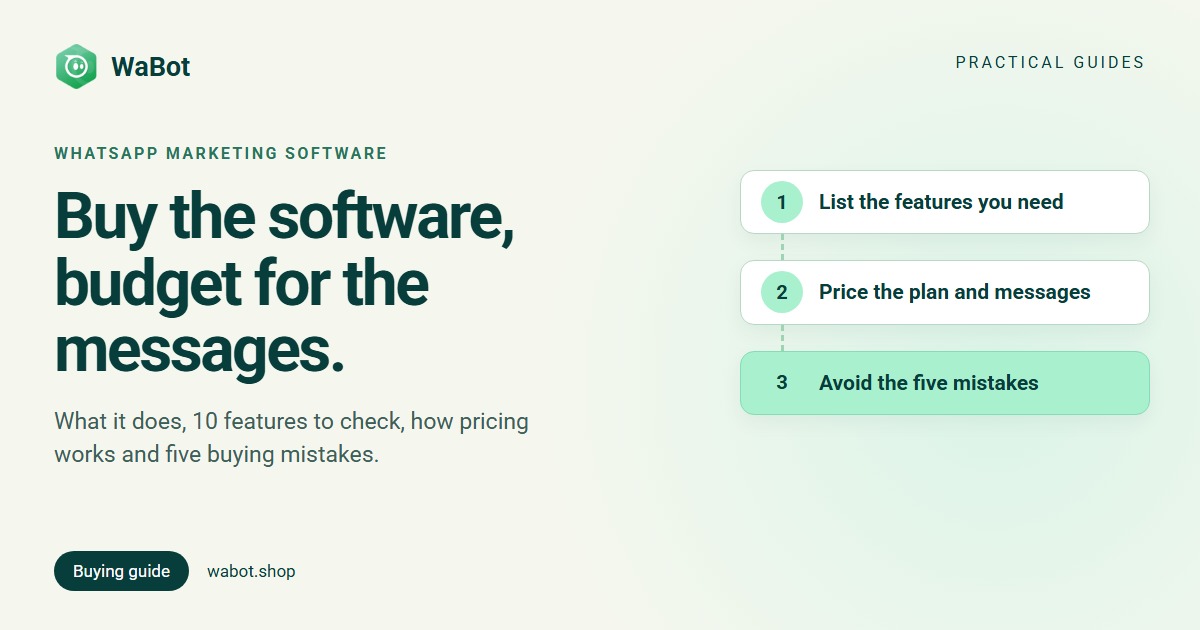
Good WhatsApp marketing software does more than send: it manages templates, targets tags, schedules, reports per contact and handles the replies. Compare platforms on the 10-feature checklist, and price both bills, the plan and Meta’s messages.
Start with an opted-in list and an official platform, send to small segments first, and let the replies, not the send count, tell you what’s working.