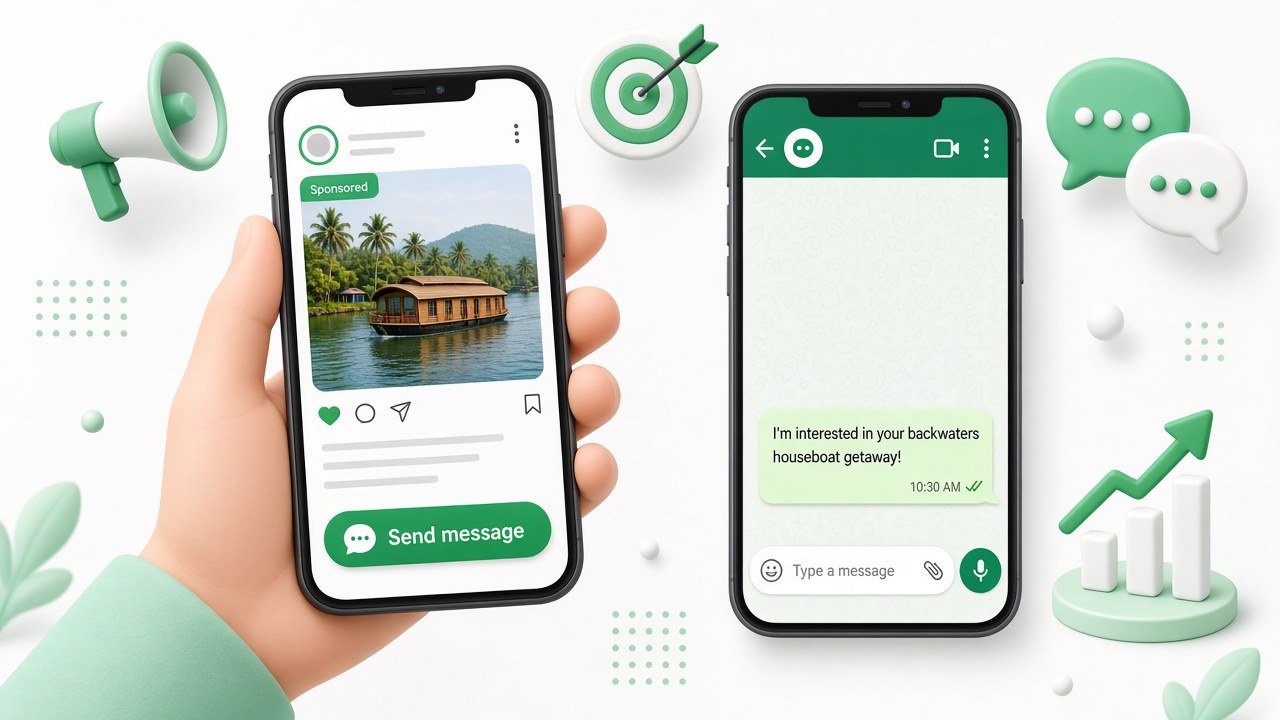
Most Indians would rather send a WhatsApp message than fill in a form or visit a website. Click-to-WhatsApp ads use that: someone sees your ad on Facebook or Instagram, taps Send message, and WhatsApp opens with a chat to your business.
This guide covers how to set them up, how much to spend, what to write, and the part most businesses get wrong: replying fast enough to turn chats into customers.
What are Click-to-WhatsApp ads?
They’re regular Facebook and Instagram ads with a WhatsApp button instead of a website link. When someone taps it, WhatsApp opens with a pre-filled message such as “Hi, I’m interested in your Munnar package”. They press send, and the conversation starts.
- No landing page needed. The chat is the landing page.
- Higher-intent leads. People who message you have chosen to start a conversation.
- You get their WhatsApp number automatically, so you can follow up later.
- 72 hours of free messaging. On the WhatsApp Business API, every message you send for 72 hours after an ad chat starts is free, templates included.
Before you start
- A Facebook Page and a Meta ad account with a payment method.
- A WhatsApp Business number linked to your Page: Page settings → Linked accounts → WhatsApp.
- Someone, or something, ready to reply within minutes, including evenings and weekends.
Click-to-WhatsApp ads also work with the free WhatsApp Business app. The catch is that one phone has to handle every chat, with no auto-replies beyond a basic greeting. If you expect more than a few chats a day, use the API.
How to create a Click-to-WhatsApp ad, step by step
- In Meta Ads Manager, create a campaign. Choose Engagement (or Leads or Sales) as the objective.
- At the ad set level, set the conversion location to Messaging apps and select WhatsApp. Pick your linked number.
- Set your audience: location (your city or state), age, and a few interests. Keep it broad enough for Meta to learn, at least a few lakh people.
- Set a daily budget. See the budget section below.
- Create the ad: an image or short video, a clear headline, and the Send WhatsApp message button.
- Write the message template: the greeting the customer sees and the pre-filled text they send. Add quick-reply questions such as “What’s the price?” so people can start with one tap.
- Publish, then check results after 3 to 5 days. Don’t change everything on day one.
Reply to every ad chat in seconds, day or night.
How much should you spend?
There’s no fixed price. You set a budget, and Meta charges per impression. As a rough starting point for a local business in India:
- Start with ₹200–500 a day for one ad set and two or three ads.
- Run it for 7 days before judging. Meta needs a few days to learn who responds.
- Track cost per conversation, not clicks. Then track how many conversations became customers.
- Scale slowly. Increase the budget by 20–30% every few days on ads that work.
The ad cost is only half the equation. Ten chats that get a reply in 30 seconds will beat fifty chats that wait three hours.
Ad ideas that get people messaging
| Business | Ad hook | Pre-filled message |
|---|---|---|
| Travel agency | 3N Munnar for 4 from ₹XX,XXX. Ask for this week’s price. | Hi, please share the Munnar package price |
| Clinic | Free consultation slots this week. Book on WhatsApp. | Hi, I’d like to book a consultation |
| Real estate | 2BHK near the metro. Get the price list on WhatsApp. | Hi, please send the price list |
| Coaching | New batch starts Monday. Ask for fees and timings. | Hi, I want details of the new batch |
| Restaurant | Order on WhatsApp, delivery in 30 minutes. | Hi, I’d like to see the menu |
The part that decides your results: replying
Most Click-to-WhatsApp campaigns fail after the ad, not because of it. Chats arrive at 11 PM, on Sundays, or twenty at once, and by the time someone replies, the customer has moved on.
With the WhatsApp Business API and a tool like WaBot, you can:
- Send an instant auto-reply to every new chat, with your prices, a menu of options or a question to qualify the lead. Auto-reply examples you can copy.
- Share one inbox across your team, so the chat goes to whoever is free.
- Tag and follow up with leads who went quiet, using the free 72-hour window.
- Send offers later to everyone who messaged, as a campaign.
Turn ad chats into bookings with WaBot.
Frequently asked questions
How much do Click-to-WhatsApp ads cost in India?
You set the budget. Many small businesses start with ₹200–500 a day. Cost per conversation varies by industry, audience and ad quality, so test for a week before scaling.
Are messages after a Click-to-WhatsApp ad free?
On the WhatsApp Business API, yes: when a customer messages you from the ad, all your messages for the next 72 hours are free, including templates.
Can I run Click-to-WhatsApp ads with the WhatsApp Business app?
Yes, but every chat lands on one phone and you can’t automate replies beyond a basic greeting. For more than a few chats a day, use the API with a shared inbox.
Which objective should I choose?
Engagement with WhatsApp as the conversion location is the simplest start. Use Leads or Sales once you have tracking set up and enough conversations for Meta to learn from.
Final thoughts
Click-to-WhatsApp ads are one of the cheapest ways for an Indian business to get real conversations. The ad gets the chat started; a fast, helpful reply turns it into a sale.
Set up instant replies before you spend your first rupee on ads.