Malaysian customers ask about prices, bookings and deliveries on WhatsApp, in Malay, English, Chinese or a mix of all three. When a single phone can’t keep up, the WhatsApp Business API lets your team answer from one number, send updates automatically and run campaigns to customers who said yes.
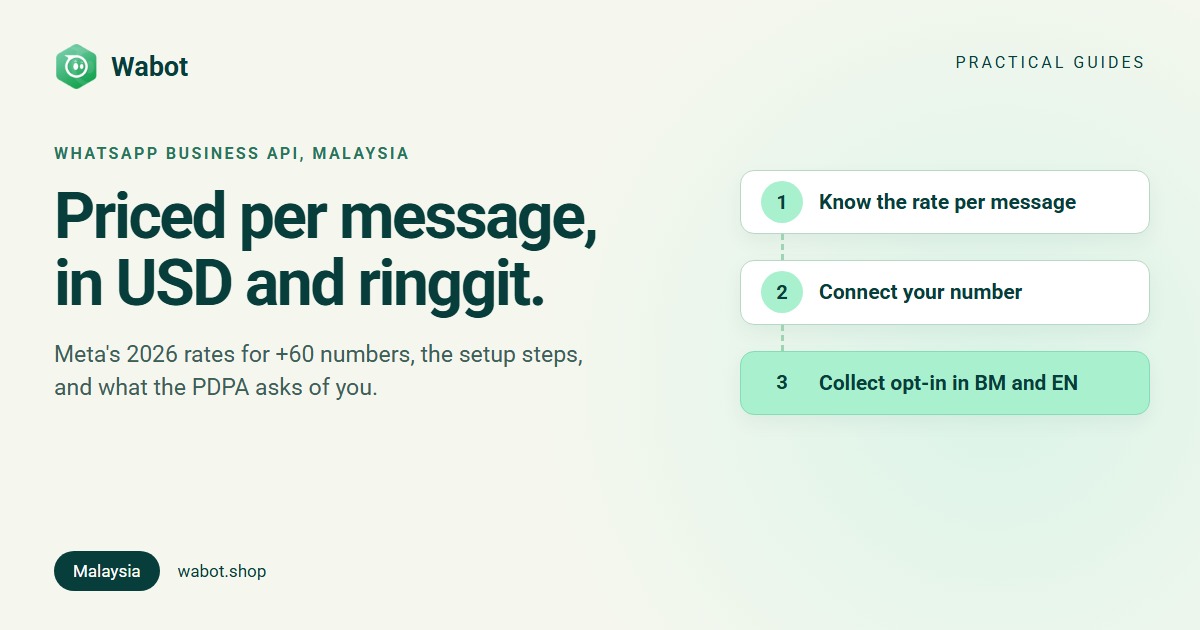
This guide covers the WhatsApp Business API in Malaysia: prices per message in USD and ringgit, what’s free, setup, the PDPA and choosing a provider.
What the WhatsApp Business API is
The WhatsApp Business API (Meta’s WhatsApp Business Platform; the hosted version is the Cloud API) connects your business number to software instead of one phone. Several people reply from the same number, your systems send messages automatically, and anything you send first goes out as a template Meta has approved.
No developer needed: most businesses use it through a platform that provides the inbox, campaigns and automation, while Meta charges for the messages. Our explainer on how the WhatsApp Business API works covers each part.
WhatsApp Business API pricing in Malaysia
Meta charges per delivered message, by category and by the recipient’s country code: every message to a +60 number is charged Malaysia’s rate, wherever your business is (except authentication-international, below). Meta’s list rates effective 1 October 2026 (pricing page read 21 November 2026), before tax:
| Category | What it’s for | Per message (USD) | About RM* |
|---|---|---|---|
| Marketing | Offers, launches, festive promotions | $0.086 | RM0.35 |
| Utility | Order, booking and payment updates | $0.014 | RM0.06 |
| Authentication | One-time passwords (OTPs) | $0.014 | RM0.06 |
| Service | Your replies inside the 24-hour window, after the first 1,000 a month | $0.014 | RM0.06 |
*Our conversion at Bank Negara Malaysia‘s middle rate, RM4.1148 per US dollar (12:00, 20 November 2026). Meta also publishes a ringgit (MYR) rate card on its pricing page; if your Meta account bills in ringgit, that card is what you pay.
Note the gap: a marketing message costs about 6 times a utility message here, and Malaysia’s marketing rate is above Singapore’s ($0.0732) and about double Indonesia’s ($0.0411). A plain delivery update is utility; add a discount code and Meta can re-categorise it as marketing (template categories explained).
Authentication-international ($0.0418 for Malaysia) applies only to very large senders based outside Malaysia, after a 30-day notice from Meta (the rules). A Malaysian business sending OTPs to Malaysian numbers pays $0.014.
What’s free
- The Cloud API itself: no access fee from Meta.
- Every message a customer sends you.
- 1,000 service messages per number, per month. Meta charges from the 1,001st; unused ones don’t carry over.
- Chats from Click-to-WhatsApp ads. When a person opens a chat from your Facebook or Instagram ad (in the WhatsApp app on Android or iOS) and you reply within 24 hours, your reply opens a free entry point window of up to 7 days. Marketing, utility, authentication and service messages in it are free, templates included (how these ads work).
Estimate your own month with the calculator in our WhatsApp API pricing guide.
What a month costs: three Malaysian examples
Illustrations only: made-up volumes, one number each, at Meta’s USD list rates.
1. A dental clinic in Petaling Jaya
- 900 utility messages × $0.014 = $12.60
- 1,400 service replies: first 1,000 free, then 400 × $0.014 = $5.60
- Meta’s charges for the month: $18.20 (about RM75)
2. An online fashion store in Kuala Lumpur, Hari Raya month
- 2,500 marketing messages × $0.086 = $215.00
- 1,800 utility messages × $0.014 = $25.20
- 3,200 service replies: first 1,000 free, then 2,200 × $0.014 = $30.80
- Meta’s charges for the month: $271.00 (about RM1,115)
3. A tuition centre in Penang, new-term month
- 300 marketing messages × $0.086 = $25.80
- 600 utility messages × $0.014 = $8.40
- 700 service replies: all inside the free 1,000, so $0
- Meta’s charges for the month: $34.20 (about RM141)
In the store’s month, the campaign is about 79% of the bill, so send offers only to opted-in customers likely to buy.
How to get the WhatsApp Business API in Malaysia, step by step
- Have a Facebook login and your business details. Meta keeps your WhatsApp account in a business portfolio; a business name, Malaysia as the country and a website or social page are enough.
- Choose the number: a new number that isn’t on WhatsApp and can receive a code, or the number on your WhatsApp Business app, which you keep using (coexistence). A number on ordinary WhatsApp must move to the Business app first (using an existing number).
- Pick a display name that matches your business; Meta checks it against its guidelines (why names get rejected).
- Connect through Embedded Signup. In Wabot, open Settings → Meta Platforms and choose Connect your WhatsApp Business app or Use a new number. Meta’s window walks you through the rest.
- Add a payment method in your Meta account. Meta bills messages there, in the account’s currency. Without one, only the free 1,000 service messages are delivered.
- Verify your business. New portfolios can send templates to 250 unique people in a rolling 24 hours. Verification is one route to 2,000; after that, Meta raises the limit automatically when quality is high and you use at least half of it in 7 days (Meta: messaging limits, read 21 Nov 2026). See verification rejections and raising your limit.
Where people get stuck: WhatsApp Business API setup. Keeping the app: coexistence.
Malaysia’s PDPA: consent, notices and opting out
The main law is the Personal Data Protection Act 2010 [Act 709], amended by the Personal Data Protection (Amendment) Act 2024 [Act A1727] in stages during 2025. It covers personal data in commercial transactions and is enforced by the Personal Data Protection Commissioner (the Act on pdp.gov.my, English reprint, 15 September 2026). For WhatsApp, in plain words:
- Consent. Use someone’s personal data only with their consent, unless an exception applies, such as performing a contract with them (section 6).
- A written notice in Malay and English saying what you collect, why, who you share it with and how people can limit its use (section 7).
- Stopping marketing. Anyone can tell you in writing to stop using their data for direct marketing: “the communication by whatever means of any advertising or marketing material which is directed to particular individuals” (section 43). Consent can also be withdrawn in writing (section 38).
- Security. Protect the data and don’t keep it longer than needed (sections 9 and 10). Since the amendment, report a data breach to the Commissioner as soon as practicable (section 12B) and appoint a data protection officer (section 12A).
- Registration applies to the 13 classes of data controllers listed in a 2013 order and its 2016 amendment (who must register).
Breaching the data protection principles can mean “a fine not exceeding one million ringgit or to imprisonment for a term not exceeding three years or to both” (section 5).
WhatsApp adds its own rule: Meta requires opt-in that clearly names your business, and compliance with local law (Meta: get opt-in). A bilingual line suits the PDPA:
Ya, saya bersetuju untuk menerima kemas kini pesanan dan tawaran daripada [Nama Kedai] melalui WhatsApp. Saya boleh berhenti pada bila-bila masa dengan membalas BERHENTI.

Yes, I agree to receive order updates and offers from [Shop Name] on WhatsApp. I can stop at any time by replying STOP.
That’s the WhatsApp opt-in, not your full privacy notice (more opt-in wording). This is general information, not legal advice.
Local practice: Malay, English and Chinese templates, use cases and timing
Meta’s template languages include Malay (ms), English, Chinese (zh_CN, zh_HK, zh_TW) and Tamil (ta) (Meta: supported languages). Submit one version per language. In Wabot, pick the Language when you Add template under Settings → Templates, and tag contacts by language (lang-bm, lang-en, lang-zh) so each campaign goes out in the right one:
Hai {{1}}, temujanji anda di {{2}} telah disahkan pada {{3}}. Balas mesej ini jika anda perlu menukar masa.

Hi {{1}}, your appointment at {{2}} is confirmed for {{3}}. Reply to this message if you need to change the time.

您好 {{1}},您在 {{2}} 的预约已确认,时间为 {{3}}。如需更改时间,请直接回复此消息。
| Business | Messages that work well | Category |
|---|---|---|
| Clinics | Appointment confirmations and reminders | Utility |
| Online stores | Order confirmations and shipping updates; festive and 11.11 offers to opted-in buyers | Utility; marketing |
| Property agents | Viewing confirmations; new project launches to opted-in leads | Utility; marketing |
| Tuition centres | Class changes and fee reminders to parents | Utility |
| Restaurants and cafés | Table booking confirmations | Utility |
All of Malaysia uses one time zone, UTC+8. In our study of customer chats, 10 am to 1 pm on weekdays was the busiest stretch (best time to send). For Hari Raya, Chinese New Year and Deepavali, send greetings in each customer’s language; a festive greeting template is marketing, with or without an offer. Wabot’s Schedule for Later (Campaigns, Launch Options) uses your computer’s time zone, so convert if you’re abroad.
Choosing a WhatsApp Business API provider in Malaysia
Our provider guide lists 10 questions; four matter most here:
- Who bills the messages? Some providers resell them with a markup or a prepaid wallet; others let Meta bill you directly.
- Which currency? Check the plan and Meta’s messages (USD or ringgit).
- Who owns the Meta account and number? It should be your business.
- Languages and teamwork: Malay, English and Chinese templates, and passing a chat to the teammate who speaks the customer’s language.
Wabot’s plans are in US dollars: Starter $9, Silver $25 and Gold $59 a month (about RM37, RM103 and RM243). Meta bills you directly, with no markup from us. The free plan lets you sign up and connect a number; chatting and campaigns need a paid plan. Keep your Business app with coexistence, pass chats with Assign to, and reach our team on WhatsApp. See all plans.
Connect your Malaysian WhatsApp number to Wabot
Create your free Wabot account and connect your number. Meta bills your messages directly, with no markup. No card needed.
Frequently asked questions
Can I pay Meta in ringgit?
Yes, if your WhatsApp account bills in ringgit. Meta added the ringgit (MYR) to its billing currencies on 1 April 2026. It bills each account in the currency chosen when the account is created, and says that choice can’t be changed later. Meta offers a Currency Migration API to move an account to another currency, but its docs say accounts connected through coexistence can’t use it. Wabot’s own plans are priced in US dollars.
Is the WhatsApp Business API free in Malaysia?
Partly. Cloud API access, customer messages and 1,000 service replies per number a month are free; templates and platform fees aren’t. Full list: Is the WhatsApp Business API free?
Do I need an SSM-registered company to start?
Not to get started. In Meta’s sign-up window, a business name, your country and a website or social media page are enough. Business verification can come later: it’s one of the ways to send templates to more than 250 people a day.
Can I keep using the WhatsApp Business app on my number?
Yes. With coexistence you connect the number on your WhatsApp Business app, keep using the app, and your team replies from the inbox too. See our coexistence guide.
Does the PDPA stop me sending WhatsApp promotions?
No, but it sets conditions: consent, a written notice in Malay and English, and stopping direct marketing for anyone who asks in writing (section 43). WhatsApp also requires opt-in. This is general information, not legal advice.
The short version
In Malaysia, Meta charges $0.086 per marketing message and $0.014 for utility, authentication and service messages; customer messages, 1,000 service replies a month and ad-started chats are free.
Collect opt-in in Malay and English, honour stop requests, and write templates in the languages your customers read.