Search for WhatsApp API reseller and you’ll find two very different offers: official platforms that let you sell WhatsApp to your clients, and “reseller panels” that sell cheap bulk messages. Only the first keeps your clients’ numbers safe.
This guide explains what a reseller can actually sell on Meta’s WhatsApp Business Platform, Meta’s rule on who may resell its message charges, two honest ways to resell Wabot, and how to spot a panel before it gets a client’s number banned.
What a WhatsApp API reseller actually sells
Every WhatsApp Business API setup has three costs. A reseller controls two of them.
| Cost | Who sets the price | Can you resell it? |
|---|---|---|
| Meta’s message charges, per delivered message, by country and category (rates) | Meta | Only as a Meta Solution Partner with a credit line |
| The platform: inbox, campaigns, automation, AI | The platform | Yes: pay for it and bundle it, or let the client pay it |
| Your service: setup, templates, automation, support, reports | You | Yes: this is your margin |
So a reseller isn’t really reselling the API. Access to Meta’s Cloud API itself has no fee (what is free); what clients pay for is messages, software and help. Your business is the software plus your time and know-how.
Some providers sell wholesale API access to software companies, priced per number or per message; others pay commission or discounts on their own plans. Those programmes are compared in our WhatsApp partner programme guide.
Meta’s rule: only Solution Partners resell message charges
Meta’s solution provider overview describes two kinds of company that serve other businesses on the API. Solution Partners (often called BSPs) “have credit lines which can be extended to clients” and “can directly invoice their clients” for platform services. Tech Providers “do not have credit lines”: their clients “must provide their own payment method after onboarding is complete. Meta will then bill these clients for API usage, and the Tech Provider will bill for other services.”
When a Solution Partner shares its credit line, Meta’s credit line page spells out the money flow: “businesses pay you, and you receive an aggregated invoice to pay Meta”, and the partner is “liable for and will pay Meta for all WhatsApp Business Platform spend” of those clients. Meta’s partner page puts it in one line: “Only Solution Partners can extend a line of credit to businesses for payment.”
Meta calls becoming a Solution Partner “a lengthy process” and suggests companies that don’t need a credit line become a Tech Provider instead. Both routes: what a Meta Tech Provider is.
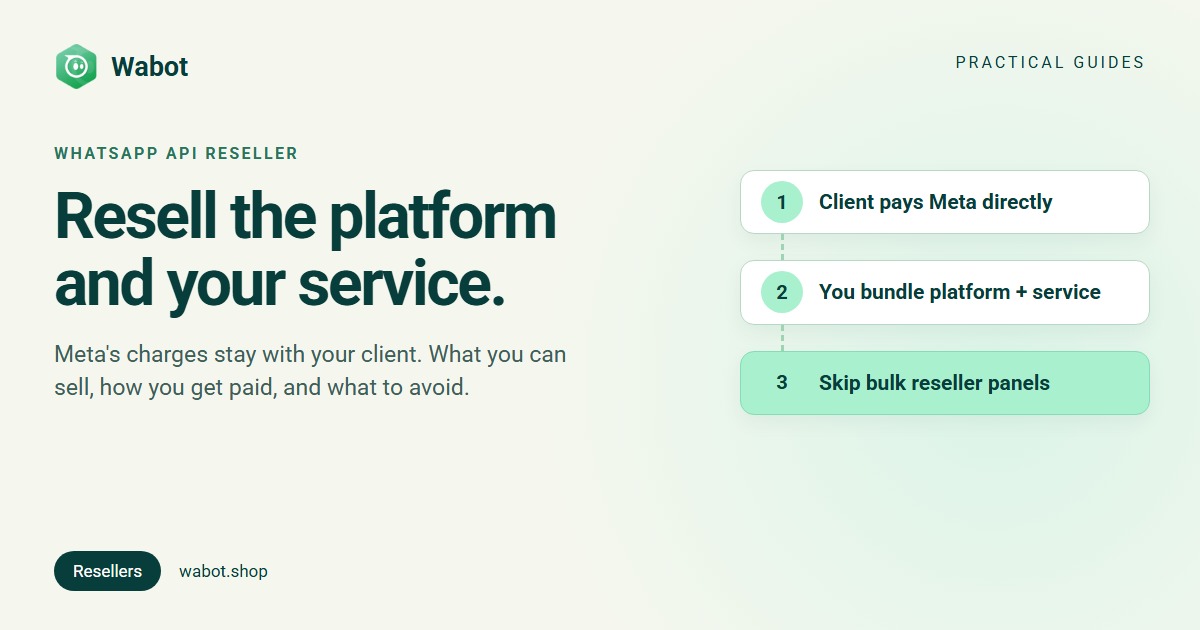
Wabot is a Meta Tech Provider. Your clients add their own payment method in Meta, as Meta’s Embedded Signup overview requires for Tech Provider clients, and Meta bills them for messages with no markup from Wabot. Neither you nor Wabot collects Meta’s message charges.
Two honest ways to resell Wabot
Wabot’s client management is free on any plan. Each client gets its own account under your login, with its own number, plan, wallet and invoices. There’s no combined agency bill, and no wholesale price or reseller discount: a client account’s plan costs what it costs anyone. Your margin is your service. Per client, you choose who pays Wabot.
Model 1: you pay Wabot and charge one bundled price
On the client’s row in Clients, use Choose a plan to pay the client’s plan, and Top up wallet for AI answers. Wabot’s invoices for that account come to you. You then invoice the client your own monthly price for platform plus service. The client doesn’t see Wabot’s price unless you send them a payment link; if you invite their team, check which permissions you give.
Model 1: you pay Wabot, the client pays you (illustration)
Model 2: the client pays Wabot, you charge for your service
Use Send payment link on the client’s row and pick a plan. The link charges Wabot’s plan price for the client’s country group (USD, or INR in India); copy it or send it on WhatsApp. If you added the client’s contact email, Razorpay also emails it to them. The client pays without a Wabot login. The plan starts once it’s paid in full and covers 30 days; it doesn’t renew by itself, so send a new link each month. You invoice your service separately.
Model 2: the client pays Wabot and you separately (illustration)
| Model 1: you pay Wabot | Model 2: client pays Wabot | |
|---|---|---|
| Price the client sees | Your one bundled price | Wabot’s plan price, plus your fee |
| Your income | Your price minus Wabot’s plan | Your service fee |
| Renewals | You renew in the client’s account | A new payment link every 30 days |
| Suits | Clients who want one bill | Clients who want to own the subscription |
Plans per client account: Starter $9, Silver $25 and Gold $59 a month; in India ₹840, ₹2,160 and ₹5,749 a month + 18% GST (pricing). In both models each client’s wallet pays only for AI; top-ups are in INR for INR accounts and in USD through Razorpay for everyone else.
Or refer clients and earn commission
Rather not run accounts at all? Wabot’s sales partner programme pays 20% commission on subscription revenue for the first year, as shown on Wabot’s sales partner page on 16 Nov 2026. It’s run by Wabot’s team outside the app and paid manually. To join, message us on WhatsApp.
What your clients will see
Be upfront about the brand, because clients will see it. Wabot doesn’t offer white label today (what white label can and can’t hide):
- The connect page shows the Wabot name and logo, and names your business as the sender.
- Meta’s sign-up window shows the Wabot app name.
- The connect email comes from your business name “via Wabot”, and replies reach you.
- A payment link shows Wabot’s plan price, processed by Razorpay.
- Staff you invite log in to the Wabot app.
What stays yours: the client relationship, your price, your service and your own invoices.
Why bulk “reseller panels” get numbers banned
The other kind of WhatsApp reseller sells panels: a dashboard plus a block of message credits, often with rented or virtual numbers, promising thousands of sends a day with no templates and no approval. Many drive ordinary WhatsApp accounts with automation software instead of Meta’s platform.
That is what WhatsApp’s Terms of Service rule out: they list “bulk messaging, auto-messaging, auto-dialing, and the like” among communications you may not send. The Business Messaging Policy also lets a business contact people only when “you have received opt-in permission from the recipient” (opt-in explained). Bought lists blasted from rented numbers break both, and those numbers tend to get banned.
For a reseller, the damage lands twice: the client loses the number their customers know, and you lose the client. Signs you’re looking at a panel:
- No Meta sign-in: the number never goes through Meta’s own window into the client’s business portfolio.
- No template approval, and no per-message charges from Meta.
- Sending stops when a browser or phone is switched off.
- One price per thousand messages, whatever the recipient’s country or the message category.
- The panel, not the client, owns the number.
The safe route to large sends: how to send bulk WhatsApp messages without getting banned. On the official platform, watch each client’s quality rating.
Start reselling with Wabot
- Create your free Wabot account and switch on client management: tick I manage WhatsApp for my clients on the setup form, or open the profile menu → Edit Profile → Account type.
- In Clients, click Add client. The client starts on the Free plan; welcome credits reach its wallet when its first number connects.
- Send connect link: the client logs in with Facebook and connects their own number in their own business portfolio, with no Wabot login. Meta then needs their payment method for message charges.
- Pick the model per client: Choose a plan and bill your bundle, or Send payment link and bill your service.
- Watch Need attention for Plan ending soon and Wallet empty, so renewals never surprise a client.
A bundle for a local shop, for example: a website chat button (free widget), the shared inbox, a few automations and monthly support. Software companies that connect customers’ numbers inside their own product can do the same through the Platform API (WhatsApp API for SaaS). Every step: Account types guide. Running automation for clients: WhatsApp automation agency playbook.
Start reselling Wabot with your own service
Create your free Wabot account, switch on client management and send your first connect link. No card needed.
Frequently asked questions
Can I resell the WhatsApp Business API?
You can resell a platform built on it, plus your own service. Meta’s message charges can be resold only by Solution Partners with a Meta credit line. With a Tech Provider such as Wabot, your client pays Meta directly with their own payment method.
Who pays Meta when I resell Wabot?
Your client. Meta bills message charges to the client’s own WhatsApp account and payment method, with no markup from Wabot. Either you or the client pays Wabot’s plan, and you charge for your service.
Is a bulk WhatsApp reseller panel official?
No. Panels that sell bulk sends without a Meta sign-in or template approval often automate ordinary WhatsApp accounts, which WhatsApp’s Terms of Service forbid, and the numbers they use tend to get banned.
How do I become a WhatsApp reseller?
Sign up with an official platform that lets you manage clients, such as Wabot with client management switched on, and sell your setup and support on top. Becoming a Meta Tech Provider or Solution Partner yourself is a separate, longer route.
Does Wabot offer white label or reseller pricing?
No. Your clients see the Wabot name on the connect page, in Meta’s window and in the app, and there’s no wholesale price or reseller discount. You set the price of your own service.
The short version
A WhatsApp API reseller sells a platform plus a service. Meta’s message charges stay with the client unless you’re a Solution Partner with a credit line, and with Wabot, a Tech Provider, clients always pay Meta directly.
Pay Wabot yourself and charge one bundled price, or let clients pay Wabot by payment link and charge for your service. Either way, your margin is your work, the number stays the client’s, and bulk panels stay out of it.