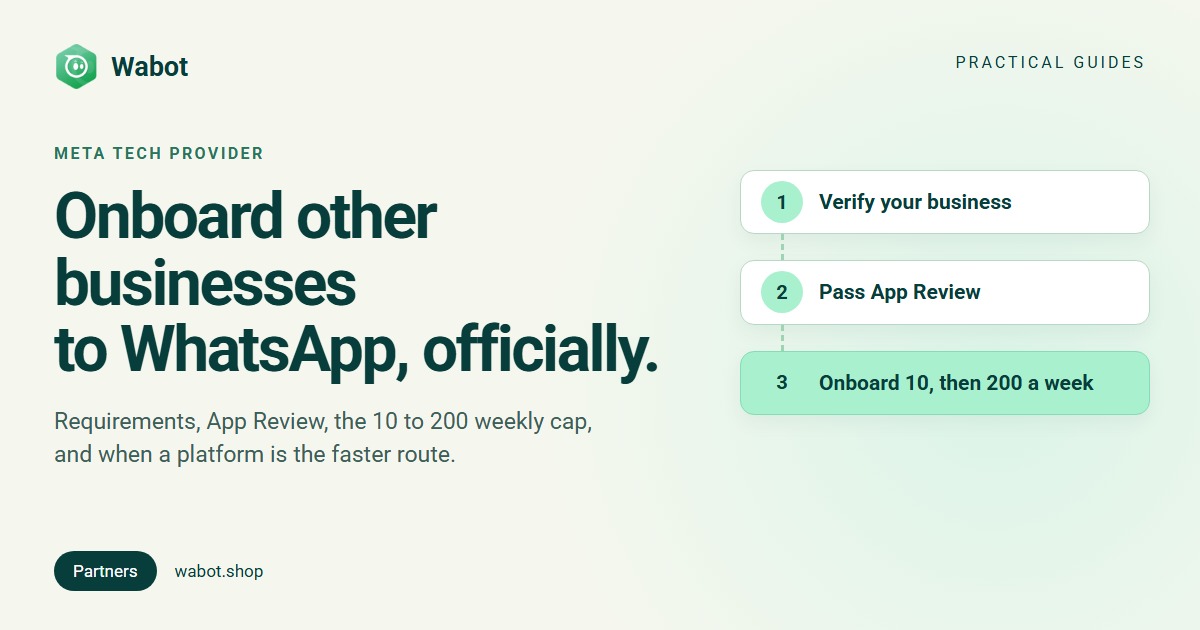
A Meta Tech Provider is a company whose Meta app is approved to onboard other businesses to the WhatsApp Business Platform and work on their WhatsApp accounts. It’s the official route for software companies and agencies that want customers to connect their own numbers inside their product. Getting there takes two things from Meta: business verification and App Review.
Below: Meta’s requirements, the steps, the weekly onboarding cap (10, later 200), the Tech Partner thresholds, how a Tech Provider differs from a Solution Partner (BSP), and when a platform that’s already a Tech Provider is faster.
What a Meta Tech Provider is
Meta’s partner overview describes partners as businesses that “deploy value-added solutions as WhatsApp authorized service providers on behalf of their clients”. Tech Providers “can offer a full range of WhatsApp Business Platform services to other businesses”, on their own or together with a Solution Partner.
The difference is money. Tech Providers “do not have credit lines”: each client adds its own payment method, “Meta will then bill these clients for API usage, and the Tech Provider will bill for other services.” Tech Providers still get Meta’s Direct Support.
Using the API only for your own business needs none of this (App Review). Not sure you need the API at all? Read WhatsApp Business app vs API.
Tech Provider vs Solution Partner (BSP) vs Tech Partner
| Tech Provider | Tech Partner | Solution Partner (BSP) | |
|---|---|---|---|
| Full WhatsApp Business Platform services | Yes | Yes | Yes |
| Credit line, bills clients for API usage | No | No | Yes |
| Clients add their own payment method | Yes | Yes | No |
| Meta Business Partner | No | Yes | Yes |
| Accelerator programme | No | Yes | Yes |
| Direct Support | Yes | Yes | Yes |
| How you get there | Business verification + App Review | Upgrade from Tech Provider | “A lengthy process” |
Source: Meta’s comparison table. WhatsApp’s partner page adds two rules: third-party developers “must onboard first as a Tech Provider before upgrading to Tech Partner”, and “Only Solution Partners can extend a line of credit to businesses for payment.” Meta’s own advice: if you don’t need a credit line or to invoice clients for API usage, “consider becoming a Tech Provider instead.”
Choosing a provider as a business rather than becoming one? See how to choose a WhatsApp Business API provider.
Requirements before you apply
- A Meta app with the WhatsApp use case and a connected business portfolio (Become a Tech Provider). You can create the portfolio while creating the app.
- A verified business. Meta asks for your business name, address, phone number, email and website, a way to confirm your connection to the business, and sometimes documents.
- Basic app settings: an app icon, a privacy policy and an app category.
- A working prototype that can send a WhatsApp message and create a message template, because App Review wants a video of each.
- A webhook endpoint. Every client’s webhooks go to your app’s callback URL unless you set an override.
How to become a Meta Tech Provider, step by step
- Open Tech Provider onboarding. In the App Dashboard, go to Use cases → Customize, click Customize on the WhatsApp use case and choose Tech Provider onboarding.
- Verify your business. Click Start verification. If your portfolio is already verified, the step shows as done. Rejected? See Meta business verification rejected.
- Submit App Review. Record two videos: a message sent from your app and received in WhatsApp, and a template created in your app. Meta also accepts a recording of the API Setup cURL test send and of WhatsApp Manager creating a template. Each permission needs its own recording and written explanation (no screenshots), and asking for permissions you don’t need is “a common reason for rejection”. Average turnaround: about 24 hours (App Review).
- Get Advanced access. Approval grants Advanced access to
whatsapp_business_messaging, to send messages for clients, andwhatsapp_business_management, to reach their accounts. Without Advanced access to the second, calls on accounts you don’t own return error200, and permissions without it don’t appear in the signup flow once your app is live. - Add Embedded Signup and onboard. Customers click a button, log in with Facebook and connect their number in Meta’s pop-up. Your server swaps the returned code for a business token, registers the number and subscribes to webhooks. The full flow: WhatsApp Embedded Signup explained.
# The API Setup test send Meta accepts as App Review evidence (record your screen)
curl 'https://graph.facebook.com/v27.0/<TEST_PHONE_NUMBER_ID>/messages' \
  -H 'Authorization: Bearer <ACCESS_TOKEN>' \
  -H 'Content-Type: application/json' \
  -d '{
    "messaging_product": "whatsapp",
    "to": "<TEST_RECIPIENT_NUMBER>",
    "type": "template",
    "template": { "name": "hello_world", "language": { "code": "en_US" } }
  }'
Rather not build every capability yourself? On the same dashboard page, Onboard with a Solution Partner adds a step to create a “partner solution” with that partner’s app ID.
The path to Meta Tech Provider, and what comes after
Onboarding limits: 10 new customers a week, then 200
Meta’s Embedded Signup overview sets the cap: “By default, you can onboard up to 10 new business customers in a rolling 7-day window.” Only new customers count. Your count is in WhatsApp Manager → Partner overview, and Meta emails you as you approach the limit.
“If you complete Business Verification, App Review, and Access Verification, your limit is automatically increased to 200 new business customers in a rolling 7-day window.” Beyond 200 a week, Meta asks you to apply to become a Meta Business Partner.
Your customers have limits of their own. They start with messaging limits that grow with use (how to increase WhatsApp messaging limits), and they need their own business verification for higher limits and more phone numbers.
What you run once you’re approved
- One business token per client. Meta says Tech Providers “should use business tokens exclusively”, each exchanged from the code Embedded Signup returns.
- Clients own their assets. Customers onboarded through Embedded Signup own their WhatsApp assets and keep full WhatsApp Manager access, and “you cannot restrict this access in any way.”
- Billing per Messaging account. Under Meta’s new account model, generally available since 23 September 2026 and rolled out in stages, the WhatsApp account holding the number “is always owned by the client or direct developer”, and each partner gets its own Messaging account, billed separately. Rates: WhatsApp API pricing.
- Version upkeep. Embedded Signup v2 and v3 were deprecated on 15 October 2026, and Meta released v5 on 20 October 2026 (versions). Meta says its versioning cadence will align with the Graph API, so plan for upgrades.
Upgrading from Tech Provider to Tech Partner
Tech Partners are Tech Providers who are, or can become, Meta Business Partners, with training, analytics reports and client-matching opportunities. Meta’s upgrade page lists the eligibility rules:
- All Tech Provider steps complete.
- At least 2,500 average daily messages across Messenger, Instagram and WhatsApp from the businesses you work with, over the last 7 days.
- At least 10 active messaging accounts (each sent a message in the last 28 days).
- 10 or fewer low-quality days on WhatsApp this month (a day when more than 10% of your numbers are rated low quality).
- A Messenger block rate of 3.5% or less over 90 days, and Meta Blueprint training.
Start in App Dashboard → WhatsApp → Quickstart, under Become a Partner. You finish in Partnership Home, which “replaces the Partner Portal”, by selecting Technology Partner and clicking Claim badge once you meet every requirement.
Become one, or build on a platform that already is one
| Become a Tech Provider | Build on a Tech Provider platform | |
|---|---|---|
| Meta app, verification, App Review | Yours to do | Already done |
| Embedded Signup front end and server steps | You build and update them | The platform runs them |
| Name in Meta’s signup window | Your app’s | The platform’s |
| Weekly onboarding cap | Yours: 10, then 200 | The platform’s: ask what it is |
| Inbox, templates, automation | You build them | Usually included |
| Meta’s message charges | Client’s own payment method | Client’s own payment method |
Become one when WhatsApp is the core of your product, you have engineers to keep up with Meta’s changes, and you want your own name in Meta’s window. Build on a platform when you need customers connected this month, your team is small, or your customers also need an inbox and automation you’d otherwise build.
How Wabot fits
Wabot is a Meta Tech Provider, so agencies and software companies can use it instead of running their own Meta app. Under Account type, choose I manage WhatsApp for my clients or My software connects my customers’ numbers, then give each customer a client account of its own.
- Connect links: the customer opens a link, logs in with Facebook and connects their own number, keeping their WhatsApp Business app or using a new number. They don’t need a Wabot login.
- Platform API: create clients with your own
external_id, open the connect page in a pop-up from your product, and get a signedclient.whatsapp.connectedwebhook when the number is live. - Billing stays clean: each client account has its own plan and wallet, and Meta bills message charges to the client’s own WhatsApp Business Account, with no markup from us.
Meta’s window shows the Wabot name while a number connects. Details: the Platform API docs and Account types guide; the developer walkthrough is in WhatsApp API for SaaS. Questions? Message us on WhatsApp.
Connect your customers' WhatsApp without your own Meta app
Create your free Wabot account, switch on client management under Account type and send your first connect link. No card needed.
Frequently asked questions
How long does it take to become a Meta Tech Provider?
Meta doesn’t publish a total. Business verification comes first, and Meta says App Review takes about 24 hours on average once submitted. Most of the work is building a prototype that can send a message and create a template.
Can a Tech Provider bill clients for WhatsApp messages?
No. Tech Providers don’t have credit lines, so each client adds their own payment method and Meta bills them for API usage. You bill only for your own services. Putting Meta’s charges on your invoice needs a Solution Partner’s credit line.
What is the difference between a Tech Provider and a BSP?
A BSP, which Meta calls a Solution Partner, is a Meta Business Partner with a credit line: it can pay Meta for clients and invoice them for messages. A Tech Provider offers the same platform services, but its clients pay Meta directly. Becoming a Solution Partner is, in Meta’s words, a lengthy process.
Do I need to be a Tech Provider to use the WhatsApp API for my own business?
No. Meta’s App Review page says a Direct Developer using the API for itself doesn’t need Advanced access or App Review. Tech Provider status is only for apps that other businesses use.
What happens after my 10th new customer in a week?
The default cap is 10 new business customers in a rolling 7-day window, and Meta emails you as you approach it. Completing Business Verification, App Review and Access Verification raises it to 200 automatically; above that, Meta asks you to apply as a Meta Business Partner.
The short version
A Meta Tech Provider is a verified business whose app passed App Review for Advanced access, so it can onboard other businesses through Embedded Signup. Its clients pay Meta directly; it bills only for its own services. Expect 10 new customers a week at first and 200 after Access Verification.
Become one if WhatsApp is your product and you can maintain the Meta side; otherwise, build on a platform that already is one.