The best WhatsApp automation tools have one thing in common: they connect to Meta’s official WhatsApp Business API. On top of it they add what you use every day: rules that reply and follow up for you, chatbot menus, AI answers, and a clean handover to your team.
Below: the tools to avoid, the three kinds of automation worth comparing, six official tools side by side (from their own websites, 13 November 2026), 8 criteria and a quick test to run before you pay.
Official tools vs unofficial senders
Search for WhatsApp automation and you’ll find three very different kinds of tool.
1. The WhatsApp Business app’s own tools
Free and official. Meta’s app features page lists greeting messages, away messages, quick replies and labels, and Meta offers Meta Business Agent, an AI agent, to eligible businesses in select markets. Meta’s list doesn’t include rules such as a follow-up when a customer goes quiet. Wording for the app’s messages: 25 auto replies.
2. Platforms on the WhatsApp Business API
Also official. You connect your number by signing in to your Meta business account, messages that open a conversation are Meta-approved templates, and Meta charges per delivered template. The platform adds workflows, chatbots, AI and a team inbox. All six tools compared below work this way (app vs API).
3. Browser extensions, bulk senders and modified apps
These drive an ordinary WhatsApp account from your computer: an extension on WhatsApp Web, “bulk sender” software or a modified app. They’re cheap and quick to start. But WhatsApp’s Terms of Service list “bulk messaging, auto-messaging, auto-dialing, and the like” among communications you may not send, and a ban can take the number your customers know with it.
| API platform | Unofficial sender | |
|---|---|---|
| How it connects | Through Meta, to your own Meta business account | Logs in to an ordinary WhatsApp account, often through WhatsApp Web |
| Messages that start a chat | Templates Meta has approved | Any text, sent as if you typed it |
| Who you pay | The platform’s plan, plus Meta’s per-message charges | The tool’s own fee; Meta isn’t involved |
| Allowed by WhatsApp? | Yes: Meta’s route for businesses | No: the Terms of Service rule out bulk and auto-messaging |
| What you risk | Rejected templates, or a lower quality rating if customers block you | A banned number |
Signs a tool isn’t official: no Meta sign-in, no template approval, no Meta per-message charges, or it stops when your browser closes. The safe route: bulk WhatsApp messages without getting banned.
Three kinds of automation to compare
Vendors name things differently. Sort what each offers into three layers:
| Layer | What it does | Good for | Check |
|---|---|---|---|
| Rules (workflows) | Something happens and the tool acts: a keyword arrives, a customer goes quiet, a chat waits too long | Keyword replies, follow-ups, assigning and tagging chats | Whether time-based triggers are included, not only instant replies |
| Chatbot flows | A menu of buttons or a list that guides the customer one step at a time | Menus, collecting details, sending people to the right team | How many flows the plan allows, and whether branching costs more |
| AI agents | Read what the customer typed and answer from information you provide | Questions asked in many different words: prices, policies, stock | Where answers come from, what it says when it doesn’t know, and how AI use is billed |
Most businesses use all three: rules first, menus where customers pick from a few options, and AI for questions nobody can predict (menus and AI together). Every automation by task: the WhatsApp automation guide.
6 WhatsApp automation tools compared
As listed on each tool’s own website on 13 November 2026, quoted where marked. Prices change and can depend on your location; confirm on the vendor’s page. Meta’s per-message charges are extra on all of them. Out of date? Message us on WhatsApp.
| Tool | Rules and workflows | Chatbot builder | AI | Entry price as listed |
|---|---|---|---|---|
| WATI | “1,000 free automation triggers/month” on Growth; more triggers from ₹1,000/month | “Chatbots and social automations to start” on Growth | 2,000 Wati AI credits a month on Growth | Growth: ₹2,699/month, billed quarterly |
| Interakt | Starter: “simple greeting / OOO automations”; Advanced: “Chat Auto-assignment” | Growth: “FAQ automations & linear chatbot flows”; Advanced: “advanced chatbot flows with branching, API calls & Conditions” | WhatsApp AI Agents, an add-on for Growth and Advanced | Growth: ₹2,799/month + taxes |
| AiSensy | Plan details not readable | Chatbot builder add-on: ₹2,500/month for 5 chatbots ($80/month on the USD page) | AI Agent builder add-on: ₹1,350/month with 1,000 AI messages ($50/month on the USD page) | Plan prices not readable; add-ons “charged separately on top of any plan” |
| respond.io | “Workflows automation” from Growth; “HTTP Requests in Workflows” on Advanced | Not listed under that name | Starter: “AI Prompt, AI Assist”; “AI Agents” from Growth | Starter: $79/month billed yearly; Growth: $159/month billed yearly |
| Gallabox | Drip campaigns and business hours on Essential | Basic: “Active chatbot flows 5” | 500 AI credits a month on Basic | Basic: $112/month billed annually, or $150 billed quarterly |
| Wabot | Workflows: “Reply to a keyword”, “Reply to every message”, “No reply for a while” and “Follow-up is due” | Menus with buttons or a list, built in a Form editor or a Flowchart editor | AI bots that answer from your Agent Knowledge; wallet or your own AI key | Starter: $9/month (India: ₹840/month + GST) |
“Not listed under that name” and “not readable” describe the vendor’s page that day, not what the tool can do. For Interakt’s AI agent price, check its page. DoubleTick, another API platform, lists Bot Studio, a “No-code bot and workflow builder”, and “AI agents built into every plan”; its prices weren’t readable.
Reading the table
- Counted automation. WATI counts automation triggers and Gallabox counts active chatbot flows. Estimate your monthly volume first.
- Add-ons. AiSensy’s chatbot and AI Agent builders and Interakt’s AI agents are sold separately. Add them to the plan price.
- Where automation starts. respond.io lists workflows from Growth; Interakt lists branching flows on Advanced. The entry price isn’t always the price of the automation you want.
- AI credits. Ask what one credit pays for and what happens when they run out.
How to choose: 8 criteria
- It runs on the official API. Meta sign-in, Meta-approved templates, Meta’s per-message charges. Rule out anything else.
- It automates the waiting. The automations that save sales often wait: one follow-up when a customer goes quiet (example), an alert when a chat sits unanswered (example).
- Its AI answers from your information. Ask where answers come from, what it says when it doesn’t know, and whether you can test it first (how AI agents work).
- A person can take over. Meta’s Business Messaging Policy says automated experiences “must also have available prompt, clear, and direct escalation paths”. Check the bot stops once a teammate takes the chat (team inbox).
- No developer needed. Ready-made starting points, a test mode, and an editor you like, form or flowchart.
- What you need isn’t an extra. Check chatbot, AI and trigger allowances on the plan you’d buy.
- It connects to your business. If your website, shop or CRM should trigger messages, you need API access or webhooks on your plan.
- You know the full cost. Plan and billing period, users, add-ons, AI and Meta’s charges plus any markup (rates by country).
Billing, number ownership and support: 10 questions to ask a WhatsApp Business API provider.
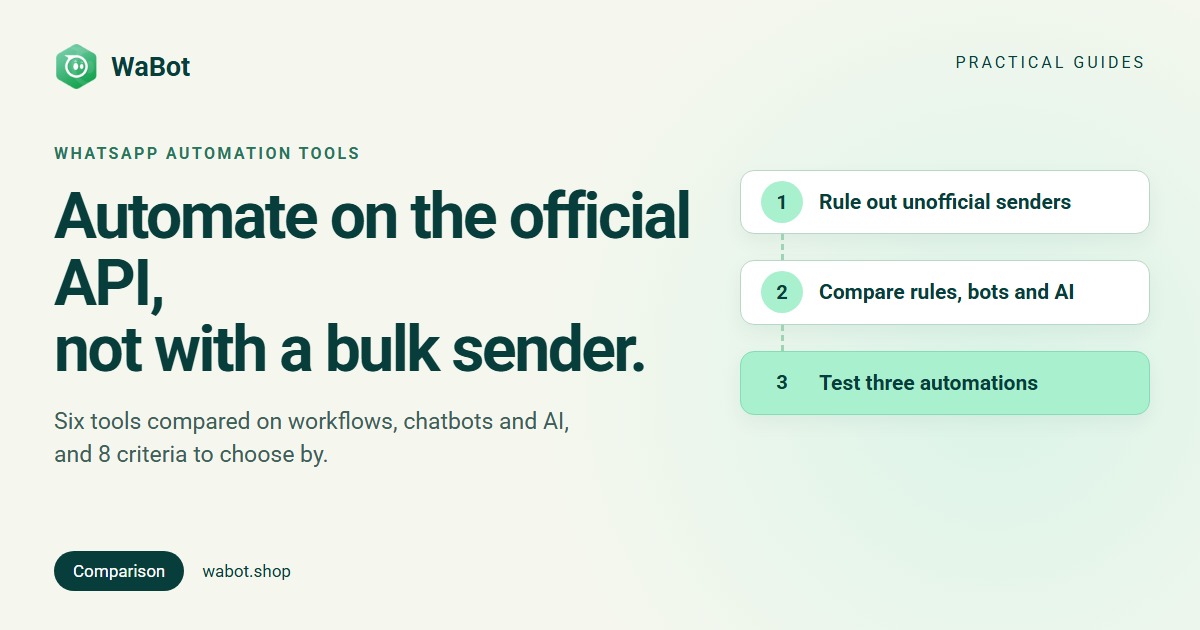
Test any tool with three automations
Trials are short (7 days at WATI, respond.io and Gallabox, 14 at Interakt, as listed). Build these three and test each from your own phone:
- A keyword reply. Send price, then Price, and see what it takes to catch both.
- A follow-up after a silence. Set a short wait, stop replying, and check one template arrives, once.
- An AI answer and a handover. Teach five questions, ask one in your own words and one you didn’t teach, then take over as a teammate and check the bot goes quiet.
Automations that send offers need opt-in first (how to collect it).
How Wabot handles automation
- Official from the start. Connect under Settings → Meta Platforms: Connect your WhatsApp Business app keeps the app on your phone (coexistence), or Use a new number. Both use Meta’s Embedded Signup.
- Workflows (Automation → Workflows), built in the Form editor or the Flowchart editor. Starters include Reply to a keyword and Reply to every message, and the time triggers No reply for a while and Follow-up is due wait 5 minutes to 30 days. Steps can send a message or template, add a tag, assign the chat (Round-robin or Least busy, for example), create a follow-up or Hand off to an AI bot.
- AI agents: in Automation → AI Agents, you teach the bot under Agent Knowledge, test it, then switch it live. It answers only from what you taught it, otherwise it sends your fallback message; assigning the chat to a teammate switches the AI off. AI is paid from your Wabot wallet or your own OpenAI, Anthropic or Azure key (AI Providers).
- A shared inbox: Assign to, internal notes with @mentions, saved replies with “/”, and User and Agent roles (Agents see only their assigned chats).
- For developers: a REST API (Client ID and Client Secret under Settings → Developer → Client Settings), outgoing webhooks and an MCP server for AI tools. Zapier, Make or n8n can call the REST API from an HTTP step.
Plans start at $9/month (₹840/month + GST in India). Indian accounts get workflows with the Base Plan (₹9,240/year + GST); see the pricing page for your country. Meta bills you directly for messages, with no markup from us.
Build your first WhatsApp automation on the official API
Create your free Wabot account and connect your WhatsApp number. No card needed.
Frequently asked questions
What is the best WhatsApp automation tool?
The one that runs on the official WhatsApp Business API and includes the automation you need on a plan you can afford. Compare rules, chatbot flows and AI separately, add any add-ons to the price, and build three test automations during the trial before you decide.
Are WhatsApp automation tools allowed?
Official ones are. The WhatsApp Business app’s own tools and platforms on the WhatsApp Business API are Meta’s routes for businesses, as long as you follow its Business Messaging Policy: opt-in, and a clear way to reach a person. Extensions and bulk senders that automate an ordinary account go against WhatsApp’s Terms of Service.
Do I need a chatbot or an AI agent?
Often both. A chatbot menu works when customers choose from a few options, such as prices, booking or support. An AI agent handles questions typed in any words, using the information you give it. Rules such as follow-ups run alongside both.
Can I automate my existing WhatsApp Business number?
Yes, if you connect it to the API through a platform. In Wabot, Connect your WhatsApp Business app keeps the app working on your phone alongside the API, or you can use a new number. Both go through Meta’s Embedded Signup.
The short version
Choose from tools on the official WhatsApp Business API and leave bulk senders alone: whatever they save you isn’t worth your number.
Then compare rules, chatbot flows and AI separately, price the add-ons, and build three test automations in the trial. The tool that makes those easy is the one your team will keep using.