Someone asks about a free trial on Instagram, comes in once, and never hears from you again. A member’s plan quietly runs out and nobody notices until they’ve joined the studio down the road. Your front desk is too busy with walk-ins to chase either of them.
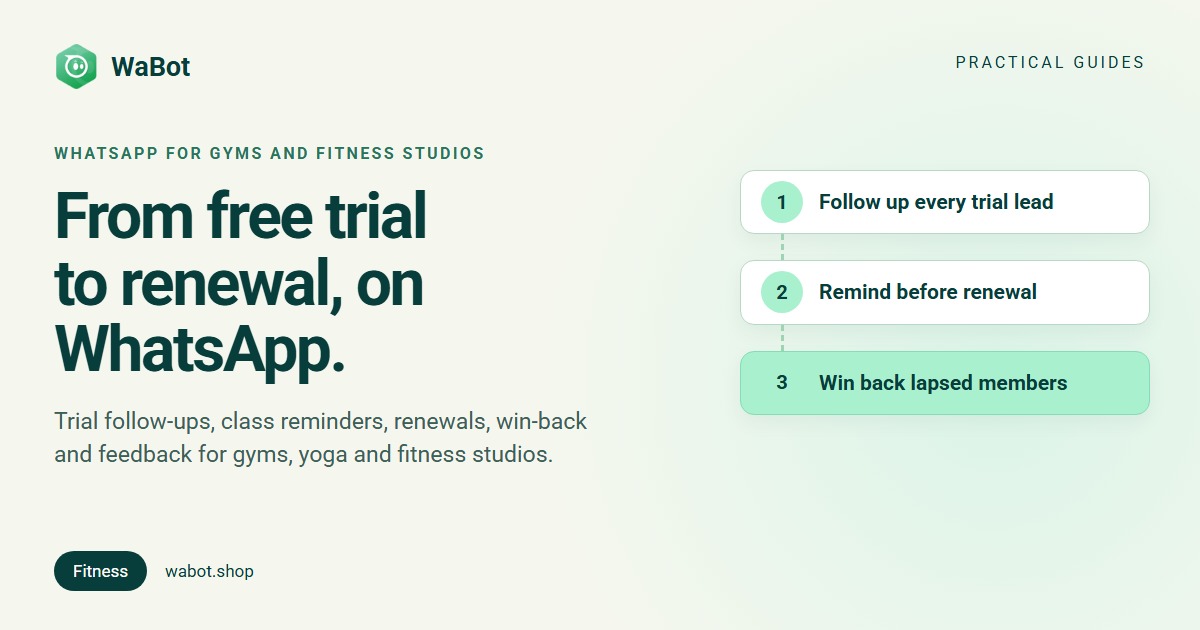
WhatsApp for gyms fixes the follow-through. Used well, it does five jobs: it follows up every trial lead, reminds people about classes, tells members before their plan expires, wins back lapsed members who agreed to hear offers, and asks for feedback after a session. Here is how each one works, which messages count as utility or marketing under Meta’s rules, and the wording you can copy.
Five jobs WhatsApp does for a fitness business
| Job | When it goes out | Usual Meta category |
|---|---|---|
| Trial-lead follow-up | Right after an enquiry, then once if they go quiet | Reply inside 24 hours; a template after that |
| Class and session reminders | The day before or a few hours before | Utility |
| Membership expiry notice | A week or so before the plan ends | Utility if purely factual; Marketing if it pushes renewal or offers a discount |
| Lapsed-member win-back | A few weeks after a plan ended | Marketing, opted-in members only |
| Feedback after a session or trial | Shortly after the visit | Utility if tied to that visit; generic surveys are not |
The category column comes from Meta’s template categorisation guidelines. The plain-English version, with prices, is in Marketing vs Utility vs Authentication templates.
The free app or the WhatsApp Business API?
A solo trainer can run all of this from the free WhatsApp Business app, by hand. A gym with a front desk and a few hundred members hits its limits fast: broadcast lists only reach members who saved your number, and nothing sends itself, so every reminder depends on someone remembering to type it.
On the WhatsApp Business API, the whole team replies from one number, approved templates reach opted-in members whether or not they saved you, and workflows send the routine messages. Full comparison: WhatsApp Business app vs API.
1. Follow up every trial lead
Trial enquiries are the warmest messages a gym gets, and the easiest to lose. Two things help: answer straight away with the details, and follow up once if they go quiet.
A short in-chat form can do the qualifying for you: which programme, when they want to start, preferred time. The answers decide whether the lead goes straight to a trainer with a call task or gets a slower follow-up (how the WhatsApp lead qualification bot works).
Hi! Thanks for asking about a free trial at Peak Fitness 💪 Pick a slot that suits you:
1 Morning (6–10 AM)
2 Evening (5–9 PM)
Reply with 1 or 2 and we'll confirm.
If they don’t reply, one polite nudge after a day or two brings most back to the conversation. Because it often goes out after the 24-hour window, it must be an approved template (WhatsApp follow-up automation when customers go quiet).
Hi {{1}}, just checking in on your free trial at {{2}}. Would you like us to book a slot this week? Reply here and we'll fix a time.
2. Class and session reminders
A reminder the day before a class or session helps people turn up, and lets them tell you if they can’t, so the slot goes to someone else. Keep it factual: class, time, what to bring.
Hi {{1}}, a reminder that your {{2}} class is tomorrow at {{3}}. Please bring a mat and water. Reply 1 to confirm or 2 if you can't make it.
Hi {{1}}, your personal training session with {{2}} is today at {{3}}. Reply here if you need to move it.
A reminder for a class the member booked is specific to them and non-promotional, which is what Meta looks for in a utility template. Adding “and try our new HIIT batch at 20% off” turns it into marketing.
3. Membership expiry notices (keep them factual)
This is where many gyms trip over Meta’s categories. Meta’s guidelines say account alerts should not include offers or attempt to secure renewals, and they list “Your subscription will expire on {{date}}! Renew today to save” as Marketing. So the reliable utility version simply states the facts:
Hi {{1}}, your {{2}} membership at {{3}} ends on {{4}}. You can check your plan details at the front desk or reply here with any questions.
A renewal offer is fine too, but submit it as a Marketing template and send it only to members who agreed to receive offers:
Hi {{1}}, your membership ends on {{2}}. Renew this week and get {{3}} added free. Reply RENEW and we'll send the details. Reply STOP to opt out of offers.
Meta reviews the template and sets the category; if a “utility” template contains promotional wording, Meta treats it as marketing. More renewal and reminder wording: 30+ WhatsApp template message examples.
4. Win back lapsed members (opt-in first)
A member whose plan ended a month ago is far easier to bring back than a stranger is to sign up. But a win-back message is marketing, and Meta’s Business Messaging Policy and opt-in guidance say you need the person’s agreement to hear from your business, and must honour opt-outs. Put a WhatsApp consent line on your joining form, and read how to collect WhatsApp opt-in before you send any offer.
- Tag lapsed members who opted in, for example Lapsed: Sept.
- Send one warm, specific message to that tag as a campaign.
- Nudge only the readers. People who opened the message and didn’t reply are the warm middle; the rest are better left alone (read-but-no-reply follow-up).
- Stop there. Two messages per lapse is plenty. Anyone who replies STOP gets no more offers.
Hi {{1}}, we've missed you at {{2}}! Come back this month and your first week is on us. Reply YES and we'll book your first session. Reply STOP to opt out of offers.
A worked example (illustration only)
Say your gym has 400 members, sends one class reminder to each of them in a month, and 40 opted-in members lapsed last month. At the India rates from 1 October 2026, the reminders cost 400 × ₹0.115 = ₹46 and the win-back message 40 × ₹0.8631 = about ₹34.52, both plus 18% GST and billed by Meta. These are assumed numbers to show the arithmetic, not a forecast of results. Full rates: WhatsApp Business API pricing in India.
5. Ask for feedback after a trial or session
A two-question form after a trial class tells you what nearly put someone off, while you can still fix it. Meta says a general or generic survey won’t be approved as utility, so tie the question to their visit:
Hi {{1}}, thanks for trying {{2}} with us today. How was your session? Tap below to rate it. It takes 20 seconds.
Low ratings can go straight to your manager with a call task; happy members can be invited to leave a Google review (feedback survey with escalation, Google review requests on WhatsApp).
How Wabot handles this
Wabot runs on the official WhatsApp Business API. What each job looks like:
- One shared inbox for the front desk. Add your receptionists and trainers to the shared inbox, so whoever is free replies (running a shared WhatsApp inbox).
- Trial leads, qualified and assigned. A WhatsApp Flow form asks the questions; a workflow tags the lead, marks it as a lead, assigns it round-robin to your team and creates a follow-up task.
- One nudge when a lead goes quiet. The No reply for a while trigger sends one follow-up template after the wait you choose, anything from 5 minutes to 30 days, and runs once per silence. It watches every chat, campaigns included, so word the template generally.
- A trial-week series from one keyword. A customer sends a keyword such as TRIAL and a workflow sends a welcome, then approved templates on the days you set, each with its own wait. A reply doesn’t cancel the queued messages, so keep the series short.
- Reminders, expiry notices and win-back as campaigns. Pick contacts, groups or tags, then Send Now or Schedule for Later; the report shows sent, delivered, read and failed per contact. There’s no birthday or date-based trigger, so tag members by renewal month and schedule a campaign to that tag.
- Feedback forms with escalation. A Flow form collects the rating; low ratings tag the contact, assign the chat to your manager and create a call task.
- Routine questions answered. Optionally, train an AI agent on your timings, fees and FAQs to answer them any time of day. AI usage is pay-as-you-go.
Plans: the Free plan lets you sign up and connect your number. Starter (₹840/month + GST) has the shared inbox and campaigns but not workflows; workflows are on the Base Plan (₹9,240/year + GST). Connecting a number starts a 15-day Base Plan trial. Meta’s message charges are billed by Meta directly, with no Wabot markup. Step-by-step builds are in the workflows guide and the linked posts above; put your WhatsApp link on posters and your Instagram bio with the free link and QR generator.
Follow up every trial lead, and remind every member
Create your free Wabot account and connect your gym's WhatsApp number to the official API. Connecting a number starts a 15-day Base Plan trial, workflows included, no card needed.
Frequently asked questions
How can a gym use WhatsApp?
To follow up trial enquiries, remind members about classes, give notice before a plan expires, win back lapsed members who opted in to offers, and ask for feedback after a visit.
Is a membership renewal reminder a utility or marketing message?
It depends on the wording. Meta’s guidelines say account alerts shouldn’t include offers or try to secure renewals, and list “your subscription will expire, renew today to save” as marketing. A purely factual notice of the end date is the safer utility wording; a renewal offer is marketing and needs opt-in.
Can I send offers to members who have left?
Only if they agreed to receive messages from your business, and only until they opt out. Win-back offers are marketing templates. Keep it to one message and one nudge, and include an opt-out line.
How much does it cost a gym to send WhatsApp reminders in India?
On the API, Meta charges per delivered message: ₹0.115 for a utility template such as a class reminder and ₹0.8631 for a marketing template, plus 18% GST, from 1 October 2026. Your provider’s plan is separate; Wabot paid plans start at ₹840/month + GST.
Can WhatsApp send renewal reminders automatically on the right date?
Wabot has no date-based trigger. Tag members by the month their plan ends and schedule a campaign to that tag with Schedule for Later, or send the expiry notice from the inbox.
Final thoughts
Members often drift away through silence: a trial nobody followed up, a renewal nobody mentioned. Short, factual WhatsApp messages at the right moment close those gaps.
Start with a trial follow-up and a class reminder template. Add expiry notices and a win-back campaign for opted-in members once those are running.