A message to a customer failed with WhatsApp error 131026, “message undeliverable”. The number looks right, and messages to everyone else are going through fine.
Error 131026 means WhatsApp could not deliver the message to that phone number. Meta documents three reasons: the number isn’t a WhatsApp number, the person hasn’t accepted WhatsApp’s latest Terms of Service, or they’re on a WhatsApp version that is too old. The fix is on the customer’s side: check the number, and ask them by another channel (a call or SMS) to update WhatsApp and message you first.
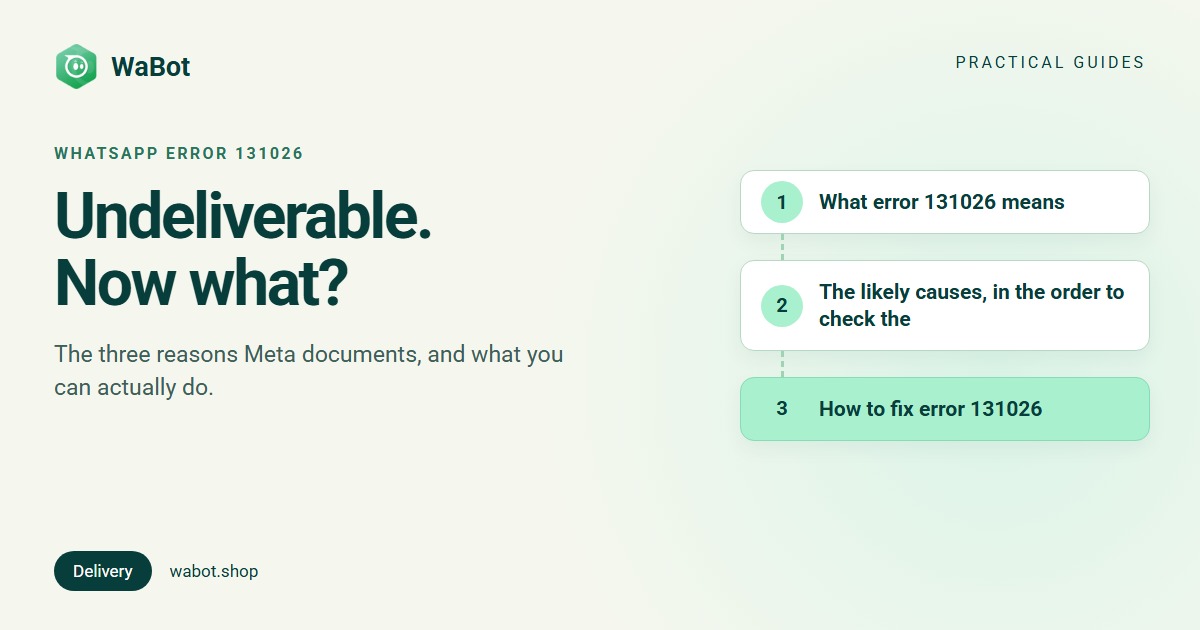
What error 131026 means
Meta's Cloud API error reference lists 131026 under “Unable to deliver message”, with these possible reasons:
- The recipient phone number is not a WhatsApp phone number.
- The recipient has not accepted the new Terms of Service and Privacy Policy.
- The recipient is using an old WhatsApp version. Meta lists the minimum versions: Android 2.21.15.15, iOS 2.21.170.4, KaiOS 2.2130.10, WhatsApp Web 2.2132.6, and the same Android/iOS minimums for the WhatsApp Business app.
Meta’s recommended fix is to use a non-WhatsApp method to ask the customer to confirm they can message your business number, accept the latest terms (WhatsApp prompts them under Settings → Help or Settings → Application information if they haven’t), and update to the latest WhatsApp version.
In other words: nothing in your account, your template or your code is wrong. The message was fine; the phone at the other end couldn’t take it.
The likely causes, in the order to check them
1. The number isn’t on WhatsApp (or isn’t the number you think)
This is the most common one, and it includes plain data problems: a typo in an imported list, a missing country code, a landline, a second SIM the customer no longer uses, or a number that was never registered on WhatsApp. For Indian numbers the API wants 91 followed by the 10-digit mobile number, with no leading 0 and no plus sign problems from your spreadsheet.
2. The customer hasn’t accepted WhatsApp’s latest terms
When WhatsApp updates its Terms of Service and Privacy Policy, users have to accept them in the app. Someone who hasn’t opened WhatsApp for a long time, or keeps dismissing the prompt, can’t receive business messages until they do.
3. The customer’s WhatsApp is too old
An old phone that stopped getting updates, or a user who turned off automatic updates years ago. Newer message features in particular need a recent version.
What about “the customer blocked me”?
You’ll see this explanation on forums. Meta’s reference doesn’t list blocking as a cause of 131026, and there is no error code that tells a business it has been blocked. Treat it as a possibility you can’t confirm, not a diagnosis. If a customer has opted out of your marketing messages, that’s a different code, 131050, and it’s shown in the table further down.
How to fix error 131026
- Check the number format. Country code, then the mobile number, nothing else. For India: 91 + 10 digits. Watch out for spreadsheets that drop a leading digit or add spaces and dashes.
- Check that the number is on WhatsApp. Save it on a phone and see whether it appears in WhatsApp’s contact list, or ask the customer which number they use for WhatsApp. Many people have two SIMs and only one on WhatsApp.
- Contact the customer another way. A quick call or SMS: “We tried to message you on WhatsApp. Could you update WhatsApp, accept the new terms if it asks, and send us a quick hi?” That is exactly what Meta recommends.
- Ask them to message you first. Their message proves the number works and opens the 24-hour window, so you can reply without a template. (If you wait longer than 24 hours, you’ll meet error 131047 instead.)
- Clean the list. Numbers that fail with 131026 on two or three separate campaigns are almost always dead. Tag them and leave them out of future sends. Keeping them in makes your reports look worse and wastes your team’s time.
- Watch the share, not the count. A few 131026s in any large campaign are normal. If 10 or 20 per cent of a list fails this way, the list is stale or badly formatted. Fix the source before the next send. See how to send bulk messages without getting banned.
You are not charged for a message that fails with 131026. Meta bills per delivered message, and this one wasn’t delivered.
What NOT to do
- Don’t retry in a loop. Nothing changes on your side between attempts. The message fails again until the customer updates the app, accepts the terms or gives you a working number.
- Don’t assume you were blocked and drop the customer. Most 131026s are a wrong number or an old app.
- Don’t keep dead numbers in marketing campaigns. They fail every time and make your delivery reports hard to read.
- Don’t confuse it with 131049 or 131047. Those are about Meta’s marketing limit and the 24-hour window, and they have different fixes: error 131049, error 131047.
Errors people confuse with 131026
Descriptions are from Meta's error reference. The full list of common codes is in our WhatsApp API error codes guide.
| Code | What Meta says | What to do |
|---|---|---|
| 131026 | Unable to deliver message: not a WhatsApp number, terms not accepted, or old WhatsApp version | Check the number. Ask the customer by another channel to update WhatsApp and message you. |
| 131050 | The recipient has chosen to stop receiving marketing messages from your business | Don’t retry. The customer opted out of marketing; utility messages about their orders may still be fine. |
| 131049 | This message was not delivered to maintain healthy ecosystem engagement | The customer has had too many marketing messages. Wait at least 24 hours. Guide. |
| 131047 | More than 24 hours have passed since the recipient last replied to the sender number | Send an approved template instead of a free-form message. Guide. |
| 130472 | Message was not sent as part of an experiment | Nothing to fix. Meta holds back marketing templates for a small share of users. |
| 132001 | The template does not exist in the specified language or has not been approved | Check the template’s name, language and status. Guide. |
How WaBot handles error 131026
WaBot uses the official WhatsApp Business API, so you see the real reason instead of a bare “failed”.
- In the inbox, the failed message gets a line underneath: Not sent · Message couldn’t be delivered. There’s a Retry button for after the customer has updated their app or confirmed the number. WaBot doesn’t retry 131026 automatically: automatic retry is only for 131049, where Meta says waiting helps. For 131026 it doesn’t.
- In campaign results, the Failure reason column shows Message undeliverable (131026). Filter by it, then use Add tags or Add to groups on those contacts to mark them for a check, or Export CSV to call them. Once you’ve fixed the numbers, Retry failed sends the campaign again to every contact whose message failed. The campaigns guide covers the results screen.
- Groups and tags keep dead numbers out of the next send: put them in an “Unreachable” tag and exclude it when you pick your audience. How to organise contacts with groups and tags.
Know which customers you can actually reach
Create your free WaBot account. Every failed message shows Meta's reason in plain words, and campaign results let you tag unreachable numbers in one click. 15 days of the Base Plan included, no card needed.
Frequently asked questions
What does WhatsApp error 131026 mean?
It means WhatsApp couldn’t deliver your message to that number. Meta’s documented reasons are that the number isn’t on WhatsApp, the customer hasn’t accepted WhatsApp’s latest Terms of Service, or they are using a WhatsApp version that is too old.
Does error 131026 mean the customer blocked me?
Not according to Meta. Its error reference lists three causes for 131026, and blocking isn’t one of them. There is no WhatsApp API error code that tells a business it has been blocked. Check the number and the customer’s app first.
Am I charged for messages that fail with 131026?
No. Meta charges only for delivered messages, and a 131026 message was not delivered.
How do I check if a phone number is on WhatsApp?
Save it on a phone and see if it shows up in WhatsApp’s contact list, or ask the customer which number they use for WhatsApp. For bulk lists, send a small test campaign and look at how many fail with 131026 before sending to everyone.
Should I retry a message that failed with 131026?
Only after something has changed: the customer updated WhatsApp, accepted the terms, or gave you a different number. Retrying straight away gives the same error.
The bottom line
Error 131026 is WhatsApp telling you the phone at the other end can’t take the message. Check the number, ask the customer by another channel to update WhatsApp and message you, and keep numbers that keep failing out of your campaigns.
Related reading: error 131047, error 131049 and the full list of WhatsApp API error codes.