You have customers who bought once or twice and then went quiet. They haven’t complained; they’ve just drifted, and they already know you.
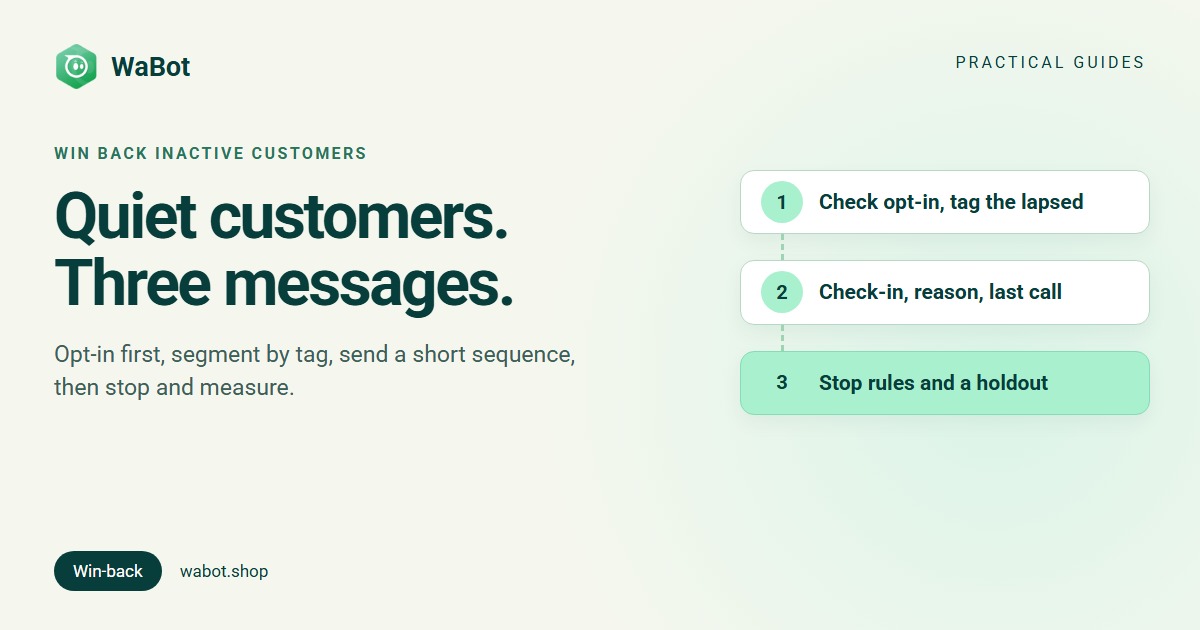
To win back customers on WhatsApp: decide who counts as inactive for your business, keep only the ones who agreed to hear from you, tag them into a segment, and send a short sequence of three approved marketing templates spaced over about two weeks: a friendly check-in, a reason to come back, and a last call that says you’ll stop. Then remove buyers, repliers and opt-outs, and measure against a group you didn’t message.
Who counts as an inactive customer?
There’s no universal number. Start from your own buying cycle: look at how often repeat customers normally come back, and call someone lapsed when they’ve missed about two of those cycles.
| Business | Typical repeat pattern | A sensible “inactive” line to start with |
|---|---|---|
| Café or cloud kitchen | Weekly or more | No order in 30–45 days |
| Salon or spa | Every 4–8 weeks | No visit in 3 months |
| D2C skincare or grocery | Monthly refills | No order in 60–90 days |
| Fashion or gifting | Seasonal | No order in 6 months, or since last festive season |
| Gym or coaching | Membership or batch | Membership or batch ended, not renewed |
These are rough starting points to adjust, not benchmarks. A last-order date per customer from your billing system, Shopify admin or POS is all you need.
Step 1: check opt-in before anything else
Meta’s Business Messaging Policy lets you message people only if they gave you their number and agreed to receive messages from your business, and you must honour every request to stop. Meta’s opt-in guide adds that the opt-in must name your business, and recommends separate opt-ins for updates and offers.
A win-back message is marketing (“we miss you” has no transaction behind it; see template categories). A phone number on an old invoice isn’t agreement to receive offers. So split your lapsed list in two:
- Opted in to offers (a ticked box at checkout, a YES reply, a signed form): these go into the win-back sequence.
- No record of opt-in for offers: leave them out. Ask for opt-in the next time they message you.
Wording and record-keeping are in WhatsApp opt-in and consent explained. Also drop anyone who has already stopped marketing messages: Meta’s error reference says a template to them fails with error 131050 and should not be retried.
Step 2: segment by tag
Split the opted-in lapsed customers into two or three tags, so each gets a message that fits:
- Lapsed regulars: bought several times, then stopped. Ask first, offer second.
- One-time buyers: bought once and never came back. Remind them what else you have.
- Lapsed by category: “bought sarees, nothing in 6 months” gets new sarees, not everything.
Export these from your billing system as spreadsheets and import each with its own tag (for example winback-regulars-nov). The broadcast guide covers the import and audience steps: how to send a WhatsApp broadcast message.
Step 3: the 3-message win-back sequence
Each message goes out long after the customer’s last message, so each must be a Meta-approved Marketing template with an opt-out line. Submit all three together. More wording to adapt: 30+ template message examples.
Message 1, day 0: the check-in (no offer)
Short and about them, with two quick reply buttons.
Hi {{1}}, it's been a while since your last order with Spice Route Café, and we wanted to say hello. A lot is new on the menu. Want to see what's changed?
[Show me] [Stop offers]
Message 2, day 5–7: the reason to come back
A concrete reason: what’s new, what they used to buy, or an offer.
Hi {{1}}, your usual {{2}} is still on the menu, and we've added {{3}} since you last visited. Take {{4}} off your next order with code {{5}}, valid till {{6}}. Order here: {{7}}. Reply STOP to opt out.
Message 3, day 12–14: the last call
Say plainly that this is the last one.
Hi {{1}}, this is our last note about this: your code {{2}} expires on {{3}}. If you'd rather not hear from us about offers, tap Stop offers and we won't message you again.
[Order now] [Stop offers]
Why not a drip workflow? The drip sequence starts when a customer sends a keyword, which is right for sign-ups but not for people who’ve gone quiet. For win-back, schedule three campaigns instead and rebuild the audience before each one.
Offer or no offer?
| No offer | With an offer | |
|---|---|---|
| Best for | Lapsed regulars, premium brands | One-time buyers, price-sensitive categories |
| Risk | Easy to ignore | Trains customers to wait for discounts |
| How to use it | Message 1 always; message 2 shows what’s new | Message 2 only, with an expiry date |
A sensible default: open without an offer, add one in message 2, a single code with an end date. Unsure? Send half the segment each version and compare.
Stop rules: when to take someone out
A win-back sequence that doesn’t stop turns quiet customers into blocks. Negative feedback and low read rates pull down your template quality, which Meta says can get a template paused (template quality; more in WhatsApp quality rating). Before each send, remove:
- Anyone who bought since message 1. Re-export the list from your billing system so buyers fall out naturally.
- Anyone who replied. They’re talking to your team now.
- Anyone who tapped Stop offers or wrote STOP, and anyone whose message failed with 131050. Treat both as permanent for marketing.
- Everyone, after message 3. Rest non-responders for a few months; don’t add a fourth.
If some messages fail with 131049, Meta held them back “to maintain healthy ecosystem engagement”; its error reference says to wait at least 24 hours before resending (error 131049 explained). And keep an eye on your messaging limit: a new business portfolio can reach 250 unique customers per 24 hours, 2,000 after business verification, so split a bigger list across days (raising your limit).
Measuring it
- Delivery and reads, per contact. The campaign report shows who received and read each message, and failures with reasons.
- Orders, in your own system. Count orders from the segment in the four weeks after message 1, or orders using the code.
- A holdout group. Before sending, keep back a small random slice of the segment (say one in ten) and don’t message them. The difference between the two groups is what the messages actually did.
Worked example (illustration, not real data)
Every number here is an assumption made up to show the arithmetic.
- Assume a D2C store has 1,200 opted-in customers with no order in 90 days, all in one segment.
- Assume 100 people buy, reply or opt out after message 1, and another 100 after message 2, so message 2 goes to 1,100 people and message 3 to 1,000.
- Price: India’s marketing rate from 1 October 2026, ₹0.8631 per message plus 18% GST; Meta charges only for delivered messages.
| Message | Sent to | Meta charge (before GST) |
|---|---|---|
| 1. Check-in | 1,200 | ₹1,035.72 |
| 2. Reason to come back | 1,100 | ₹949.41 |
| 3. Last call | 1,000 | ₹863.10 |
| Total | 3,300 messages | ₹2,848.23 (₹3,360.91 with 18% GST) |
Now assume 36 of the 1,200 (3%, picked only for the example) place an order averaging ₹1,500 with a 10% code: ₹54,000 in orders and ₹5,400 in discounts, against about ₹3,361 in Meta charges. Subtract what the holdout group bought on its own for the real effect. The point is to work out your own break-even before you send.
Note that 1,200 customers is more than the 250-per-day starting limit, so this store would need business verification or would send in batches across several days. Pricing in full: WhatsApp Business API pricing in India.
How Wabot handles this
- Import your lapsed list with tags. Contacts → Import contacts takes an .xlsx, .xls, .csv or .vcf file through Upload → Map columns → Tags & groups → Review → Import.
- Campaigns to contacts, groups or tags, with blocked contacts excluded automatically and nobody getting the message twice. Launch Options offers Send Now or Schedule for Later with a date and time, and Maximum messages per second controls the sending speed (campaigns guide).
- Per-contact results: sent, delivered, read and failed with the reason in plain words, for example “Contact stopped marketing messages” when someone opted out at Meta’s end.
- Block in bulk. Anyone who asks to stop can be blocked from the inbox or the contacts list, and blocked contacts are left out of campaign audiences.
- Tag the button taps automatically. A workflow step started by Customer sends a message → Interactive quick reply buttons with the title is exactly Show me or Stop offers can Add to groups or tags, so you can see who responded before the next send (workflows are on the Base Plan).
- Know your limit before you send. The inbox shows your current tier (for example “Tier 250” or “Tier 2K”) and a quality dot.
Campaigns are on the Starter plan (₹840/month + GST) and above; workflows are on the Base Plan (₹9,240/year + GST). The Free plan lets you sign up and connect your number, and connecting starts a 15-day Base Plan trial. Meta’s message charges are billed by Meta directly, with no Wabot markup. More on the whole channel: the WhatsApp marketing guide.
Bring your quiet customers back this month
Create your free Wabot account, connect your WhatsApp number to the official API and send a tagged win-back campaign to opted-in customers, with per-contact reports. Connecting a number starts a 15-day Base Plan trial, no card needed.
Frequently asked questions
How do I win back inactive customers on WhatsApp?
Set an inactive line from your buying cycle, keep only customers who opted in to offers, tag them, and send three approved marketing templates over about two weeks: check-in, reason to return, last call. Remove buyers, repliers and opt-outs before each send.
Is a win-back message marketing or utility?
Marketing. A “we miss you” or “it’s been a while” message isn’t tied to a specific order or account update, so it belongs in the Marketing category, and it may only go to customers who agreed to receive offers from you.
Can I message customers who bought from me but never opted in?
Not for marketing. Meta’s Business Messaging Policy requires that people gave you their number and agreed to hear from your business. A number on an invoice isn’t that agreement; ask for opt-in the next time they message you.
What does a win-back campaign cost on WhatsApp in India?
Meta charges ₹0.8631 per delivered marketing message plus 18% GST, billed by Meta directly. Three messages to 1,000 customers is at most 3,000 × ₹0.8631 = ₹2,589.30 before GST, less as people drop out of the sequence.
Final thoughts
Winning back customers on WhatsApp is mostly restraint: message only people who said yes, give them three good reasons over two weeks, stop the moment they answer, and measure against a group you left alone. Done that way, you get a clear answer from customers you’ve already paid to win, without burning your number’s quality.