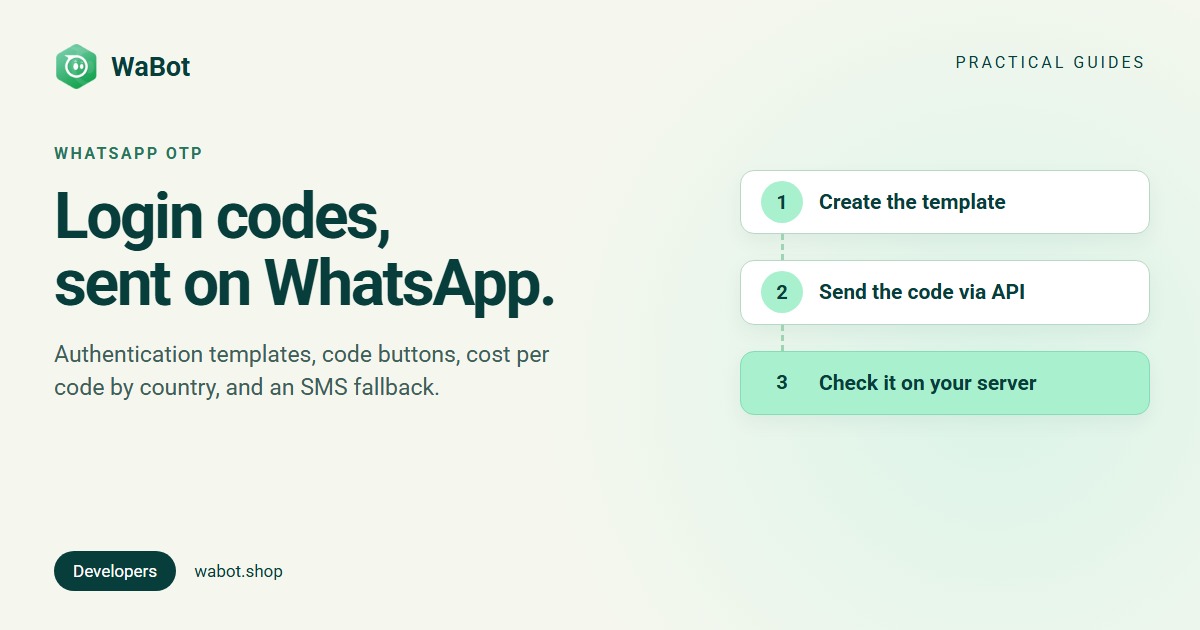
Yes, you can use the WhatsApp Business API for OTP. One-time passcodes go out as authentication templates: Meta’s fixed text with your code, an optional security line, an optional expiry line and a code button. Meta charges the recipient country’s authentication rate per delivered code, for example $0.0014 to India and $0.055 to Germany.
WhatsApp only delivers the code. Your backend creates, stores and checks it. Below: the template rules, the three button types, cost per code, WhatsApp vs SMS, and sending codes with Wabot’s API.
How authentication templates work
Per Meta’s authentication templates overview, codes sent over WhatsApp must use an authentication template, not utility or marketing (template categories explained). Every one has the same parts:
- Preset text you can’t change: “<code> is your verification code.”
- Security disclaimer (optional): “For your security, do not share this code.”
- Expiry warning (optional): “This code expires in N minutes.” N is 1 to 90.
- A code button: copy code or one-tap autofill, or none with zero-tap.
No URLs, media or emojis are allowed, and the code can be up to 15 characters (copy code reference). Authentication messages are delivered only to the user’s primary WhatsApp device: linked devices see a prompt to open the primary one. Send them to a phone number, not a business-scoped user ID: Meta returns error 131062 for that.
Copy code, one-tap autofill and zero-tap
| Button | What the user does | Where it works | What you build |
|---|---|---|---|
| Copy code | Taps the button, switches to your app, pastes | Every device | Nothing beyond your code screen |
| One-tap autofill | Taps Autofill; WhatsApp opens your app with the code | Android (others see copy code) | A handshake in your Android app, package name and signing-key hash |
| Zero-tap | Nothing: WhatsApp broadcasts the code to your app | Android (others see copy code) | Handshake, a broadcast receiver, and accepting Meta’s zero-tap terms |
If a zero-tap message fails WhatsApp’s eligibility check, it shows a one-tap or copy code button instead, so zero-tap templates define both. Meta’s zero-tap page also advises against making WhatsApp your default code channel.
On iPhones, Meta’s keyboard suggestions work with every authentication template on iOS 26 and later: iOS offers the code from the push notification in the keyboard. It needs a numeric code of 3 to 8 digits, WhatsApp notifications and Autofill Security Codes switched on, and doesn’t trigger while WhatsApp is open. So use 6-digit numeric codes.
Expiry and time-to-live
The expiry line is only text: your server must still reject old codes. The time-to-live (TTL) is how long WhatsApp keeps trying to deliver: 10 minutes by default for authentication templates (30 days for ones created before 23 October 2024), adjustable from 30 seconds to 15 minutes with message_send_ttl_seconds. Meta recommends a TTL no longer than the code’s lifetime; if no delivered status arrives within it, treat the message as dropped.
Create and send one with the Cloud API
Directly on Meta’s Cloud API, create the template once (it starts as PENDING until approved), using your WhatsApp Business Account ID and a system user token (how WhatsApp access tokens work):
curl 'https://graph.facebook.com/v27.0/<WHATSAPP_BUSINESS_ACCOUNT_ID>/message_templates' \
  -H 'Content-Type: application/json' \
  -H 'Authorization: Bearer <ACCESS_TOKEN>' \
  -d '{
    "name": "login_code",
    "language": "en_US",
    "category": "authentication",
    "message_send_ttl_seconds": 300,
    "components": [
      { "type": "body", "add_security_recommendation": true },
      { "type": "footer", "code_expiration_minutes": 5 },
      { "type": "buttons", "buttons": [ { "type": "otp", "otp_type": "copy_code" } ] }
    ]
  }'
Then send each user’s code. It goes in twice, in the body and in the button (Meta turns the OTP button into a URL-type button when it creates the template).
curl 'https://graph.facebook.com/v27.0/<PHONE_NUMBER_ID>/messages' \
  -H 'Content-Type: application/json' \
  -H 'Authorization: Bearer <ACCESS_TOKEN>' \
  -d '{
    "messaging_product": "whatsapp",
    "recipient_type": "individual",
    "to": "+15551234567",
    "type": "template",
    "template": {
      "name": "login_code",
      "language": { "code": "en_US" },
      "components": [
        { "type": "body", "parameters": [ { "type": "text", "text": "482913" } ] },
        { "type": "button", "sub_type": "url", "index": "0",
          "parameters": [ { "type": "text", "text": "482913" } ] }
      ]
    }
  }'
The response includes a wamid message ID; delivered and failed statuses arrive as webhooks (WhatsApp webhook setup). More examples: sending messages with the WhatsApp API. Errors: WhatsApp API error codes explained.
What a WhatsApp OTP costs
Authentication messages are charged per delivered message, by the recipient’s country. Meta’s list rates from 1 October 2026, before tax (Meta pricing page):
| Recipient’s country | Per code (USD) | 10,000 codes | Auth-international rate* |
|---|---|---|---|
| United States | $0.0034 | $34 | None |
| United Kingdom | $0.022 | $220 | None |
| Germany | $0.055 | $550 | None |
| Brazil | $0.0068 | $68 | None |
| Mexico | $0.0085 | $85 | None |
| India | $0.0014 | $14 | $0.0304 |
| Indonesia | $0.025 | $250 | $0.136 |
| United Arab Emirates | $0.0157 | $157 | $0.051 |
The US is charged Meta’s North America rate. In rupees, India is ₹0.115 per code (₹2.4971 at the international rate); see the India pricing guide. Undelivered codes cost nothing. Volume tiers lower the price at high volume, but the list rate covers the first 100,000 authentication messages a month to the US and 750,000 to India, so most apps pay list rate. Every market: WhatsApp API pricing by country.
*Authentication-international rates exist in 18 markets, including India, Indonesia, the UAE and Saudi Arabia. Per Meta’s authentication-international page, you pay them only if your business sends more than 750,000 messages outside customer service windows in a moving 30 days to users in those markets, is based in a different country from the recipient, and has passed the start time Meta emails you 30 days ahead. Eligibility is permanent.
WhatsApp OTP vs SMS OTP
This guide doesn’t quote delivery or conversion figures, and SMS prices vary by provider and country. Compare your SMS provider’s rate for each country with the table above. What Meta’s documentation does say:
- WhatsApp needs WhatsApp. On Android you can check it’s installed before offering it. Let users confirm their WhatsApp number, which may differ from their SMS number.
- Numbers get recycled. A WhatsApp account may still belong to a number’s previous owner, so for account recovery Meta advises an extra challenge. Its identity change check can make delivery fail when a number changes hands, which Meta says improves security over SMS.
- Encrypted and not forwardable. Messages are end-to-end encrypted between Cloud API and the user, and authentication messages can’t be forwarded.
- Opt-in. WhatsApp’s policy requires opt-in. Meta describes offering a choice of channels, such as WhatsApp, SMS and email, as a common approach (how to collect opt-in).
Fall back to SMS
- Let the user pick WhatsApp or SMS, and show the WhatsApp number you’ll use.
- Send on WhatsApp and listen for the message status.
- On a
failedstatus, offer SMS straight away. If nothing is delivered after 30 to 60 seconds (your choice), show “Didn’t get it? Send by SMS”. - Keep one valid code per user: issue a new one for SMS and cancel the old.
- Limit how many codes one number or IP address can request per hour, so nobody runs up your bill.
Send OTPs with Wabot
- Create the template. In Settings → Templates, pick category Authentication and sub-category One-time passcode. Wabot writes the body (“{code} is your verification code.”). Tick Add security recommendation if wanted and set Code expiration (minutes). The button is Copy code: Wabot doesn’t offer one-tap or zero-tap. Submit it for Meta’s approval.
- Get a token. Your Client ID and Client Secret are under Settings → Developer → Client Settings.
POST https://api.wabot.shop/v1/authenticatewith the headersclientidandclientsecretreturns atokenvalid for 1 hour. Send it asAuthorization: <token>, with no “Bearer” (authentication guide). - Send the code.
POST /send-message/{whatsappPhoneId}withtemplateName,toandvariables: {"code": "…"}. Wabot puts the code in both the body and the Copy code button. Addcallback_urlandeventand Wabot posts that message’s status ({"status": "failed", "senderPhoneNumber": …}) to your URL, which drives your SMS fallback (messages API). - Generate and check codes yourself. Wabot doesn’t create or verify codes; your backend does.
A minimal Node.js version (Node 18 or later), with placeholders for your own values:
import crypto from "node:crypto";

const API = "https://api.wabot.shop";
const PHONE_ID = process.env.WABOT_PHONE_ID; /* whatsappPhoneId of your number */
const codes = new Map(); /* use Redis or your database in production */
let cached = { token: null, expires: 0 };

async function getToken() {
  if (cached.token && Date.now() < cached.expires) return cached.token;
  const res = await fetch(`${API}/v1/authenticate`, {
    method: "POST",
    headers: {
      clientid: process.env.WABOT_CLIENT_ID,
      clientsecret: process.env.WABOT_CLIENT_SECRET,
    },
  });
  if (!res.ok) throw new Error(`Wabot auth failed: ${res.status}`);
  const { token } = await res.json();
  cached = { token, expires: Date.now() + 55 * 60 * 1000 }; /* tokens last 1 hour */
  return token;
}

const digest = (value) =>
  crypto.createHmac("sha256", process.env.OTP_KEY).update(value).digest("hex");

export async function sendOtp(phone) {
  const code = crypto.randomInt(0, 1000000).toString().padStart(6, "0");
  codes.set(phone, { hash: digest(code), expires: Date.now() + 5 * 60 * 1000, tries: 0 });

  const res = await fetch(`${API}/send-message/${PHONE_ID}`, {
    method: "POST",
    headers: { Authorization: await getToken(), "Content-Type": "application/json" },
    body: JSON.stringify({
      templateName: "login_code",
      to: phone,
      variables: { code },
      callback_url: "https://example.com/wabot/otp-status",
      event: ["delivered", "failed"],
    }),
  });
  const data = await res.json();
  if (res.status !== 200) {
    throw new Error(data.results?.[0]?.message ?? data.message ?? data.error);
  }
}

export function verifyOtp(phone, input) {
  const entry = codes.get(phone);
  if (!entry || Date.now() > entry.expires || entry.tries >= 5) return false;
  entry.tries += 1;
  const ok = crypto.timingSafeEqual(Buffer.from(entry.hash), Buffer.from(digest(String(input))));
  if (ok) codes.delete(phone);
  return ok;
}- The response is 200 when sent, or 207 with the reason in
results. It doesn’t include WhatsApp’s message ID, so track delivery withcallback_url. - The REST API accepts 105 requests a minute, so reuse the token for its hour instead of authenticating for every code.
- Each recipient is saved as a contact and the sent message, code included, appears in that chat in the Wabot inbox. Consider a separate number for codes, and use Channel Access (Settings → Users) to limit who sees it.
- Meta bills messages to your own Meta account, with no markup from us. Wabot plans start at $9 a month (India: ₹840/month + 18% GST).
Send WhatsApp login codes from your app
Create your free Wabot account and connect your WhatsApp number. No card needed. Meta bills your messages directly, with no markup.
Frequently asked questions
Can I write my own WhatsApp OTP message?
No. The text is fixed by Meta. You only choose the security line, the expiry line (1 to 90 minutes) and the code button.
How much does a WhatsApp OTP cost?
The recipient country’s authentication rate per delivered code, for example $0.0034 to the US, $0.0014 to India (₹0.115) and $0.055 to Germany, before tax, from 1 October 2026.
Does WhatsApp generate or check the code?
No. Your server creates, stores and checks it. WhatsApp only delivers it.
Does Wabot support one-tap autofill or zero-tap?
No, Wabot uses the Copy code button. Meta’s iOS 26 keyboard suggestions work with any authentication template, so iPhone users may still get an autofill prompt.
What if the user doesn’t have WhatsApp?
Offer SMS too, and switch to it when WhatsApp reports the message as failed or it doesn’t arrive in time.
Codes that reach people where they read
Authentication templates are the only way to send one-time passcodes on WhatsApp. The text is fixed, the code is a parameter, and you pay the recipient country’s authentication rate per delivered message.
Use numeric 6-digit codes, keep the expiry short, offer SMS as a fallback, and generate and check codes on your own server. With Wabot, that’s one template and one API call per code.