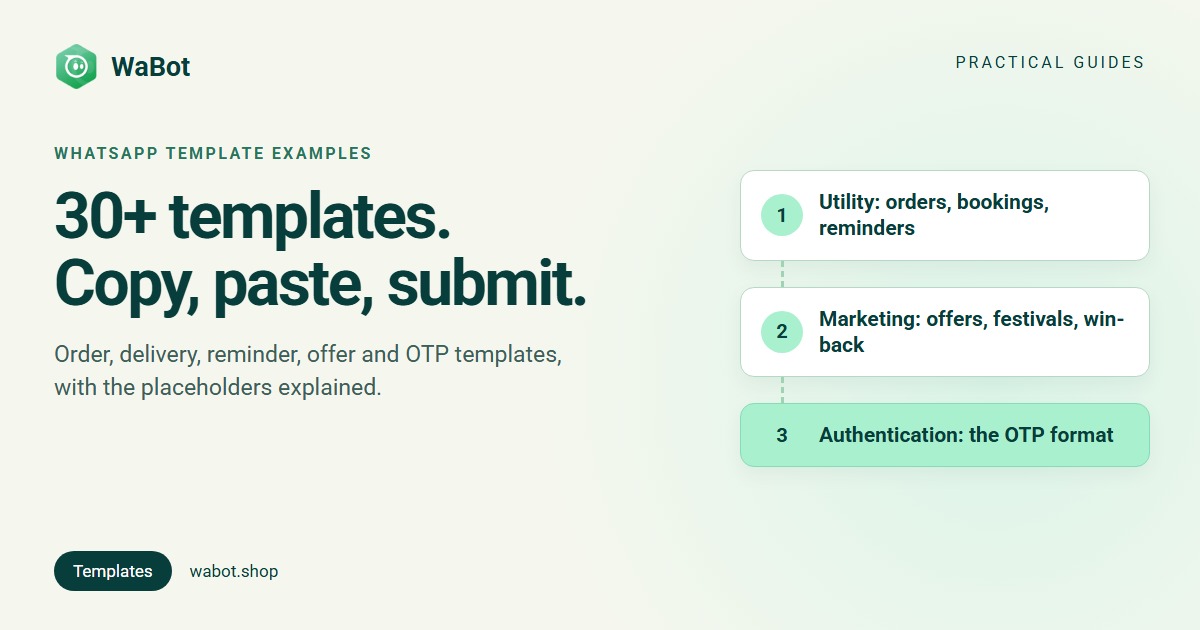
A WhatsApp template message is a pre-written message that Meta approves before you can send it. On the WhatsApp Business API you need one every time you message a customer first, or more than 24 hours after their last message. Below are 31 template message examples you can copy, grouped the way Meta groups them: Utility (order, delivery, appointment, reminder and feedback updates), Marketing (offers, festivals, back-in-stock, win-back) and Authentication (OTPs, in a fixed format).
The {{1}}, {{2}} bits are placeholders your system fills in per customer: a name, an order number, a date. Swap the wording to fit your business and keep the structure; each example follows Meta’s category and formatting rules.
Before you copy: how templates work
- Approval first. Every template is reviewed by Meta, and Meta says review can take up to 24 hours, so submit before the day you need it.
- Placeholders follow a format, explained below the examples.
- The category decides the price. Meta’s categorisation rules put anything promotional or unclear in Marketing, non-promotional updates about the customer’s own transaction in Utility, and passcodes in Authentication. A Utility template with an offer tucked in is treated as Marketing.
- Opt-in is still rule one. Templates, especially Marketing ones, go only to people who agreed to hear from you (WhatsApp opt-in explained), per Meta’s Business Messaging Policy. The bigger picture: the WhatsApp marketing guide.
What each category costs for Indian numbers from 1 October 2026, billed by Meta, excluding 18% GST:
| Category | What it’s for | Rate per message | 1,000 messages |
|---|---|---|---|
| Marketing | Offers, festivals, re-engagement | ₹0.8631 | ₹863.10 |
| Utility | Updates about the customer’s own order, booking or account | ₹0.115 | ₹115 |
| Authentication | One-time passcodes | ₹0.115 | ₹115 |
Full rates, the free service window and worked monthly examples are in WhatsApp Business API pricing in India.
Utility templates: order updates
Non-promotional, about this customer’s own purchase. No offers, no “use code SAVE10”, or the template becomes Marketing.
1. Order confirmed ({{1}} name, {{2}} order number, {{3}} delivery date):
Hi {{1}}, thank you for your order! Order {{2}} is confirmed and will be delivered by {{3}}. We'll message you when it ships.
2. Order shipped ({{3}} tracking link):
Hi {{1}}, your order {{2}} has been shipped. Track it here: {{3}}. Reply to this message if you need to change the delivery address.
3. Order delivered:
Hi {{1}}, your order {{2}} was delivered today. If anything isn't right, reply here within 48 hours and we'll sort it out.
4. Cash-on-delivery confirmation ({{3}} amount):
Hi {{1}}, please confirm your cash-on-delivery order {{2}} for {{3}}. Reply 1 to confirm or 2 to cancel. Unconfirmed orders are held for 24 hours.
5. Refund processed:
Hi {{1}}, your refund of {{2}} for order {{3}} has been processed. It should reach your original payment method in 5-7 working days.
Utility templates: delivery updates
6. Out for delivery ({{3}} time slot):
Hi {{1}}, your order {{2}} is out for delivery and should reach you today between {{3}}. Please keep your phone reachable.
7. Delivery delayed:
Hi {{1}}, sorry, your order {{2}} is running late. The new expected delivery date is {{3}}. Reply here if that doesn't work for you.
8. Failed delivery attempt ({{3}} pickup point):
Hi {{1}}, we tried to deliver order {{2}} today but couldn't reach you. Reply 1 to redeliver tomorrow or 2 to collect it from {{3}} instead.
Utility templates: appointments and bookings
9. Appointment confirmed ({{2}} service, {{3}} date and time):
Hi {{1}}, your {{2}} appointment is confirmed for {{3}}. Reply 1 to reschedule. See you then!
10. Appointment reminder, day before ({{3}} doctor or staff name):
Hi {{1}}, a reminder about your appointment tomorrow at {{2}} with {{3}}. Reply 1 to confirm or 2 to reschedule.
11. Reschedule from your side:
Hi {{1}}, we're sorry, your appointment on {{2}} needs to be rescheduled. Reply with a day that suits you this week and we'll fix a new time.
12. Booking received (hotels, travel, services):
Hi {{1}}, we've received your booking request for {{2}}. Our team will confirm availability in this chat within 2 hours.
Travel agencies have a dedicated set in WhatsApp message templates for travel agents.
Utility templates: reminders
13. Payment due ({{5}} payment link):
Hi {{1}}, a gentle reminder that your payment of {{2}} for invoice {{3}} is due on {{4}}. Pay here: {{5}}. Reply if you've already paid.
14. Plan expiry notice:
Hi {{1}}, your {{2}} plan expires on {{3}}. You can see your plan details here: {{4}}. Reply to this message if you have any questions.
Keep this one factual. Meta’s own categorisation examples list “Your subscription will expire on {{date}}! Renew today to save” as Marketing.
15. Class or session starts soon:
Hi {{1}}, your {{2}} class starts tomorrow at {{3}}. The joining link is {{4}}. Please join 5 minutes early.
16. Scheduled service due (for customers on a service plan or AMC):
Hi {{1}}, the scheduled service included in your {{2}} plan is due this month. Reply 1 and we'll call you to fix a convenient date.
Utility templates: feedback requests
Tied to a specific order or visit, with no promotion attached, these stay Utility; Meta’s categorisation examples include this kind of survey.
17. After an order:
Hi {{1}}, how was your experience with order {{2}}? Reply with a rating from 1 (poor) to 5 (excellent). It takes one tap and helps us improve.
18. After a service visit:
Hi {{1}}, thanks for visiting us today. Was everything to your satisfaction? Reply 1 for yes or 2 if something needs fixing, and a manager will call you.
Happy customers can then be invited to review you publicly; the flow is in asking for Google reviews on WhatsApp.
Marketing templates: offers and sales
Promotional, so Marketing category, sent only to customers who opted in to offers. Keep the opt-out line; it protects your quality rating.
19. New collection:
Hi {{1}}, our new {{2}} collection just landed! Browse it here: {{3}}. Reply STOP to opt out of offers.
20. Weekend sale:
Hi {{1}}, this weekend only: up to {{2}} off storewide. Show this message in store or shop online: {{3}}. Reply STOP to opt out.
21. Personal discount code ({{2}} code, {{3}} discount, {{4}} expiry date):
Hi {{1}}, here's a thank-you from us: use code {{2}} for {{3}} off your next order until {{4}}. Reply STOP to opt out of offers.
Marketing templates: festivals
22. Diwali offer:
Happy Diwali, {{1}}! 🪔 Our festive collection is live, with up to {{2}} off until {{3}}. Shop here: {{4}}. Reply STOP to opt out of offers.
23. Christmas / New Year:
Merry Christmas, {{1}}! 🎄 Our year-end sale is on till 31 December: {{2}} off everything. Order here: {{3}}. Reply STOP to opt out.
More ready-made festive wording: Diwali WhatsApp messages and Christmas and New Year WhatsApp messages.
Marketing templates: back in stock and win-back
24. Back in stock:
Hi {{1}}, good news: {{2}} is back in stock. We've held one aside for 24 hours; order here: {{3}}. Reply STOP to opt out.
25. Price drop on an item they asked about:
Hi {{1}}, the {{2}} you asked about is now {{3}}. If you're still interested, order here: {{4}}. Reply STOP to opt out.
26. Win-back, it’s been a while:
Hi {{1}}, it's been a while! A lot is new at {{2}} since your last visit. Take {{3}} off your next order with code {{4}}, valid till {{5}}. Reply STOP to opt out.
27. Follow-up on an old enquiry (re-engagement, so Marketing):
Hi {{1}}, you'd asked us about {{2}} recently. It's still available and we're happy to answer any questions. Want us to hold one for you? Reply YES, or STOP to opt out.
Marketing templates: events and launches
28. Event or store opening invite:
Hi {{1}}, we're opening our new store at {{2}} on {{3}}, and you're invited! First 100 visitors get a welcome gift. Reply 1 if you're coming. Reply STOP to opt out.
29. New service launch:
Hi {{1}}, we now offer {{2}}! As an existing customer you get {{3}} off your first booking this month. Book here: {{4}}. Reply STOP to opt out.
30. Referral:
Hi {{1}}, know someone who'd love {{2}}? Share your code {{3}} and you both get {{4}} off the next order. Reply STOP to opt out of offers.
Authentication template: the OTP
Authentication is the one category you don’t really write. Per Meta’s authentication template reference, the body is Meta’s preset text, “code is your verification code.”, with an optional security line and an optional expiry footer of 1 to 90 minutes. You choose the button: copy code, or one-tap autofill or zero-tap for Android apps. No URLs, media or emojis, the code is limited to 15 characters, and only authentication templates may carry passcodes.
31. OTP ({{1}} is the code; Meta supplies this text, so the usual no-placeholder-at-the-start rule doesn’t apply here):
{{1}} is your verification code. For your security, do not share this code. This code expires in 10 minutes.
How the placeholders work
Each placeholder needs a realistic sample value when you submit, so the reviewer can read the real message; at send time your dashboard or API fills in each customer’s values. Template 2, for example:
| Placeholder | Sample at submission | At send time |
|---|---|---|
| {{1}} | Priya | The contact’s name |
| {{2}} | #10452 | The order number |
| {{3}} | https://shop.example/track/10452 | The live tracking link |
Meta’s template documentation accepts two placeholder styles: numbered ({{1}}, {{2}}, the default, used throughout this post) and named ({{first_name}}, lowercase letters and underscores). Its review rules reject placeholders with missing or mismatched braces, special characters such as #, $ or % inside them, numbers out of sequence (1, 2, 5), too many placeholders for the length of the text, and a placeholder at the very start or end of the message.
Getting templates approved first time
- Pick the category honestly. Mixed content counts as Marketing, and a Utility template Meta judges to be marketing is approved as Marketing (template categories explained).
- Format every placeholder as above, with fixed text before the first and after the last.
- Give realistic samples, not “test” or “xyz”.
- Keep banned content out: no asking for full card, bank or ID numbers, no threats, and nothing WhatsApp’s policy restricts.
- Edit rather than duplicate. A copy of an existing template’s wording is rejected. Per Meta’s template management rules, rejected or paused templates can be edited any number of times, approved ones up to 10 times in 30 days (once per 24 hours).
If one still bounces, the fixes for every common rejection reason are in WhatsApp template rejected: how to fix it.
How WaBot handles this
- Create templates in the dashboard. In Settings → Templates, the form has a Category dropdown (Marketing, Utility, Authentication) and a sub-type such as Custom, Catalog, Flows, Order Status or One Time Passcode, each with a one-line description (what a Flows template opens: WhatsApp Flows explained).
- Status synced from Meta. The list filters by status (Approved, Pending, Rejected) and category, updates when Meta approves, rejects or pauses a template, and Sync from WhatsApp pulls in templates created in WhatsApp Manager.
- Rejections land in the Updates feed with the reason Meta sent, and a template Meta re-categorised from Utility to Marketing is marked “re-categorised by Meta” in the list, with the advice to rewrite it without promotional wording.
- Send them as campaigns or workflows (how a broadcast campaign works): templates and campaigns on the Starter plan (₹840/month + GST), workflows that send templates automatically on the Base Plan (₹9,240/year + GST).
Meta’s per-message charges are billed by Meta directly, with no WaBot markup.
Put these templates to work on your number
Create your free WaBot account, connect your WhatsApp number and submit Marketing, Utility and Authentication templates with their status synced from Meta. Connecting a number starts a 15-day Base Plan trial, no card needed.
Frequently asked questions
What is a WhatsApp template message, with an example?
A template message is a pre-written message Meta approves before you can send it, used to start conversations or to message a customer after the 24-hour window. Example: “Hi {{1}}, your order {{2}} has been shipped. Track it here: {{3}}. Reply if you need to change the address.” The placeholders are filled with each customer’s details at send time.
How long does WhatsApp template approval take?
Meta says review can take up to 24 hours. Submit templates at least a day before you need them, and earlier before festivals, since a rejection means another round of review.
What does a WhatsApp template message cost in India?
From 1 October 2026, Meta charges per delivered message: ₹0.8631 for Marketing and ₹0.115 for Utility and Authentication templates, plus 18% GST, billed by Meta directly. Replies within 24 hours of a customer’s message aren’t templates, and each number gets 1,000 of those free every month.
Can I put an offer inside an order update template?
You can write it, but Meta will treat the whole template as Marketing: approved or re-categorised as Marketing and charged at the Marketing rate. Keep the order update clean as Utility and send the offer as a separate Marketing template to opted-in customers.
The bottom line
Copy the structure, not just the words: name the customer, say the one thing the message is for, give the next step, and in Marketing templates always include STOP. Submit a day early and keep offers out of Utility.