Your WhatsApp Business number lives on one phone, and that phone lives in one person’s pocket. The moment a second person needs to reply (a partner at the billing counter, a receptionist, a salesperson on the road), you’re passing a handset around or forwarding screenshots.
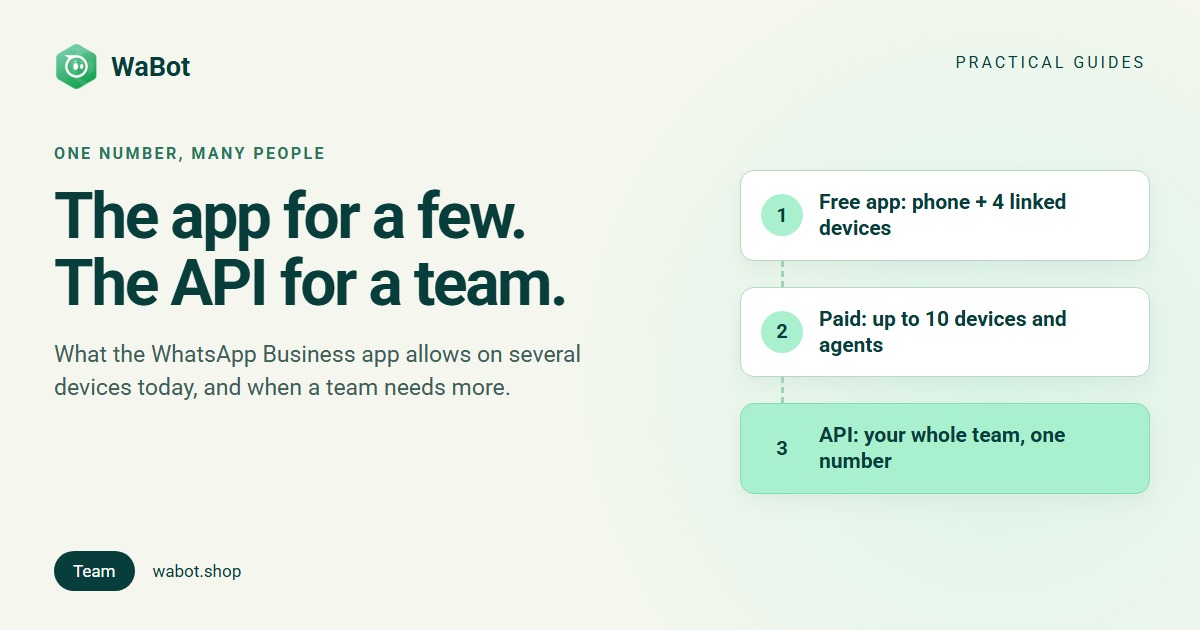
There are three official ways to run WhatsApp Business with multiple users. The free WhatsApp Business app works on the main phone plus up to four linked devices: WhatsApp Web, the desktop app, a tablet or a second phone. Meta lists up to 10 devices and agents as a benefit of its paid Meta Verified subscription. And the WhatsApp Business API puts your whole team on one number through a shared inbox, each person with their own login, with rules for who gets which chat. Here’s what each option allows today, and when the app stops being enough.
Option 1: linked devices in the free app
The cap comes from WhatsApp itself. Its announcement One WhatsApp account, now across multiple phones says you can link your phone “as one of up to four additional devices”, the same as linking WhatsApp on web browsers, tablets and desktops. The WhatsApp Business app works the same way: one main phone where the number is registered, plus up to four linked devices at a time.
| Rule | What it means day to day |
|---|---|
| One main phone | The number is registered on one phone, which stays the primary device |
| Up to 4 linked devices | WhatsApp Web, the desktop app, a tablet or another phone, each linked with a QR code |
| A second phone uses one of the four slots | WhatsApp says each linked phone connects independently, so it keeps working while the main phone is offline |
| An idle main phone logs everyone out | WhatsApp automatically logs out all companion devices “if your primary device is inactive for a long period” |
| Broadcast lists stay on the main phone | Linked devices can’t create or view broadcast lists (see the broadcast list limit) |
How to link a device
- On the main phone, open WhatsApp Business and go to Linked devices (the three-dot menu on Android, Settings on iPhone), then tap Link a device.
- Scan the QR code shown on the device you’re adding: web.whatsapp.com in a browser, the desktop app, or WhatsApp Business on the second phone or tablet.
- Repeat for up to four devices. To free a slot, log a device out from the same Linked devices screen.
Menus move between app versions; WhatsApp’s Help Center has the current steps for your phone.
Option 2: more devices and agents on a paid plan
Meta’s WhatsApp Business app features page lists “linking up to 10 devices and agents to your account” among the benefits of Meta Verified, its paid subscription for businesses. Meta’s newer Meta One plans, announced on 15 September 2026, add more linked devices from the Advanced tier. Meta says plans vary by region and are rolling out gradually, so check in the app what’s offered for your number and what it costs.
Meta has also put an AI agent into the app. It launched in India on 14 May 2026 as Business AI for eligible small businesses: it replies to customer questions around the clock, recommends products and shares details from your profile and catalog, and you can take over any conversation. Meta now calls it Meta Business Agent, and its Meta One plans include it.
For a small team that wants to stay in the app, this is the next step to look at.
Where the app stops for a growing team
- A ceiling on seats. Four linked devices free, up to 10 devices and agents on a paid plan. A bigger team, or several shifts sharing logins, outgrows that.
- One main phone. The number stays registered on the primary phone, and WhatsApp logs out companion devices if that phone is inactive for a long period.
- No routing rules. Meta’s feature list for the app covers labels, quick replies, greeting and away messages and the AI agent. It doesn’t include rules such as round-robin assignment or escalation when a chat sits unanswered.
- Campaigns hit limits. Broadcast lists cap at 256 contacts and reach only people who saved your number, and Meta offers Business Broadcasts in the app only in select countries. See the WhatsApp broadcast list limit.
- Nothing to plug in. Order updates from your store, or messages from your CRM or your own software, need the API.
The API route: one number, your whole team
The WhatsApp Business API (Meta’s WhatsApp Business Platform, hosted on Meta’s Cloud API) looks the same to the customer, but your team replies from a provider’s shared inbox instead of passing a phone around. You add people, not devices. The full picture is in one WhatsApp number for your whole team; here’s what changes:
- Everyone you add can reply, each signed in with their own login on their own laptop or phone.
- Customers still see one business name and one number. Your team sees who sent each reply inside the inbox.
- Chats get owners automatically. A workflow can assign each new chat to a specific teammate, round-robin, or whoever is least busy, only if the chat isn’t assigned yet.
- Silence gets a deadline. A “No reply for a while” trigger can assign any chat nobody answered in 30 minutes, and escalate to a manager if the reply task slips. See WhatsApp support SLA escalation.
- Campaigns go past 256. Approved templates reach opted-in customers whether or not they saved your number.
- Your other software can join in. A store, CRM or your own system can send and receive WhatsApp messages through the API.
When a chat does slip, the customer can hear from you automatically, with an approved template such as this one from our SLA workflow:
Sorry for the wait, {{1}}. Your message has reached our senior team and you'll have a reply within the hour.
You don’t have to give up the app, either. A WhatsApp Business app number can be connected to the API and keep working side by side, which Meta calls coexistence in its Business app onboarding documentation. Two details matter here: linked devices are unlinked when you connect (you can link up to four again afterwards, but WhatsApp for Windows and WearOS aren’t supported as companions), and the shared number sends at a fixed 20 messages per second. Full trade-offs: use your existing WhatsApp number for the API. Setting up: how to get the WhatsApp Business API in India.
App or API: which fits your team
| WhatsApp Business app | API shared inbox | |
|---|---|---|
| People replying at once | Main phone + 4 linked devices; up to 10 devices and agents with paid Meta Verified | Your whole team, each with their own login |
| What customers see | One business | One business; your team sees who sent each reply |
| Routing and escalation rules | Not in Meta’s app feature list | Round-robin, least busy, escalation after a set time |
| AI replies | Meta Business Agent, for eligible businesses | Your provider’s AI bot, with a person taking over |
| Campaigns | Broadcast lists: 256 contacts, saved-number rule | Templates to opted-in contacts, with delivery reports |
| Store, CRM or own software | Can’t connect | Connects through the API |
| Cost | Free; paid plans for more devices | Provider plan + Meta’s per-message charges (India rates) |
Still comparing the two products overall? Read WhatsApp Business app vs API.
How WaBot handles this
WaBot is the shared-inbox side of this. Invite the team under Settings → Users (the team guide covers invites and roles), and each person signs in on their own laptop or phone. Your team sees who sent each reply.
- Automatic assignment: the workflow action Assign to team member picks A specific teammate, Round-robin or Least busy, with Only if the chat isn’t assigned yet. The teammate gets a notification in the WaBot app and a push on their phone (“Chat assigned to you”).
- Reply deadlines: the No reply for a while and Follow-up is due triggers assign unanswered chats and escalate to a manager. Open tasks show on the Follow-ups page and in the 09:00 morning digest.
- Tags keep “who answers what” visible: new enquiries to one person, payments to another.
- An auto response for after hours, so the chat isn’t silent at night or on Sundays.
The shared inbox and campaigns are on the Starter plan (₹840/month + GST, up to 2,500 contacts); automatic assignment and SLA workflows are on the Base Plan (₹9,240/year + GST). Sign up free; connecting a number starts a 15-day Base Plan trial. Meta’s per-message charges are billed by Meta directly, with no WaBot markup. Questions: WhatsApp +91 91889 12767 or hello@wabot.shop.
Put your whole team on one WhatsApp number
Create your free WaBot account, connect your number and invite teammates from Settings → Users. Everyone replies from their own login while customers see one business. Connecting starts a 15-day Base Plan trial, no card needed.
Frequently asked questions
How many people can use one WhatsApp Business account?
In the free app, the main phone plus up to four linked devices. Meta lists linking up to 10 devices and agents as a benefit of its paid Meta Verified subscription. On the WhatsApp Business API, your whole team works from a provider’s shared inbox, each person with their own login.
Can I use the same WhatsApp Business number on two phones?
Yes. WhatsApp lets you link a phone as one of up to four additional devices. On the main phone open Linked devices → Link a device and scan the QR code shown by WhatsApp Business on the second phone.
What happens to linked devices when the main phone is off?
Each linked device connects to WhatsApp independently, so it keeps working while the main phone is offline. But WhatsApp logs out all companion devices if the main phone stays inactive for a long period, so keep it in regular use.
Will customers see which team member replied?
No. Customers see your business, whichever device or person sends the reply. In a shared inbox on the API, your team sees who sent each reply, and chats can be assigned to a specific person.
What does WhatsApp Business for multiple users cost?
Linked devices in the app are free; Meta’s subscriptions that add devices and agents are paid, and plans vary by region. On the API, WaBot’s Starter plan with the shared inbox and campaigns is ₹840/month + GST and workflows are on the Base Plan at ₹9,240/year + GST. Meta charges per delivered message (in India ₹0.8631 marketing, ₹0.115 utility, plus 18% GST), billed by Meta directly.
The bottom line
The WhatsApp Business app stretches further than it used to: four linked devices free, up to ten devices and agents on a paid plan, and an AI agent for eligible businesses. If that covers your team, stay. When you need more people than that, rules for who gets which chat, a deadline when a chat sits unanswered, campaigns to thousands or a link to your store, put the number on the API and give everyone a login.