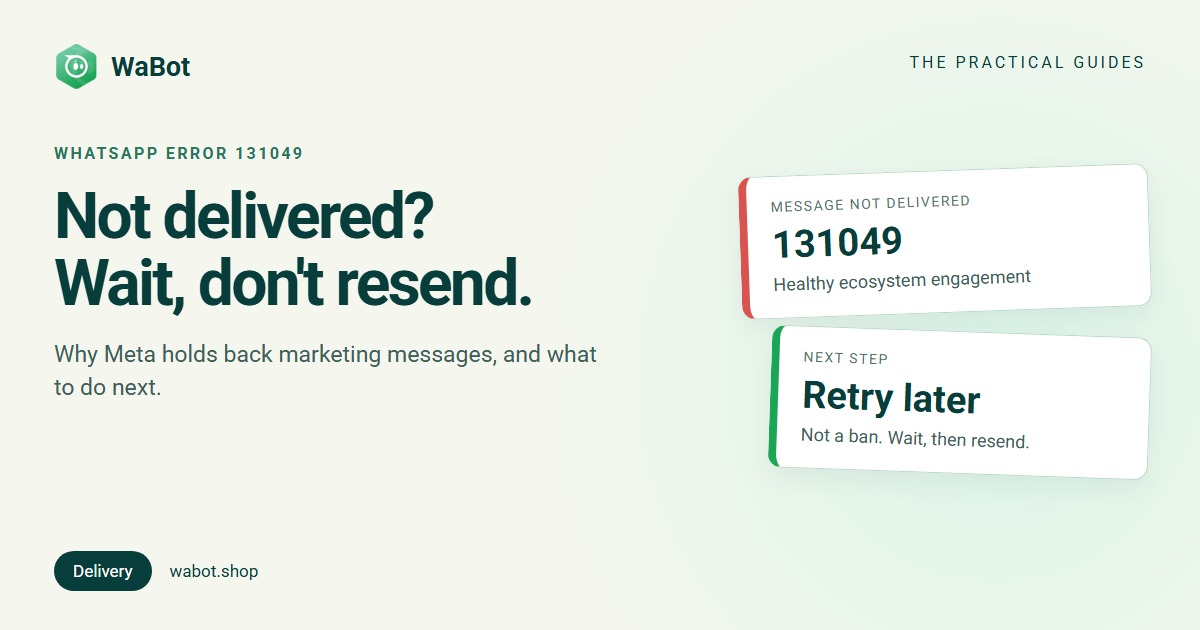
You sent a WhatsApp campaign, opened the report, and some messages say failed with error 131049. The number is correct, the customer uses WhatsApp, and the template is approved. So what went wrong?
Usually, nothing is wrong with your account. Error 131049 is Meta’s way of saying this customer has had enough marketing messages for now. This guide explains what the error means, what it does and doesn’t affect, and the right way to handle it.
What error 131049 means
Meta’s Cloud API error-code list describes code 131049 in one line:
This message was not delivered to maintain healthy ecosystem engagement.
Behind this is Meta’s per-user marketing template message limit. In Meta’s words, WhatsApp “may limit the number of marketing template messages a WhatsApp user receives from any business in a given period of time when they are less likely to be receptive and engage with those messages.”
Three things to note:
- It’s about the customer, not you. The limit is per WhatsApp user and covers marketing messages from all businesses. If other brands have already sent this person a lot of offers, your message can be held back even if it’s the first one you’ve sent this month.
- It changes over time. Meta says the limit adapts automatically, based on things like the person’s recent marketing read rate and how many messages they have in their inbox from friends, family and businesses.
- Meta doesn’t publish the number. There is no fixed “X messages per week” figure, so nobody can tell you exactly how many marketing messages a customer can receive.
Which messages it applies to
The per-user limit is about marketing template messages: offers, sale announcements, new arrivals, festive greetings, “we miss you” messages.
- Each delivered marketing template counts towards the customer’s limit.
- Replies reset the picture. If the customer replies to a marketing message, a 24-hour customer service window opens, and marketing messages you send inside that window don’t count towards the limit.
- Category matters. Meta checks template categories and can move an approved Utility template to Marketing if its content is promotional. Once that happens, the template is treated as marketing, limit included.
Meta’s limits page also says WhatsApp does not currently deliver marketing templates to users with United States (+1) phone numbers. That shows up as an error too, and waiting won’t fix it.
Is error 131049 a ban? Will it hurt my number?
No, it isn’t a ban. Your number keeps working, and you can keep messaging other customers. Meta says that even when a business retries too often, delivery is limited only to the users who have already reached their limit, and it “does not affect your ability to send marketing messages to other users.”
Error 131049 is also not listed by Meta as a quality-rating factor. But be careful: Meta’s template quality rating is based on customer feedback (blocks and reports) and low read rates. The same habits that trigger 131049, such as too many offers to people who don’t read them, can also pull your template quality down. Treat a rising number of 131049 failures as an early warning. How to send bulk messages without getting banned.
Am I charged for these messages?
No. Meta’s pricing documentation says businesses “are only charged when a message is delivered”. A message that fails with 131049 was not delivered, so Meta doesn’t bill it. See WhatsApp API pricing in India for what delivered messages cost.
What NOT to do: resend straight away
The natural reaction is to hit resend, or to set up a loop that keeps trying. Don’t.
Meta asks businesses to wait at least 24 hours before resending a template to a customer who has reached their limit. Resending sooner will likely fail again. Worse, Meta enforces limits on excessive retries: if you resend marketing messages several times within 24 hours to users who are already at their limit, delivery to those users may be blocked for up to 24 hours, again with error 131049. Meta also notes that early resends can make your campaign delivery reports less accurate.
If your developer or another tool retries failed WhatsApp messages automatically, check that it treats 131049 differently from errors like a network timeout. An instant retry is the wrong fix for this one.
Run WhatsApp campaigns with clear delivery reports and built-in retry for 131049.
What to do instead
- Wait, then retry once. Leave at least 24 hours before trying the same customer again, ideally more. If it fails again, give that customer a longer break.
- Stagger big campaigns. Don’t send every offer to your whole list on the same day as every other brand (Diwali morning, for example). Spread sends over days, or time them for when your customers usually reply. How to schedule a WhatsApp campaign.
- Send to engaged customers first. People who recently replied, ordered or clicked are more likely to read your message. Use tags and groups to build these segments. How to organise contacts with groups and tags.
- Make every message worth opening. A specific, personal message (“Your size M is back in stock”) gets read. A generic “BIG SALE” blast gets ignored, and ignored messages lower the read rate that the limit is partly based on.
- Use the right template category. Order updates, booking confirmations and payment reminders belong in Utility. Don’t add offers to them: if Meta moves a template to Marketing, it is subject to the marketing limit.
- Invite replies. Quick-reply buttons like “Show me” or “Not now” give customers an easy way to respond, and a reply opens the 24-hour window.
- Check your delivery reports after each campaign. Look at how many messages failed and why. A few 131049s are normal. A large share means you’re sending too much to people who aren’t engaging.
Errors people confuse with 131049
These codes also mean “not delivered”, but for different reasons. Descriptions are from Meta’s error-code list.
| Code | What Meta says | What to do |
|---|---|---|
| 131049 | Not delivered to maintain healthy ecosystem engagement | Wait at least 24 hours, then retry. Send fewer, more relevant marketing messages. |
| 131026 | Unable to deliver message (for example, not a WhatsApp number, terms not accepted, or an old WhatsApp version) | Check the number. Ask the customer by another channel to update WhatsApp and message you. |
| 131047 | More than 24 hours have passed since the recipient last replied | Outside the 24-hour window, send an approved template instead of a normal message. |
| 131050 | The recipient has chosen to stop receiving marketing messages from your business | Don’t retry. Respect the opt-out. |
| 130472 | Message was not sent as part of an experiment | Meta holds back marketing templates for a very small share of users. Resending gives the same error; ask the customer to message you first. |
WhatsApp error 131049 is the only one in this list where simply waiting and trying again can work.
How WaBot handles error 131049
WaBot uses the official WhatsApp Business API, so you see the real reason a message failed instead of a vague “not sent”.
Automatic retry, with the right delay
When Meta returns 131049 on a template message, WaBot schedules a retry instead of resending straight away:
- The first retry is about 24 hours later. If that one also gets 131049, WaBot tries once more about 48 hours after that. That’s a maximum of 2 automatic retries.
- Retries are spread out by a few minutes, so a workflow that fired for many contacts doesn’t resend them all in the same second.
- Just before sending, WaBot checks again. The retry is skipped if the customer has messaged you since (the chat window is open, so you can just reply), if the contact is blocked or deleted, if the template is no longer approved, or if your WhatsApp number is disconnected.
- It applies to template messages only. Normal chat replies are not retried.
What you see in the inbox
Under the failed message, the inbox shows a notice like “Not sent: WhatsApp limited messages to this customer. Will retry automatically at [time]“. Later it changes to “Retried automatically”, or “Not delivered after 2 automatic retries” if both attempts failed. If the customer writes in first, it says “Customer messaged you; reply normally”.
You can still click Retry now. WaBot asks you to confirm first, because retrying this soon usually fails again, and a manual retry cancels the automatic one.
If Meta has moved your template from Utility to Marketing, the inbox adds a hint: “Meta re-categorised this template as Marketing; rewrite it without promotional wording.”
The settings
Go to Settings → Message Settings and find the Automatic retry section. There are two switches:
- Retry workflow, API and inbox template messages: on by default.
- Also retry bulk campaign messages: off by default, so campaigns don’t resend unless you choose to.
Campaign reports
In a campaign’s results, failed messages have a Failure reason column, and you can filter by it. Error 131049 shows as “Not delivered to keep engagement healthy (131049)”, so you can see at a glance how many of your recipients were held back. More in the campaigns guide.
Stop losing campaigns to error 131049
Create your free account here. Connect your WhatsApp number and you get 15 days of the Base Plan, workflows included, no card needed.
Frequently asked questions
What does WhatsApp error 131049 mean?
It means Meta did not deliver your template message “to maintain healthy ecosystem engagement”. The customer has reached WhatsApp’s per-user limit on marketing messages, which covers marketing from all businesses, not just yours.
Will error 131049 get my WhatsApp number banned?
No. It isn’t a ban and you can keep messaging other customers. Meta says even excessive retries only limit delivery to the users who have reached their limit. But many 131049 failures suggest customers aren’t reading your marketing, and low read rates can affect template quality.
Am I charged for messages that fail with 131049?
No. Meta charges only for delivered messages, and a 131049 message was not delivered.
How long should I wait before resending?
Meta says to wait at least 24 hours. Resending sooner will likely fail again, and repeated retries within 24 hours can block delivery to that customer for up to 24 hours.
Does 131049 apply to utility or OTP messages?
Meta’s per-user limit is for marketing template messages. If Meta re-categorises a utility template as marketing because it contains promotional content, that template is then treated as marketing.
The bottom line
Error 131049 isn’t a fault in your account. It’s WhatsApp protecting customers from too many offers. Don’t fight it with instant resends: wait at least a day, send fewer and more relevant marketing messages, and focus on customers who engage.
New to the API? Start with WhatsApp Business app vs API.